Read Later - Reeed: Save
iPhone / Actualités
The internet is full of things worth reading. Reeed helps you actually read them. Save articles from anywhere, strip away the noise, and return to what reading should feel like — calm, focused, and entirely on your terms.
Coming from Pocket or Omnivore? Reeed is the read-it-later app built to stay — save with the iOS share sheet or our browser extension for Chrome, Firefox, Edge, Brave and more.
Save from Anywhere
Breaking news, long-form essays, tutorials, recipes you'll definitely make someday — if it's worth reading, it's worth saving. Capture articles from across the web and read them whenever you're ready.
Distraction-Free Reading
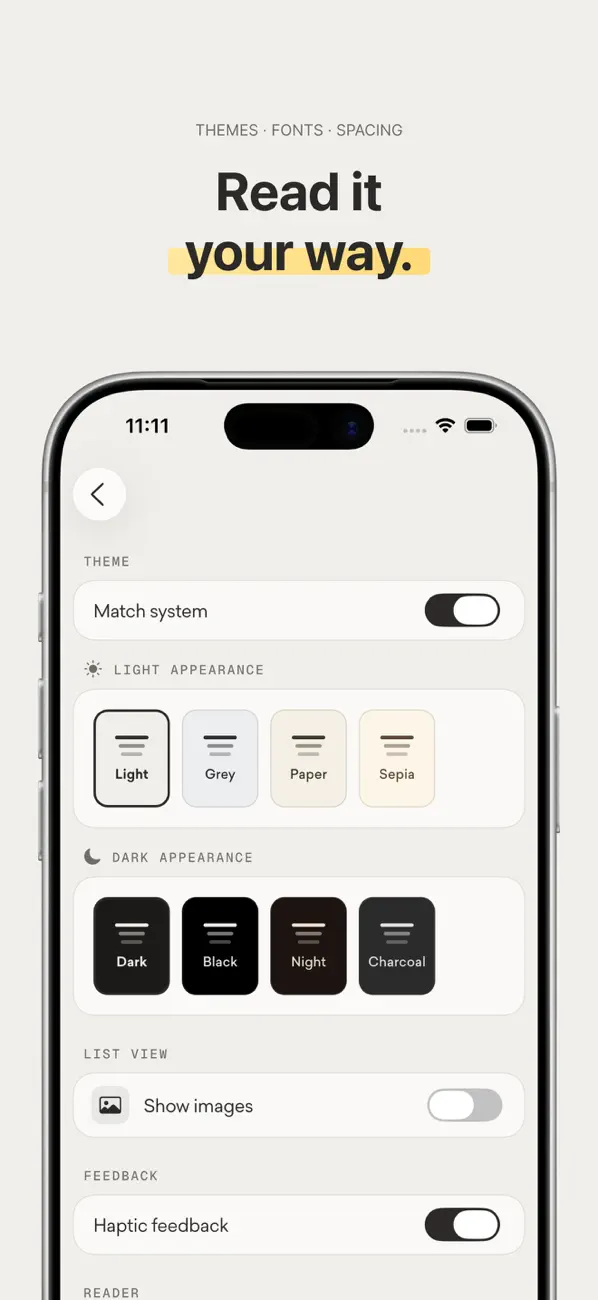
No ads fighting for attention. No popups begging for your email. Just words on a page, exactly as they should be. Customize fonts, text size, line spacing, and margins until it feels like your favorite book.
AI-Powered Summaries
Life moves fast. When you need the essence without the essay, our AI distills articles into crisp summaries that capture what matters. Read smarter when time is short.
Feeds That Come to You
Follow your favorite sites and newsletters with built-in RSS. New articles arrive in your library automatically — no checking, no missing out.
Beautiful Themes
Eight handcrafted themes to match your mood and your moment — from the warmth of Paper and Sepia for sunny afternoons to the elegance of Dark and True Black for late-night reading sessions.
Organized Your Way
Create folders that fit your life. Keep work research separate from weekend reads, recipes apart from revelations. Your library, your logic.
Highlights & Notes
Underline the lines that stop you mid-scroll. Add thoughts before they slip away. Build a personal archive of insights you'll actually find again.
Go Premium
Unlock AI Summaries, premium themes, unlimited folders, and more. Because great reading deserves great tools. Premium is $18/year (just $1.50/month) or $2.99 monthly, with a 3-day free trial.
Privacy Policy: https://www.reeed.io/privacy-policy
Terms & Services: https://www.reeed.io/terms-and-services
Quoi de neuf dans la dernière version ?
Fresh, Smoother UI
A redesigned interface that feels lighter, cleaner, and more polished throughout.
Search Your Feeds, Instantly
• A new Search finds anything from your RSS feeds — by title, author, site, or a phrase buried deep in the article itself. It's fully on-device and fast, so results appear as you type, even offline. Tap a result and Reeed opens the article and scrolls straight to your match.
• Your recent searches stay handy, so you can pick one back up in a single tap.