iPhoneAddict Apps
  • Actualités
  • Accueil Apps
  • iPhone
  • iPad
  • Universelles
  • Mac
  • Apple TV
KG KultureGeek
App
iPhone / iPad Télécharger iAddict v5 Mac Télécharger iAddict Mac
  • Actualités
  • Accueil Apps
  • iPhone
  • iPad
  • Universelles
  • Mac
  • Apple TV
  • Archives keynotes
  • Firmwares & iTunes
  • Contactez-nous
  • Comparateur de prix
  • KultureGeek
Accueil » Liste des Apps » Apps Universelles » Autocollants » Romantic Couple Valentines Day
L'application n'est plus disponible sur l'App Store français
1.0 iOS €0,99€ Mujahid Zafar 0 0 Greetings from Romantic Couple Valentines day. Extends your love, care and feelings for the special person in your life by using these stickers. This pack sticker will Enlighten your iMessage conversation & take it to the next level. ► HOW TO...
Romantic Couple Valentines Day

Romantic Couple Valentines Day

iOS Universel / Autocollants

0,99€
Acheter sur l'App Store
Facebook X E-mail

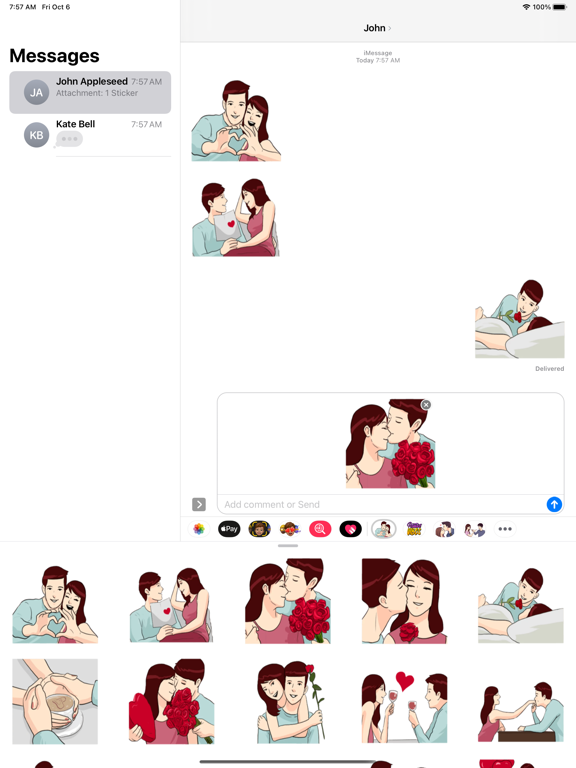
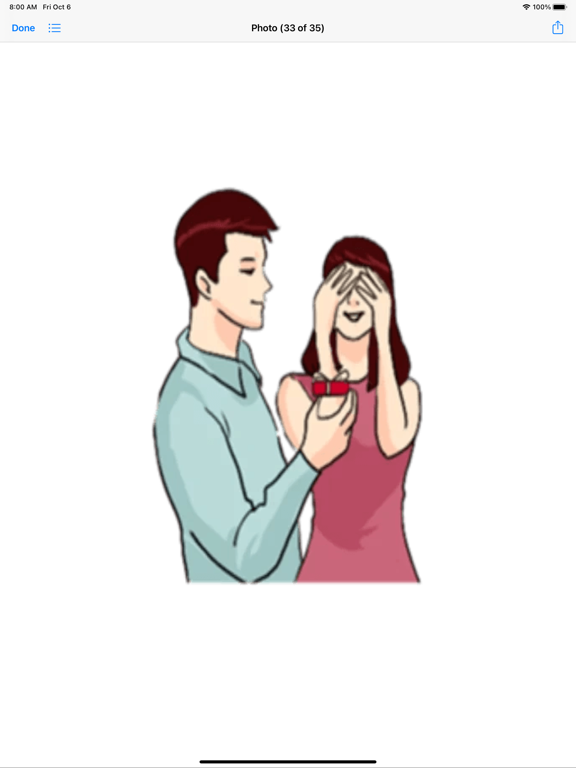
Greetings from Romantic Couple Valentines day. Extends your love, care and feelings for the special person in your life by using these stickers.

This pack sticker will Enlighten your iMessage conversation & take it to the next level.

► HOW TO USE:
• SEND dynamic stickers in chat
• PLACE stickers anywhere on your iMessages
• CUSTOMIZE your photos with stickers in chat
• LAYER stickers over each other, in chat, and on photos
• SCALE & ROTATE stickers

► HOW TO FIND YOUR STICKERS:
• Access iMessage apps— Enter a contact to message, then tap the App Store icon beside the chat field to see your most recently used iMessage app.
• Find new stickers—First tap the App Store icon, then tap the 4-ovals icon in the lower left to bring up the app drawer. Then, tap the + icon to access the Store.
• If you are not seeing Stickers that you have purchased, you may need to change your settings. Tap the App Store icon, then tap the 4-ovals icon in the lower left to bring up the app drawer. Then click the + symbol to open the store, and select the Manage button top right. Make sure the app you are looking for is turned on.
• Use stickers in chat—Tap to send, or touch and hold to put stickers on top of a bubble, other stickers, photos, and videos.
• Apple Watch (iOS 3), iPhone & iPad users (iOS 10)—Transform your chat with animated stickers! Earlier iOS versions and other platforms will see static stickers in chat.

► How to Delete sticker packs from iMessage:
•Open the iMessages app on your iPhone.
•Scroll right on the list of apps above the keyboard till you see the More … button.
•Scroll down and find the sticker pack you want to remove.
•Delete App: swipe left on the sticker pack and Delete it
•Tap the Edit button on the top-left.
•Now you can reorder the sticker packs and also hide the sticker pack by switch button

CONTACTS: feedbackmegacarrotapps@yahoo.com

En voir plus...

  • Screenshot #1 pour Romantic Couple Valentines Day
  • Screenshot #2 pour Romantic Couple Valentines Day
  • Screenshot #3 pour Romantic Couple Valentines Day
  • Screenshot #4 pour Romantic Couple Valentines Day
  • Screenshot #5 pour Romantic Couple Valentines Day
  • Screenshot #6 pour Romantic Couple Valentines Day

D'autres applications du développeur

Quel âge j'ai ? Magic Age CartQuel âge j'ai ? Magic Age CartiOS UniverselCandy Hearts LoveCandy Hearts LoveiOS UniverselCute HammyCute HammyiOS UniverselBest Romantic Summer EverBest Romantic Summer EveriOS UniverselEid-ul-adha stickersعيد الأضحىEid-ul-adha stickersعيد الأضحىiOS UniverselChristmas New Year Gifts VibesChristmas New Year Gifts VibesiOS UniverselVoir toutes les apps

Note

(0 note)

Détails sur l'application

Version
1.0
Taille
6.1 Mo
Version minimum d'iOS
11.0
Dernière mise à jour
06/10/2023
Publié par
Mujahid Zafar

Newsletter App Store

Recevez chaque jour les meilleures promos

Actualité Apple

Image Les AirPods 5 se cachent dans macOS 26.7
Les AirPods 5 se cachent dans macOS 26.7
Image App Store : Apple annonce qu’il pourrait ne plus toucher de commissions sur les achats in-apps
App Store : Apple annonce qu’il pourrait ne plus toucher de commissions sur les achats in-apps
Image Seul l’iPhone 18 Pro Max aurait l’ouverture variable
Seul l’iPhone 18 Pro Max aurait l’ouverture variable
Image Apple contre-attaque sèchement contre le DoJ dans la procédure antitrust sur l’iPhone
Apple contre-attaque sèchement contre le DoJ dans la procédure antitrust sur l’iPhone
iPhoneAddict Apps

Le catalogue iPhoneAddict pour suivre les nouveautés, mises à jour et baisses de prix de l’App Store.

Apps

Toutes les apps iOS iPhone iPad Universelles Mac Apple TV

iPhoneAddict

Actualité Apple Archives keynotes Contact À propos KultureGeek

Suivez-nous

©2009-2026 i2CMedia. Tous droits réservés.