iSjop
iOS Universel / Cuisine et boissons
iSjop is a little, fast, user-friendly app which lets you focus on quick item selection and doing the shopping without being distracted by the app self.
Quickly create a database with the items you need
Select saved items by pushing the button "Get it"
Adjust the order of the items.
If you take an item, Push "Got it!" and the item moves to the other section
All items are saved for the next time.
iSjop is a must-have tool for everyone who hates making a shoppinglist, but has to.
You have to eat, don't you? iSjop lets you focus entirely on your shopping and let you set up a shoppinglist within seconds.
------------------------------------------------------------------------------------------------
User Manual iSjop
The meaning is to create and maintain easy to use shopping lists.
Also usable as ToDo list tool
First screen
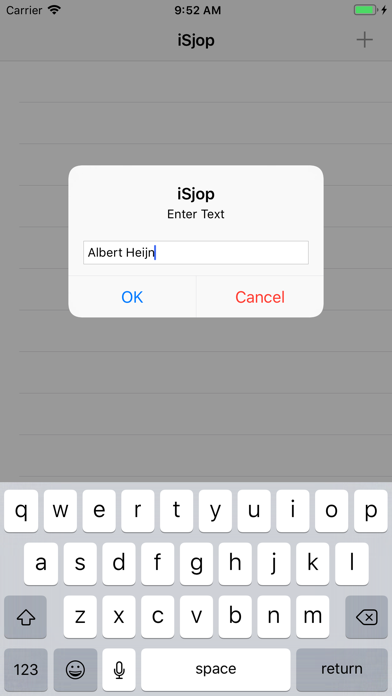
This is a list of Shops (or ToDo categories, or whatever you like)
Tap the plus(+) to Add a Shop.
On the right side you'll see the amount of items stil to be fetched.
Tap a shop to see the Items.
Swipe to the left to reveal two buttons: Edit and Delete
You can only Edit the name of the shop.
If you delete a row, all the stored items of that shop will be deleted as well.
Tap left of the buttons to cancel the action.
Touch and hold a row (until it becomes a little bigger) and drag it up or down to change the order of the rows.
Swipe to the right to reveal the Notify button.
It takes you to the notification screen.
Tap the date-time row and set the desired date and time.
Tap Save to set the notification.
Items screen
This is a list of items of the chosen shop.
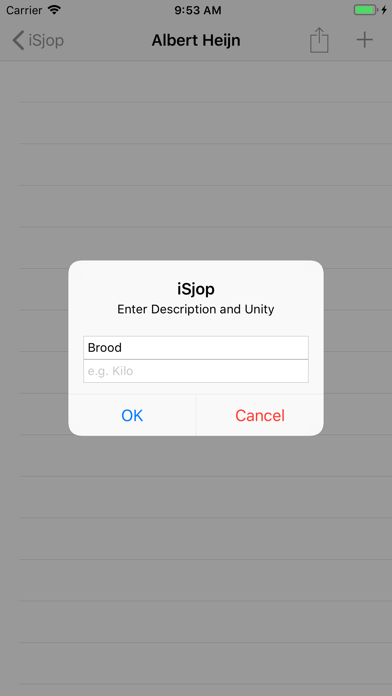
Tap the plus(+) to Add an item.
Type the description and optionally a unit (like kilo, liter, jar, sixpack)
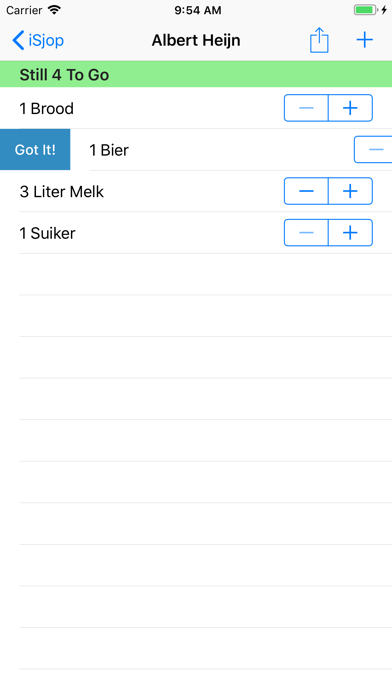
The + and - switch allows you to adjust the amount.
The green header shows the amount of items still to fetch.
This is the top section of the table.
When an item is fetched, swipe the row to the right, to reveal the button "Got It!"
Tap right of the button to cancel the action
When you do press it, the item moves to the bottom section with the red banner.
The fetch items stay there until your next visit to the shop.
You don't have to add the same item over and over again.
You can select an item again by swiping to the right and select "To Get"
The item will be moved to the top section.
Swipe to the left to reveal two buttons: Edit and Delete
You can Edit the name of the tem or delete it
Tap left of the buttons to cancel the action.
The items in the top section can be reordered too.
Touch and hold a row (until it becomes a little bigger) and drag it up or down to change the order of the rows.
The row in the bottom section will be ordered alfabetically.
The action button reveals two option.
The first is the notification feature, which is already described.
The second is the Send feature.
It's possible to send a list of items to your partner (or colleague, assistant, child, friend, etc).
Press the Send mail option and a 'send mail' popup screen will be shown.
Fill in a recipient (with the plus button you can pick one from your contactlist) and send the list, which is attached to the mail.
The recipient can import the shopping list opening it in the mail app (touch and hold and select -open with iSjop).
New items in the list will be added to the recipients list and existing items wil be moved to the top section.
In the Settings app (Settings -> iSjop) you can fill in a default email address. Tap the enable switch to activate this feature.
Quoi de neuf dans la dernière version ?
Fixed constraint.