• KultureGeek
  • Comparateur de prix
       
iPhoneAddict
 iAddictv5Notre Application iPhone/iPad
  • Accueil Apps
  • Actualité Apple
  • Keynote Apple
  • Firmwares & iTunes
  • Contactez-nous
Accueil » Liste des Apps » Apps Universelles » Divertissement » Catch! Wireless Photo Transfer
3.4 iOS €Gratuit AVB Disc Soft, SIA 0 0 Transfer files from iPhone to PC and back! Meet the brand-new photo transfer app from DAEMON Tools team. Install Catch! on your iPhone, get DAEMON Tools for PC and transfer files faster than ever. Unite all the devices from the local network and...
Catch! Wireless Photo Transfer

Catch! Wireless Photo Transfer

iOS Universel / Divertissement

Gratuit
Obtenir sur l'App Store

Transfer files from iPhone to PC and back!

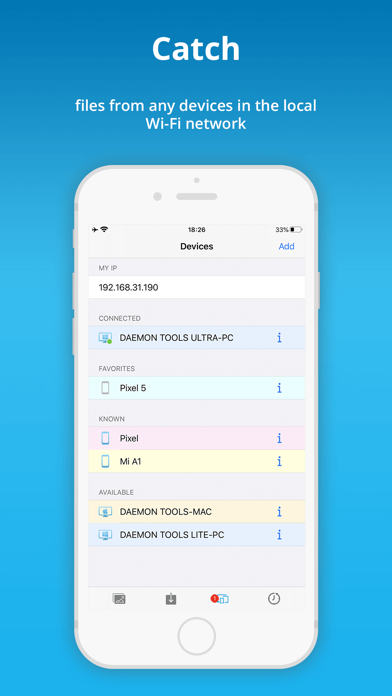
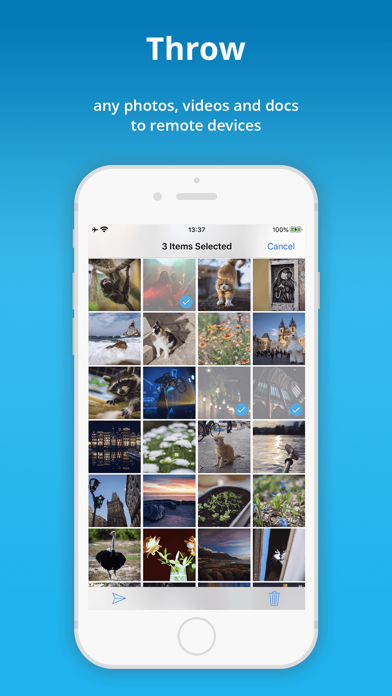
Meet the brand-new photo transfer app from DAEMON Tools team. Install Catch! on your iPhone, get DAEMON Tools for PC and transfer files faster than ever. Unite all the devices from the local network and transfer files, photos, videos, books and documents in a few taps.

Why Catch!?

- Ability to access iPhone photos on PC
- Ability to transfer files from PC to iPhone
- Easy, fast and secured file transfer
- No mobile network usage
- No limits on file types
- File transfer is totally free

How to transfer files from PC to iPhone?

- Launch Catch! on your iPhone
- Install DAEMON Tools Lite or Ultra
- Ensure that both apps are in the same network
- Right-click the file you want to transfer in Explorer or Finder
- Choose Share with Catch! option and select your device
- That’s it! You will get it in your photo transfer app in a second

How to access iPhone photos on PC?

- Launch Catch! on your iPhone
- Install DAEMON Tools Ultra or Lite on your PC
- Ensure that both apps are in the same network
- Launch Ultra, you will see your iPhone on the device panel
- Right-click it and choose Open in Ultra option
- That’s it! Now you can browse iPhone photos on PC

How to back up iPhone photos to PC?
- Launch Catch! on your iPhone
- Install DAEMON Tools Ultra on your PC
- Ensure that both apps are in the same network
- Choose New Backup Task from Store section in Ultra
- Set Source to Remote device and choose your one
- Adjust backup schedule and settings, click Finish
- Launch Catch! to start the backup

En voir plus...

Quoi de neuf dans la dernière version ?

- Use Catch! on your iPad
- Install the app on iOS 14
- Browse remote devices faster
- Check GIF animation in Preview
  • Screenshot #1 pour Catch! Wireless Photo Transfer
  • Screenshot #2 pour Catch! Wireless Photo Transfer
  • Screenshot #3 pour Catch! Wireless Photo Transfer
  • Screenshot #4 pour Catch! Wireless Photo Transfer
  • Screenshot #5 pour Catch! Wireless Photo Transfer
  • Screenshot #6 pour Catch! Wireless Photo Transfer

D'autres applications du développeur

DAEMON Sync
DAEMON Sync
/ iPhone

Note

(0 note)

Détails sur l'application

Version
3.4
Taille
29.5 Mo
Version minimum d'iOS
12.0
Dernière mise à jour
10/10/2020
Publié par
AVB Disc Soft, SIA

Newsletter App Store

Recevez chaque jour les meilleures promos

Actualité Apple

Image Johny Srouji, responsable d’Apple Silicon, envisage de démissionner
Johny Srouji, responsable d’Apple Silicon, envisage de démissionner
Image Les législateurs US exigent des comptes à Apple sur les applications pistant la police migratoire
Les législateurs US exigent des comptes à Apple sur les applications pistant la police migratoire
Image Intel fabriquerait de futurs processeurs d’iPhone, en plus des Mac
Intel fabriquerait de futurs processeurs d’iPhone, en plus des Mac
Image Platonic : face au succès, Apple TV annonce une troisième saison de la série avec Seth Rogen
Platonic : face au succès, Apple TV annonce une troisième saison de la série avec Seth Rogen
Partenaires : Actualité iPhone - Culture Geek
©2009-2025 i2CMedia | A propos |