Daystar
iOS Universel / Divertissement
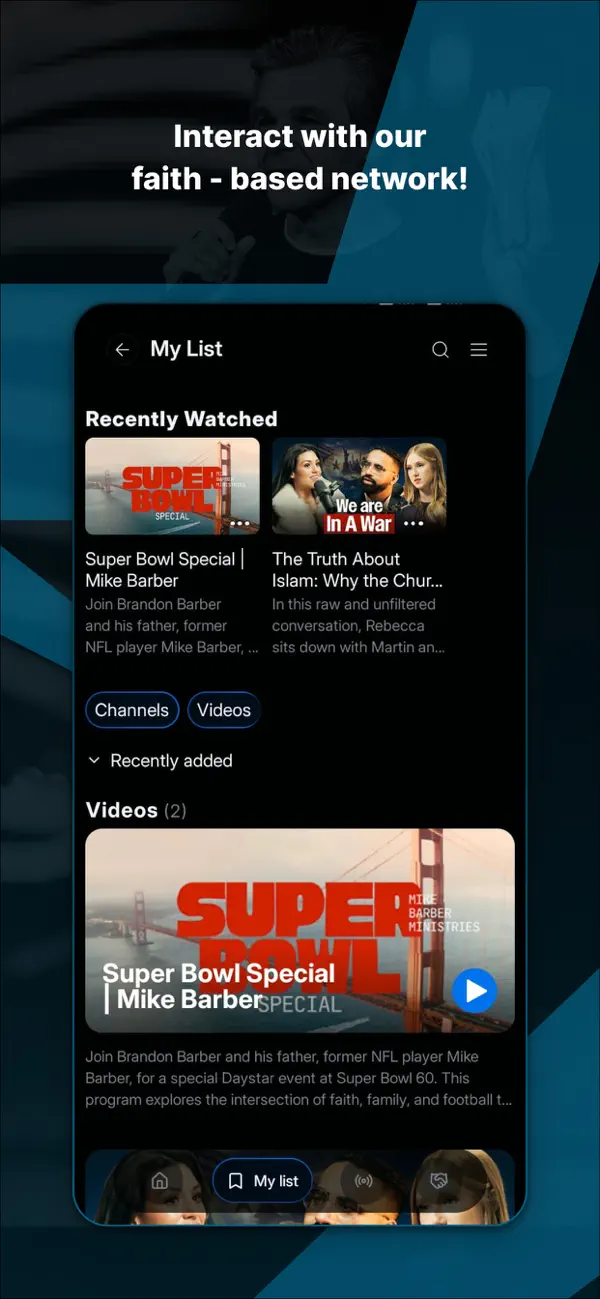
The Daystar app is a new way to interact with the fastest-growing, faith-based network in the world! You can enjoy the Daystar live stream or keep up with your favorite videos with Daystar on Demand.
New Daystar version with improved experience and new features.
The Daystar team is pleased to announce a new version of the Daystar app. In this release, users will continue to enjoy all existing content, now with an enhanced and more intuitive experience. The app design has been updated to improve navigation and make it easier for users to interact with content.
Note: The features and navigation logic described below establish the new global standard for the Daystar mobile ecosystem across all platforms.
Core Functionalities & Updates
- New Floating Menu (Global Navigation)
A persistent navigation overlay designed to provide quick access to the platform’s core sections.
Menu Options: Home, My List, Radio, and Donate.
Behavior: The Donate option opens a new browser window on the user’s device.
- Radio Button (Persistent Audio)
A dedicated toggle within the Floating Menu that provides a seamless audio-only experience.
Function: Pressing the button activates the live audio stream.
Interaction: The button functions as a toggle; pressing it again stops playback.
Note: If the radio is activated while a video is playing, the video will automatically stop.
- Long Press Trailer (Smart Discovery)
A new interaction that allows users to preview content without leaving the main feed.
Description: Plays the first 30 seconds of any video within a modal window.
Access Methods:
- Long press on any video thumbnail
- Tap the three dots (…) icon in the bottom-right corner of the video card
- DaystarTV Live (Default Engagement)
To ensure immediate viewer engagement upon entering the app environment.
Behavior: The live video stream automatically plays by default when the application is launched.
- Top Trending Content
A dynamic, CMS-driven carousel that highlights the platform’s most popular content.
Purpose: Improves discoverability by surfacing real-time global trends to users.
*Live stream is broadcast in US Central time
Terms of Service: https://www.daystar.tv/tos
Privacy Policy: https://daystar.com/privacy-policy
Quoi de neuf dans la dernière version ?
iPad improvements: the home screen banner now displays properly with
full artwork, and the layout adjusts smoothly when you rotate your
device — including the live Daystar TV video, which now fills the
screen correctly in landscape.
A further series of minor changes for tablets that improve
the performance and usability of Daystar TV on iPad.
Improved descriptions for channel group details, such as Original Programs.
Bug fixes and stability improvements.