Meme Catcher
iOS Universel / Divertissement
Meme Catcher — Your Ultimate Meme Vault
Never lose a great meme again. Meme Catcher is the easiest way to save, organize, and manage your entire meme collection — all in one place, right on your device.
WHETHER YOU'RE A CASUAL SCROLLER OR A MEME CONNOISSEUR
Meme Catcher is built for everyone who's ever wanted to save a meme and actually find it later. No more digging through your camera roll. No more losing the perfect reaction image. Your memes, organized your way.
POWERFUL ORGANIZATION
Sort your memes into 20 built-in categories right out of the box — from Classic Memes and Reaction Memes to Gaming, Wholesome, Dank, Cursed, and more. Don't like the defaults? Create your own custom categories, pick your own colors and icons, and organize everything exactly the way you want.
RATE YOUR FAVORITES
Give every meme a star rating so your best ones are always easy to find. Add personal notes and tags to remember where a meme came from or why it made you laugh.
EXPORT YOUR COLLECTION
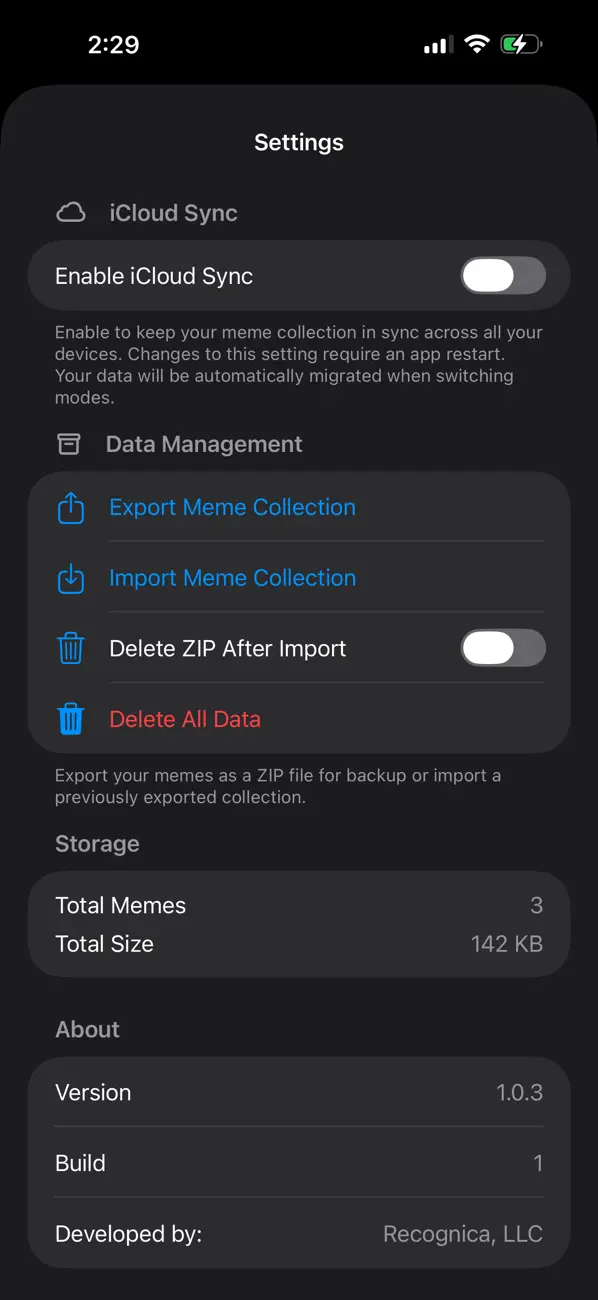
Take your memes with you. Export your entire collection — or just selected categories — as a ZIP file packed with full-quality images and a detailed metadata file. Share via AirDrop, save to Files, send over Messages, or upload to iCloud Drive. Your collection is always yours.
ICLOUD SYNC
Keep your meme library in sync across all your devices with iCloud. Enable iCloud Sync in Settings and your entire collection — every meme, every category, every rating — follows you wherever you go.
PRIVATE BY DEFAULT
Everything stays on your device. Meme Catcher never uploads your content to any server. Your memes are stored locally using SwiftData, with optional iCloud sync entirely in your control.
FEATURES AT A GLANCE
• Save and organize memes in one place
• 20 built-in categories, fully customizable
• Custom colors and icons for every category
• Star ratings and personal notes
• Export full collection as a ZIP archive
• Filter exports by category
• iCloud sync across devices
• Clean, fast SwiftUI interface
• No ads. No accounts. No nonsense.
Download Meme Catcher today and finally give your meme collection the home it deserves.
Quoi de neuf dans la dernière version ?
Version 1.0.7 is a focused update to the Meme Creator, bringing tools that make placing and styling text faster and more precise.
Selection Handles
Tap any text on the canvas to see a dashed border with eight handles at the corners and edges, making it clear which layer is active. Tap the background to deselect.
Grid Overlay
Choose from 3×3, 4×4, 6×6, or 9×9 grid sizes. Every grid is built from the center outward so there's always a line running through the middle of your photo. The grid never appears in your saved meme.
Snap to Grid
With a grid active, tap the magnet button and text will automatically lock to the nearest grid intersection as you drag. Toggle it on and off without changing your grid selection.
Smarter Toolbar
Add Text, Delete, Grid, and Snap are all disabled until a photo is chosen. Delete stays disabled until a layer is selected, and Snap stays disabled until a grid is active.
Bug Fixes
The date picker now shows the correct published date. The iCloud sync button accurately saves pending changes and the Last Saved timestamp shows a fixed date and time instead of a live countdown. A StoreKit transaction issue was resolved that could cause purchase prompts to repeat on launch.