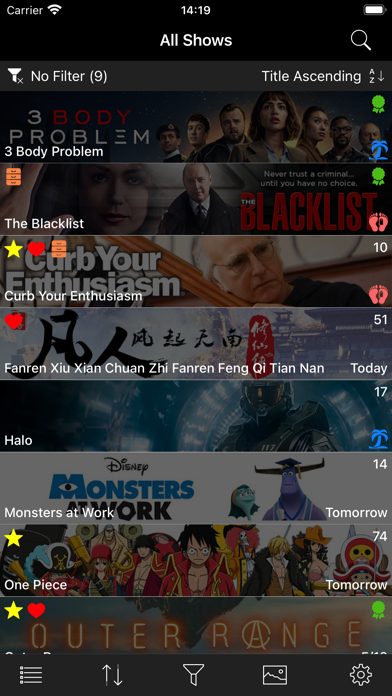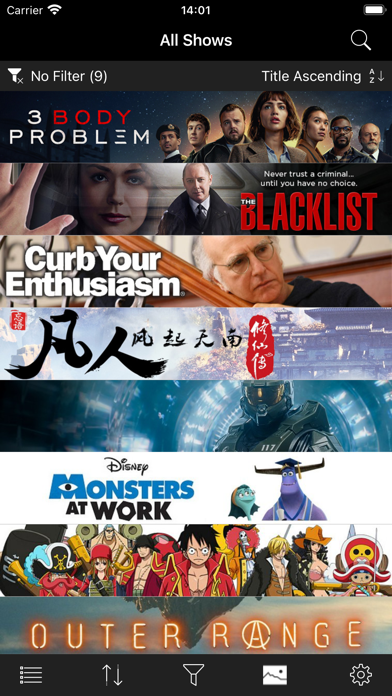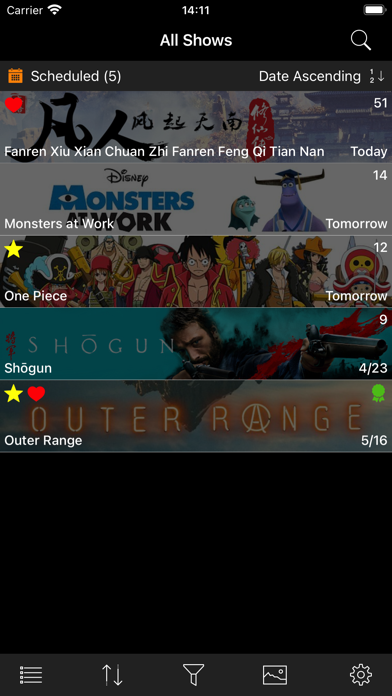
My TV Tracker
iPhone / Divertissement
About:
- Keep track of up to 3 shows for free to try it out; tracking more shows requires purchase of the app via in-app purchase.
- Creation of an external account and/or login is not required.
- You cannot watch TV shows with this app.
List Functionality:
- Select your working list. Make choice by tapping the list button in the toolbar and selecting from the popup menu:
* Active shows
* Archived shows
* All shows
- Filter the shows in your working list. Make choice by tapping the filter button in the toolbar and selecting from popup menu:
* Scheduled - only display shows that have a scheduled upcoming episode.
* Favorites - only display shows marked by the user as a Favorite.
* Watching - only display shows marked by the user as Actively Watching.
* In Development - only display shows that are In Development; i.e shows that have been announced, but the first show has not been scheduled.
* On Hiatus - only display shows that are On Hiatus; i.e. in between seasons or mid-season break.
* Ended - only display shows that have Ended; i.e are no longer in production.
* No Filter - display all shows in the list.
- Sort the shows in your working list. Make choice by tapping the filter button in the toolbar and selecting from popup menu:
* Title A to Z
* Title Z to A
* Next episode date sooner to later
* Next episode date later to sooner
Show Functionality:
- Move show back and forth between active/archive/all show lists.
- Mark a show as a Favorite or as a show that is being Actively Watched.
- Mark all the episodes of a show as watched or unwatched with one tap.
- Mark all the episodes of a single season as watched or unwatched with one tap.
- Change downloaded artwork if other choices are available.
- Save downloaded artwork to Photos.
- Share downloaded artwork.
- Copy downloaded artwork to the clipboard.
- Follow link to official show webpage, if one exists.
- Follow link to IMDb entry, if one exists.
How To:
- Add a show: tap Search button (magnifying glass) to navigate to Search view. Type in title and tap return. In resulting list of shows, tap a row to add that show to your list.
- Refresh show information: perform pull-to-refresh action on displayed list of shows. When updates are complete, an alert appears providing list of updated shows.
- For a given show in your displayed list:
* Tap row to navigate to Season view.
* Long press row to display Show Activity Menu.
* Swipe left on row to uncover Delete Action.
Quoi de neuf dans la dernière version ?
- Swiping left on a show in the main show list now presents an Archive/Unarchive action. Tap to toggle the archival status of the show.
- Added capability to hide episode summaries and images from view until the episode is marked as watched (No Spoilers).
- Search results now contain all basic show information, not just title only.
- Bug fixes and optimizations.