MyArtTools
iPad / Divertissement
MyArtTools provides fast easy access to creative or just-for-fun sketching and doodling tools. It has a built in help module and is designed to be user-friendly and versatile for any skill level. All ages can use it for plain-old-fun, fast conceptual sketching or fully finished serious artistic work.
When I entered art school, personal computers didn't exist, and it wasn't until the Macintosh II with a color monitor came out (around 1987) that I became interested in working on screens. I started using a program called Director to develop interactive presentations and hand-drawn, frame-by-frame animation. Director had a scripting language, which I learned to write, and that was the beginning of my interest in programming. Over the years, I taught myself to program in various languages, and I eventually adapted to Apple's programming paradigm while working for an educational company.
With my background in art and programming, when the iPad 2 came out, I developed a drawing app as a proof of concept, which I called ArtFusion. However, it didn't offer much precision when using the center of the finger, so I scrapped the idea, as it wasn't ready for practical use. With the release of the Apple Pencil and the iPad Pro, everything changed for me: from my perspective of precision drawing, I finally had a portable digital graphics tablet that I could use as a sketchbook. However, I wanted artistic tools that emulated those I had in the studio for drawing on paper and canvas. So I retrieved the old proof of concept, renamed it MyArtTools, and began adding more tools and processes to improve it to my specifications. A full year of programming later, the app was released in March 2017. Since then, I've updated it to keep up with Apple's code improvements.
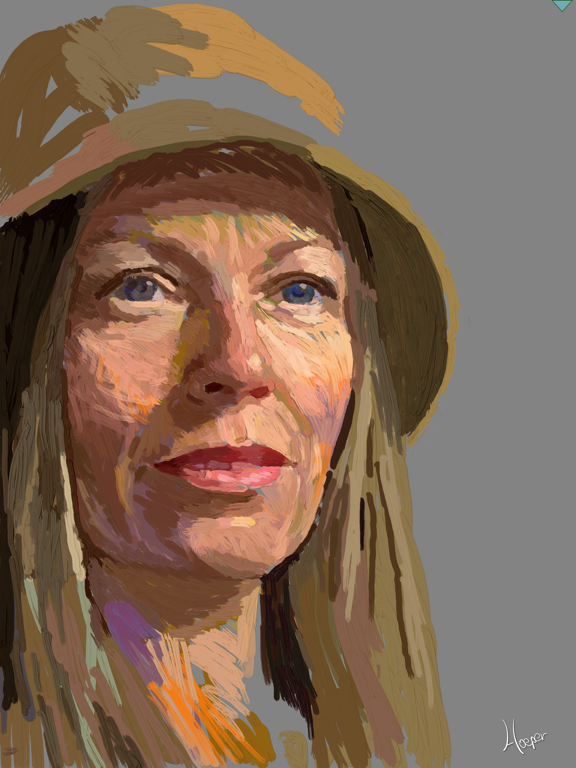
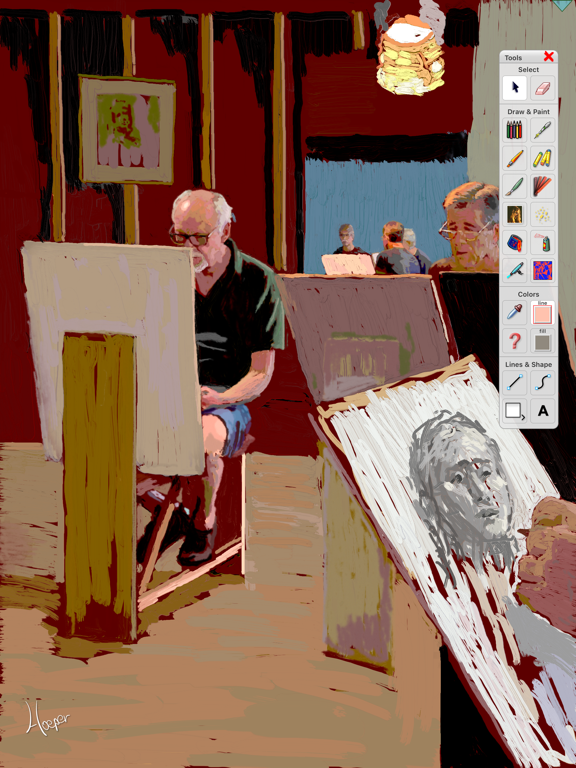
Using MyArtTools is incredibly easy: open the app, choose a drawing tool, and start sketching. If you have any questions about how to use a tool, you'll find comprehensive help within the app. This app is the digital version of a sketchbook or canvas. From realism to abstract art, from finger painting to complex drawing, MyArtTools is designed to emulate real art media such as pencil, pen, pastel, brush, palette knife, and many other tools that respond perfectly to the precision of the Apple Pencil. Create beautiful sketches and paintings anywhere. Save and resume your work. Send your finished pieces as high-resolution files to iCloud and other storage options, or share them with clients, colleagues, friends, and family via email, messaging, or directly on popular social media platforms. Create your drawings from scratch or import images from your photo library. Edit, filter, combine, or use imported photos as templates.
On my developer website the Art Fusion link showcases artwork created using MyArtTools:
https://www.piratesmoon.com/in_artFusion.php
IMPORTANT:
Some of the tools in this application are smaller than would normally respond to a finger touch, but perfect for the precision of the Apple Pencil.
THE SPECS
MyArtTools supports multiple composition layers. Clipping paths can be used to extract images to a new layer. Layers can be combined. The included filters can modify any bitmap image layer. The tool properties panel provides for adjusting various tool layer controls. Users can create, save and reuse gradients. Works-in-progress can be saved. Finished works can be saved as high resolution PNG files to iCloud, the Files app, Dropbox, and other storage options. Finished works can be shared via email, messaging or any of the other popular social networks.
Quoi de neuf dans la dernière version ?
The MyArtTools interface has been modified for iOS 26 using the new Liquid Glass language. This update has also been modified to take advantage of the ability to resize the app onscreen for multi-application access. And, I finally found and fixed a few elusive lingering bugs.
Features include:
▪ Optimized for the Apple Pencil
▪ Emulates real-life artistic media
▪ Intuitive interface
▪ Multiple layers for precise composition control
▪ Imports images from the iPad Photos app
▪ Crop and share creations with all your social networking accounts
▪ Save PNG images to iCloud, the Files app, DropBox, etc.
▪ Within the app, save and reopen layered files of works-in-progress
▪ Use clipping paths to extract images from layers
▪ Combine layers
▪ Quick Colors Panel for fast access to the active tool, eyedropper, eraser, and colors
▪ Speech Dialogue Bubbles
▪ Extensive help files localized for English, Spanish, Russian, and Chinese
Bitmap Drawing:
▪ Highly responsive 64bit drawing engine
▪ Exceptional 64-bit color
▪ 12 Different Tools
▪ Each tool is a separate layer
▪ Adjustable layer hierarchy
▪ Adjustable properties for each tool
▪ Over 30 GPU accelerated filters
▪ Save and reopen working files
▪ Multiple color palettes and gradients
▪ Eyedropper color selection
▪ Convert images to drawing tools
Vector Drawing:
▪ 64bit vector drawing engine
▪ 5 Different Tools
▪ Vector shape creation and clipping paths
▪ Vector Speech Bubble creation (combine shapes)
▪ Vector based text tool
▪ Save and reopen custom gradients