NAS Media Player - SMB Stream
Apple TV / Divertissement
Stream movies, music and videos directly from your NAS drive to Apple TV over SMB, WebDAV and DLNA/UPnP. NAS Media Player turns your television into a media center by connecting to network storage from Synology, QNAP, Western Digital, Asustor, TerraMaster, Buffalo and any standard SMB, WebDAV or UPnP server.
Three ways to connect. Enter an SMB server address, share name and credentials to browse folders, with guest access for open shares. Point to a WebDAV URL with a username and password, or anonymously, to stream over http or https. Or let the app automatically discover DLNA and UPnP media servers already running on your network, with no address or login to type.
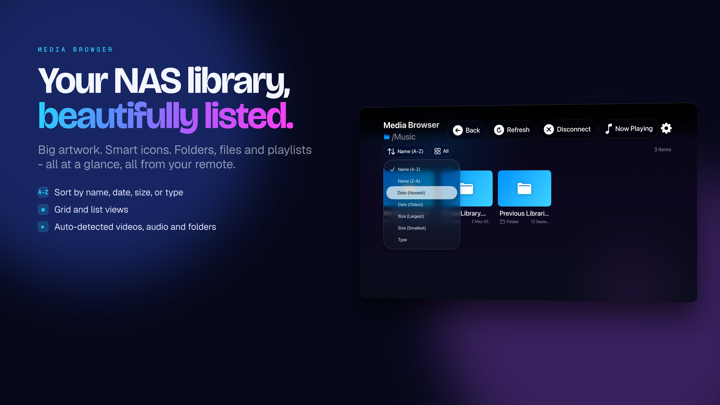
Play all popular video formats including MP4, MKV, MOV, AVI and M4V on the big screen. Audio playback supports MP3, FLAC, AAC, WAV, AIFF, M4A and OGG with visualizations. Navigate your library with smooth, responsive controls on the Apple TV remote.
Switch between multiple audio tracks embedded in your video files. Many MKV and MP4 movies carry several audio tracks including original language, dubbed versions and director commentary. Select your preferred track during playback without stopping the video or reopening the file. Useful for bilingual families watching films in the original language and for anyone with a multi-language collection.
Full playback control. Skip forward and backward, pause and resume, track progress on the timeline. Switch between fullscreen and fitted display modes. Controls auto-hide during playback and reappear with any remote button press.
Connect to shared folders, Samba servers, macOS file sharing, WebDAV shares and dedicated NAS appliances. Compatible with common SMB protocol versions and with DLNA/UPnP media servers, including those built into Synology DSM and QNAP QTS and standalone servers such as Universal Media Server and MiniDLNA. Stream wirelessly over your home WiFi without copying files to your Apple TV.
For home theater users who keep movies on network drives, music listeners with FLAC collections, families sharing home videos from central storage and cord cutters building personal media libraries.
Interface built for tvOS with focus-based navigation, glass-effect buttons and a dark theme for living room viewing. Loading indicators show real-time progress when streaming large files.
No subscription. No cloud storage. No monthly fees. Your media stays on your local network storage and streams directly from NAS to Apple TV.
Works with Synology DSM, QNAP QTS, TrueNAS, OpenMediaVault and UnRAID, and connects to Time Capsule and AirPort drives or any computer acting as a file server.
Setup takes seconds. For SMB or WebDAV, enter the address or URL, then a username and password or connect as guest. For DLNA and UPnP, pick a discovered server from the list. Browse folders and open any file to start playback.
Lightweight app with a small footprint and quick launch. Reliable streaming handles large video files smoothly, with background buffering for steady playback.
Stream video and music over SMB, WebDAV and DLNA/UPnP from any NAS drive with full Apple TV remote support. Browse folders, play multiple formats, connect securely or as guest. A private home theater and media center on your local network, with no cloud services.
Quoi de neuf dans la dernière version ?
This update makes everyday navigation and long viewing sessions noticeably smoother.
- Better remote navigation: the Menu button now steps back through folders in the browser and asks before exiting the app on the main screen - no more accidental disconnects
- Unplayable or damaged files are skipped automatically, so one bad file no longer interrupts your queue
- The Now Playing screen shows real titles, artist info and artwork for whatever is playing
- Music folders with cover.jpg or folder.jpg now display proper album art
- Stability improvements and minor fixes throughout