Off Book!
iOS Universel / Divertissement
Hi — I'm Steve. I'm a working actor, and I built Off Book! for myself because I
was tired of scribbling on scripts and recording lines into voice memos I could
never find again. Turns out a bunch of other actors wanted it too. So here it is,
made by an actor, for actors.
THE GIST
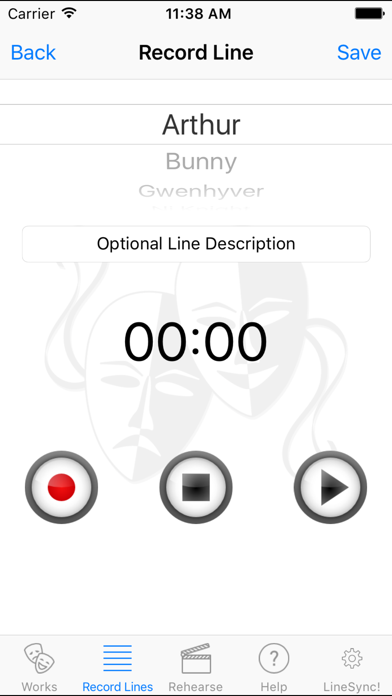
Record your script line by line, then play it back to run your scenes anywhere —
on the bus, at the gym, pacing your kitchen at 1am the night before opening.
It's dead simple:
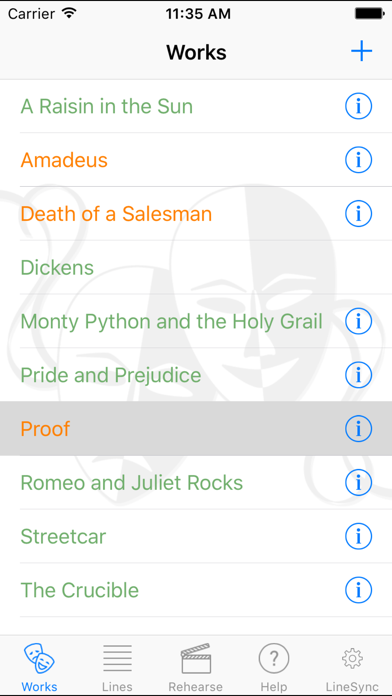
• Make a Work (your play), add your Scenes, drop in your Characters, and Record
your Lines.
• Recorded a 30-line scene and one line's out of order? Don't you dare start over.
Tap the "+" to slip a new line in, or just press-and-hold a line and drag it
where it belongs. Voilà.
• Scenes out of order too? Same deal — long-press and drag. Fixed.
NOW REHEARSE
Tap the Rehearse icon and you're in. Play the whole scene, or pick the character
YOU'RE playing and flip on "Mute My Line" — the scene plays right up to your cue,
then pauses just long enough for you to nail the line before your next cue rolls
in. Want a little nudge? "Cue My Line" gives you a friendly *ding* right before
it's your turn.
And here's the good part for runaround rehearsing: playback keeps going when your
screen locks or you switch apps. Lock-screen, Control Center, and headphone
controls all work — so you can run lines completely hands-free. Speed it up, slow
it down, loop a scene till it sticks.
LINESYNC — RUN LINES WITH YOUR CAST
Doing a show with other people? LineSync lets a director share a show's lines and
recordings with the whole cast across phones. Invite your actors by email; they
sync everything to their own phone for FREE. As castmates record their lines, the
director hears them show up automatically — no nagging. LineSync is a small
monthly subscription per show, paid by the director. The cast never pays a dime.
BUILT FOR EVERY ACTOR
Dynamic Type, VoiceOver, and Dark Mode work throughout — because the stage is for
everybody.
Off Book! is free with ads. If the ads cramp your style, there's a one-time
"Remove Ads" tap and they're gone forever.
Got a slick feature idea, or (gasp!) found a bug? Hit the support link and there's
an email box waiting at the bottom — I read them myself.
Now go get off book. Break a leg.
— Steve
——— PRO TIPS ———
• "It won't save my lines!" → You probably skipped the microphone permission.
Reinstall and tap YES when it asks, or go to iPhone Settings → Off Book! →
switch Microphone ON.
• To DELETE a Line, Character, Scene, or Work: swipe right-to-left and tap Delete.
Careful — deleting a Character also deletes its Lines.
• Long scene, phone left unattended? Set Auto-Lock to a long time (or Never) so it
doesn't nap mid-rehearsal.
Privacy Policy: https://thelyonessgroup.com/offbook/privacy
Terms of Use (EULA): https://www.apple.com/legal/internet-services/itunes/dev/stdeula/
Quoi de neuf dans la dernière version ?
LineSync Update - If a shared show's recordings ever go missing from the cloud, publishing an update from a director's device that still has them now detects the gaps and re-uploads your copies — so the whole cast hears the show again.