PeerTV
Apple TV / Divertissement
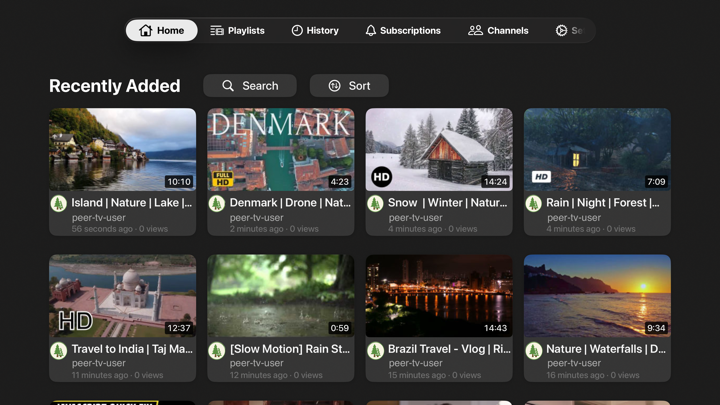
PeerTV is a native Apple TV app for PeerTube. Point it at the PeerTube instance you use (or run yourself), sign in, and use your account the way you would on the web — optimized for the remote and the TV.
What you can do
Pick your home instance — Enter your server URL once; the app validates it before you browse.
Sign in — or don't — Use one account, several accounts across different instances (switch anytime in Settings), or browse anonymously without an account at all.
Discover and search — Explore what's trending on your instance or across the whole PeerTube network (with language filters), and search your instance's catalog or the entire federation via Sepia Search.
Shuffle — A dedicated tab that serves up random videos from your instance. Turn it on under Settings → Developer → "Shuffle Tab" (then quit and reopen the app); it requires the instance to have the "random-video-tab" plugin installed, so ask your admin if nothing shows up.
Channels — Open a channel, see its videos and playlists, and subscribe or unsubscribe when you're logged in.
Signed-in experience — Subscriptions feed, watch history (with progress synced to your instance), likes and dislikes, and comments — read threads and join the conversation, even on videos from other instances.
Playlists — Browse, create, edit, and reorder playlists, including private lists like Watch Later when your server exposes them.
Playback — Full-screen playback with quality options, playback speed, subtitles when available, and resume-where-you-left-off.
Downloads — Save videos for offline viewing right from the video's detail screen; manage them in Settings → Downloaded Videos.
Privacy-minded by design
OAuth tokens are stored in the Keychain on your Apple TV, not in plain text in the app. You choose which PeerTube instance to use; PeerTV is a client for your server and your account.
Note: Some features depend on how your instance is configured — for example, the Shuffle tab requires the optional "random-video-tab" plugin on the server.
Quoi de neuf dans la dernière version ?
- Small bug fix on subscriptions view
- Added ability to delete videos owned by at least one of the users logged in accounts