iPhoneAddict Apps
  • Actualités
  • Accueil Apps
  • iPhone
  • iPad
  • Universelles
  • Mac
  • Apple TV
KG KultureGeek
App
iPhone / iPad Télécharger iAddict v5 Mac Télécharger iAddict Mac
  • Actualités
  • Accueil Apps
  • iPhone
  • iPad
  • Universelles
  • Mac
  • Apple TV
  • Archives keynotes
  • Firmwares & iTunes
  • Contactez-nous
  • Comparateur de prix
  • KultureGeek
Accueil » Liste des Apps » Apps Universelles » Divertissement » Pimp My Status Bar - Custom Top Bar Wallpapers and Colorful Backgrounds for Home Screen & Lock Screen
L'application n'est plus disponible sur l'App Store français
2.2 iOS €Gratuit Amit Chowdhury 2 2 Get the BEST application to customize wallpaper with stylish Status Bars. Are you thinking that your status bar became old? Is it boring? Ok, Lets Make it right! For a new look for your status bar everyday go with Pimp My Status Bar. This App will...
Pimp My Status Bar - Custom Top Bar Wallpapers and Colorful Backgrounds for Home Screen & Lock Screen

Pimp My Status Bar - Custom Top Bar Wallpapers and Colorful Backgrounds for Home Screen & Lock Screen

iOS Universel / Divertissement

Gratuit
Obtenir sur l'App Store
Facebook X E-mail

Get the BEST application to customize wallpaper with stylish Status Bars. Are you thinking that your status bar became old? Is it boring? Ok, Lets Make it right! For a new look for your status bar everyday go with Pimp My Status Bar. This App will blow your mind with beautiful status bars every time. You will be amazed with your creativity. Yes, you heard it right! Get creative and make majestic wallpapers with personalized designs.

So why are you waiting? Get it right now :D

Features:
1. More than 20 categories of status bars, 1000+ personalized designs
2. 9+ Background Categories, 2000+ handcrafted wallpapers
3. This app is simple, cool, elegant, mind blowing and effective in every meaning
4. Design your own status bar with your Background/Wallpaper
5. Add own effects, blurs and many mores
6. Save, Set, Share with everyone in every possible way
7. Compatible with all devices, which supports iOS 7 & iOS 8

How to Use :
1. Select a wallpaper from our categories or from Camera or Photo Library.
2. Select a status Bar from our categories or from the color picker.
3. After you done with pimping press the DONE icon and SAVE in your Photo Library.
4. Go to your settings and choose the SAVED image as your wallpaper.
5. Your status bar will now have a new and artistic look.

Thats so simple.. You see!!!

**This application does NOT change any function in Status bar. This app works by adding a color status bar of your choice to your devices wallpaper, which then places a "coloured" section behind the translucent/transparent status bar section on Devices.**

Please let us know about your experience

Email: support@nestedapps.com
Facebook: https://www.facebook.com/weNestedians
Twitter: @NestedApps

En voir plus...

Quoi de neuf dans la dernière version ?

This app has been updated by Apple to display the Apple Watch app icon.

- bug fixes

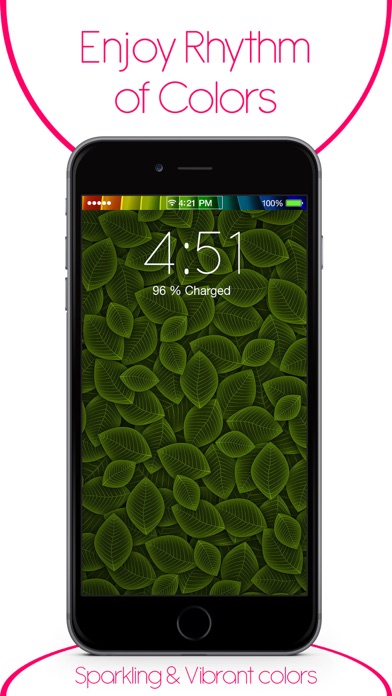
  • Screenshot #1 pour Pimp My Status Bar - Custom Top Bar Wallpapers and Colorful Backgrounds for Home Screen & Lock Screen
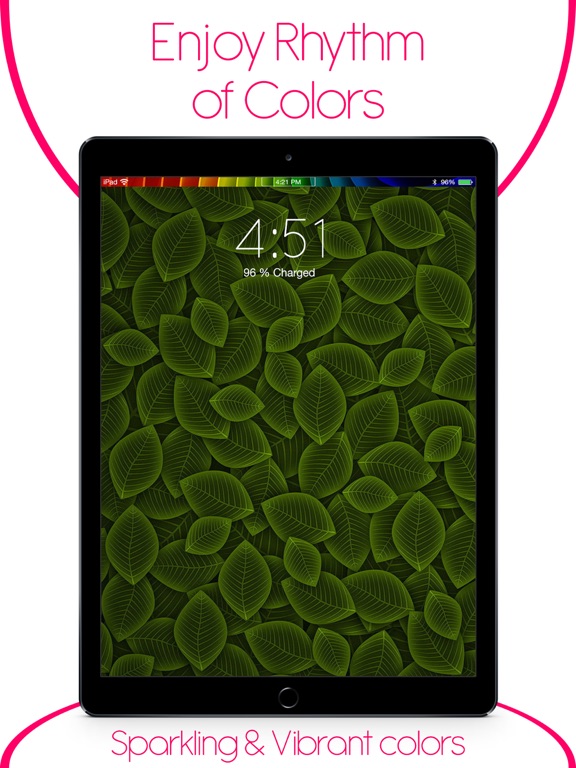
  • Screenshot #2 pour Pimp My Status Bar - Custom Top Bar Wallpapers and Colorful Backgrounds for Home Screen & Lock Screen
  • Screenshot #3 pour Pimp My Status Bar - Custom Top Bar Wallpapers and Colorful Backgrounds for Home Screen & Lock Screen
  • Screenshot #4 pour Pimp My Status Bar - Custom Top Bar Wallpapers and Colorful Backgrounds for Home Screen & Lock Screen
  • Screenshot #5 pour Pimp My Status Bar - Custom Top Bar Wallpapers and Colorful Backgrounds for Home Screen & Lock Screen
  • Screenshot #6 pour Pimp My Status Bar - Custom Top Bar Wallpapers and Colorful Backgrounds for Home Screen & Lock Screen

Note

(2 notes)

Détails sur l'application

Version
2.2
Taille
22.3 Mo
Version minimum d'iOS
9.0
Dernière mise à jour
19/08/2016
Publié par
Amit Chowdhury

Newsletter App Store

Recevez chaque jour les meilleures promos

Actualité Apple

Image Rock Paper Pencil 4.0 imite le crayon graphite avec l’Apple Pencil
Rock Paper Pencil 4.0 imite le crayon graphite avec l’Apple Pencil
Image Volvo active l’Audio spatial de CarPlay avec Dolby Atmos sur les EX90 et ES90
Volvo active l’Audio spatial de CarPlay avec Dolby Atmos sur les EX90 et ES90
Image Safari Technology Preview 251 teste de nouvelles fonctions CSS, WebCodecs et WebRTC
Safari Technology Preview 251 teste de nouvelles fonctions CSS, WebCodecs et WebRTC
Image Mac mini M6 et M5 Pro : jusqu’à 165 Hz sur trois écrans externes
Mac mini M6 et M5 Pro : jusqu’à 165 Hz sur trois écrans externes
iPhoneAddict Apps

Le catalogue iPhoneAddict pour suivre les nouveautés, mises à jour et baisses de prix de l’App Store.

Apps

Toutes les apps iOS iPhone iPad Universelles Mac Apple TV

iPhoneAddict

Actualité Apple Archives keynotes Contact À propos KultureGeek

Suivez-nous

©2009-2026 i2CMedia. Tous droits réservés.