iPhoneAddict Apps
  • Actualités
  • Accueil Apps
  • iPhone
  • iPad
  • Universelles
  • Mac
  • Apple TV
KG KultureGeek
App
iPhone / iPad Télécharger iAddict v5 Mac Télécharger iAddict Mac
  • Actualités
  • Accueil Apps
  • iPhone
  • iPad
  • Universelles
  • Mac
  • Apple TV
  • Archives keynotes
  • Firmwares & iTunes
  • Contactez-nous
  • Comparateur de prix
  • KultureGeek
Accueil » Liste des Apps » Apps Universelles » Divertissement » Pixel Animator: GIF Maker
1.0.7 iOS €Gratuit 熙亮 徐 4.3 14 Pixel Animator: GIF Maker With Pixel Animator, you can do more than cool pixel art. Make your sprites moving is just like a piece of cake. Features: 1 Make your pixel art from scratch or based on an existing photo or cartoon. 2 Adjust next GIF...
Pixel Animator: GIF Maker

Pixel Animator: GIF Maker

iOS Universel / Divertissement

Gratuit
Obtenir sur l'App Store
Facebook X E-mail

Pixel Animator: GIF Maker
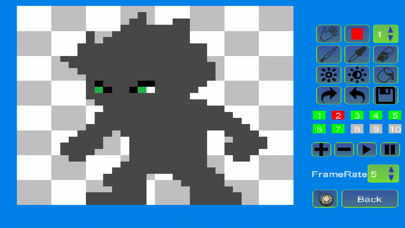
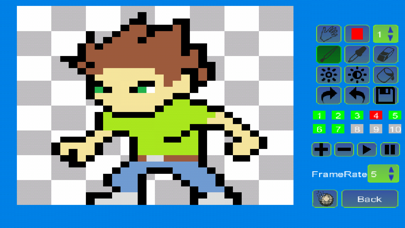
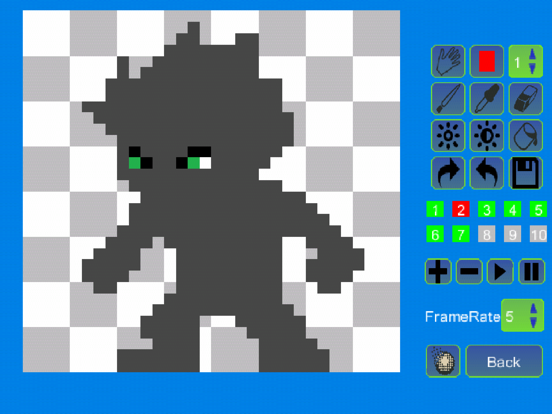
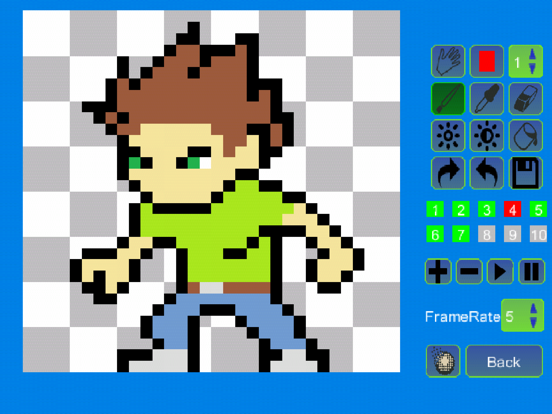
With Pixel Animator, you can do more than cool pixel art. Make your sprites moving is just like a piece of cake.
Features:
1 Make your pixel art from scratch or based on an existing photo or cartoon.
2 Adjust next GIF frame picture based the previous picture which saves your lots of time.
3 Export your animation as a GIF format which is support by every version of browser no matter on the PC platform or the mobile platform.
4 Edit an existing GIF file.
5 Share your GIF Pixel Animation with your friends.

Tips:
The Paint Bucket is very useful. You can use it to change the color of a line or change the color of a closed area.
If you think draw Avatar pixel by pixel is boring, you can download the DOODLE FUN. It makes avatars with lots of small parts.

Simple tutorial
To make a GIF with Pixel Animator, you should know 2 simple concepts.
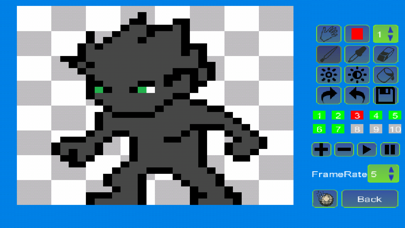
At first you should know what the current button is, the button that is working. The current button is blinking. The color is changing form normal to red and from red to normal repeatedly. The default current button is a pencil. You can change the current button by click the button on the right panel.
The second concept is GIF frame. A GIF animation is made up of many single images, which is called frame. If you click the “add” button, a new frame will be added. If you click the “minus” button, the current frame will be deleted. Pay attention to the color of frame numbers. Red means the frame is added, green means it is the current frame and gray means the frame can be added but not added yet. For the free version of Pixel Animator, you can add as to 10 frames.
Frame rate is the speed of the GIF animation. Large frame rate means quick animation.

More tutorial can be found at:
HYPERLINK "http://minikara.com/?p=100" http://minikara.com/?p=100


Key word:
GIF, avatar, bitstrips, animator, pixel art

Make your original GIF animation with fun.

En voir plus...

Quoi de neuf dans la dernière version ?

Fix the crash bug when sharing the GIFs.
  • Screenshot #1 pour Pixel Animator: GIF Maker
  • Screenshot #2 pour Pixel Animator: GIF Maker
  • Screenshot #3 pour Pixel Animator: GIF Maker
  • Screenshot #4 pour Pixel Animator: GIF Maker
  • Screenshot #5 pour Pixel Animator: GIF Maker
  • Screenshot #6 pour Pixel Animator: GIF Maker

D'autres applications du développeur

Bubble King:Shoot BubbleBubble King:Shoot BubbleiOS UniverselPixelAttack:Block AttackPixelAttack:Block AttackiOS UniverselQ AvatarQ AvatariOS UniverselMahjong King Mahjong SolitaireMahjong King Mahjong SolitaireiOS UniverselMini Tank: Tank BattleMini Tank: Tank BattleiOS UniverselCrossword Daily: Word PuzzleCrossword Daily: Word PuzzleiOS UniverselVoir toutes les apps

Note

(14 notes)

Détails sur l'application

Version
1.0.7
Taille
80.3 Mo
Version minimum d'iOS
8.0
Dernière mise à jour
30/11/2021
Publié par
熙亮 徐

Newsletter App Store

Recevez chaque jour les meilleures promos

Actualité Apple

Image Le récap Apple de la semaine : iPhone Ultra, Apple Watch, IA et hausses de prix au menu
Le récap Apple de la semaine : iPhone Ultra, Apple Watch, IA et hausses de prix au menu
Image L’iPhone Ultra 3 fait déjà parler de lui avec des écrans plus grands
L’iPhone Ultra 3 fait déjà parler de lui avec des écrans plus grands
Image Apple Upgrade : Apple voulait précharger vos données sur iPhone
Apple Upgrade : Apple voulait précharger vos données sur iPhone
Image Apple envisage une refonte radicale de l’Apple Watch, dont des écrans ronds
Apple envisage une refonte radicale de l’Apple Watch, dont des écrans ronds
iPhoneAddict Apps

Le catalogue iPhoneAddict pour suivre les nouveautés, mises à jour et baisses de prix de l’App Store.

Apps

Toutes les apps iOS iPhone iPad Universelles Mac Apple TV

iPhoneAddict

Actualité Apple Archives keynotes Contact À propos KultureGeek

Suivez-nous

©2009-2026 i2CMedia. Tous droits réservés.