iPhoneAddict Apps
  • Actualités
  • Accueil Apps
  • iPhone
  • iPad
  • Universelles
  • Mac
  • Apple TV
KG KultureGeek
App
iPhone / iPad Télécharger iAddict v5 Mac Télécharger iAddict Mac
  • Actualités
  • Accueil Apps
  • iPhone
  • iPad
  • Universelles
  • Mac
  • Apple TV
  • Archives keynotes
  • Firmwares & iTunes
  • Contactez-nous
  • Comparateur de prix
  • KultureGeek
Accueil » Liste des Apps » Apps Universelles » Divertissement » Pixel art editor - Dottable -
2.16.3 iOS €Gratuit Yosuke Seki 4.6 123 BE CREATIVE in your spare time!! This app enables you to make a pixel art easily. Although the operation is simple, it has layer editing, color making and other professional tools. Wanna make your original work during your spare time or before...
Pixel art editor - Dottable -

Pixel art editor - Dottable -

iOS Universel / Divertissement

Gratuit
Obtenir sur l'App Store
Facebook X E-mail

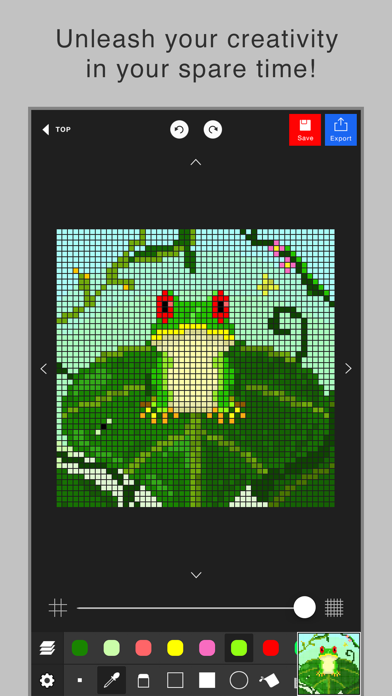
BE CREATIVE in your spare time!!
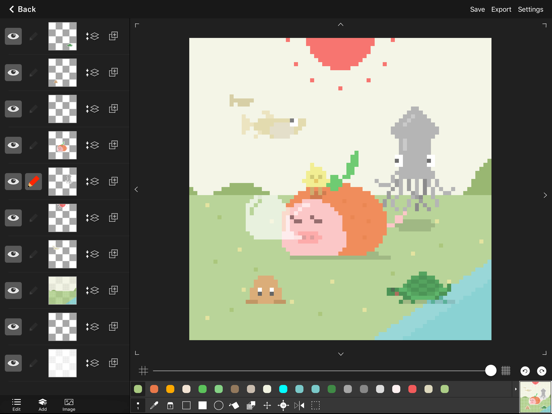
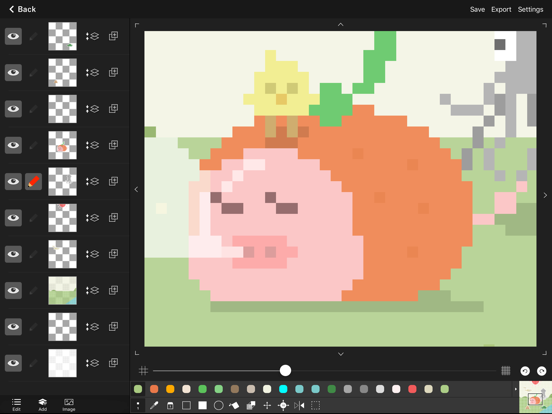
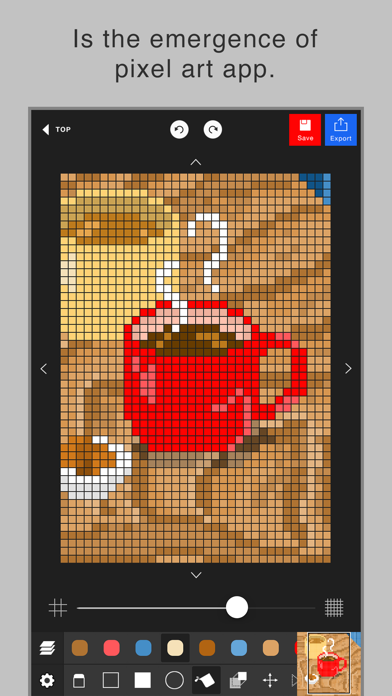
This app enables you to make a pixel art easily.
Although the operation is simple, it has layer editing, color making and other professional tools.

Wanna make your original work during your spare time or before going to bed?

To prevent a crash, creating a new project needs more than 300MB free space of your device.
Sorry for the inconvenience.

The app’s main functions are below.

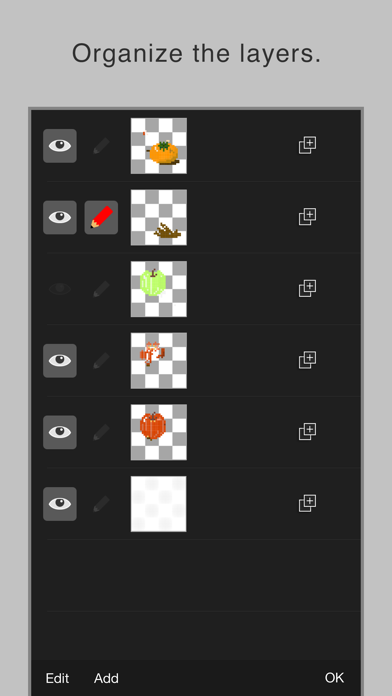
- Layer editing
You can add, delete and copy layers.
You can also choose the layer display or non-display and change the order of layers.

- Various tools
The app has basic tools to paint.
(Pen, Syringe, blotting out, rectangle, circle, transfer... etc)

- Animated GIF export
Each layer is going to be one frame.

- Undo, Redo
You can cancel the line you draw.

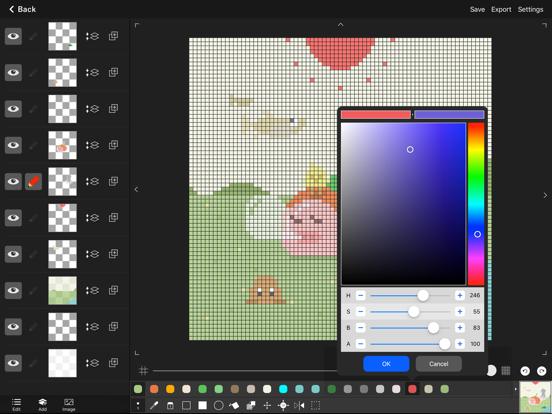
- Color making
You can make your favorite color easily.
It is also able to choose a color you would like to change to transparent.
You can save 20 colors in maximum by a work.

- Zoom-in, Zoom-out
You can paint details by the Zoom-in, Zoom-out function.

- Saving several works
You can save several project files of your favorite works, so you can edit you work other day.

- Setting canvas size
You can set any canvas size from 5*5〜120*120.

- Setting the dot size of exportation
You can choose the dot size of exportation.
The work will be saved as a png file in you r camera roll.

- Rotate function
You can rotate a work horizontally and vertically.

- Selection area
You can edit, transfer and copy only the area you selected.

- Loading a picture for trace
You can load a picture in forefront or back. You can set a rate of transparency, a position and a rate of magnification.

- Conversion function of a picture to pixel art.
It is able to convert a picture in camera roll to pixel art.
After conversion, the pixel art will be loaded in new layer, so you can edit it.

En voir plus...

Quoi de neuf dans la dernière version ?

- Bug fixes.
  • Screenshot #1 pour Pixel art editor - Dottable -
  • Screenshot #2 pour Pixel art editor - Dottable -
  • Screenshot #3 pour Pixel art editor - Dottable -
  • Screenshot #4 pour Pixel art editor - Dottable -
  • Screenshot #5 pour Pixel art editor - Dottable -
  • Screenshot #6 pour Pixel art editor - Dottable -

D'autres applications du développeur

PhotoFrame SimplePhotoFrame SimpleiOS UniverselPop Calendar - HolidayCalendarPop Calendar - HolidayCalendariPhonePhotoCollage SimplePhotoCollage SimpleiOS UniverselPixelable - Pixel Art EditorPixelable - Pixel Art EditoriOS UniverselDateCamDateCamiOS UniverselIconyIconyiOS UniverselVoir toutes les apps

Note

(123 notes)

Détails sur l'application

Version
2.16.3
Taille
10 Mo
Version minimum d'iOS
14.0
Dernière mise à jour
21/07/2023
Publié par
Yosuke Seki

Newsletter App Store

Recevez chaque jour les meilleures promos

Actualité Apple

Image Apple Watch Series 12 : le retour du modèle céramique se confirme
Apple Watch Series 12 : le retour du modèle céramique se confirme
Image Meta AI a maintenant son application dédiée sur Mac pour l’IA
Meta AI a maintenant son application dédiée sur Mac pour l’IA
Image Beats 360, le prochain casque d’Apple, fuite avec ses caractéristiques
Beats 360, le prochain casque d’Apple, fuite avec ses caractéristiques
Image Bad Monkey saison 2 : Vince Vaughn revient sur Apple TV le 2 décembre et John Malkovich s’invite au casting
Bad Monkey saison 2 : Vince Vaughn revient sur Apple TV le 2 décembre et John Malkovich s’invite au casting
iPhoneAddict Apps

Le catalogue iPhoneAddict pour suivre les nouveautés, mises à jour et baisses de prix de l’App Store.

Apps

Toutes les apps iOS iPhone iPad Universelles Mac Apple TV

iPhoneAddict

Actualité Apple Archives keynotes Contact À propos KultureGeek

Suivez-nous

©2009-2026 i2CMedia. Tous droits réservés.