• KultureGeek
  • Comparateur de prix
       
iPhoneAddict
 iAddictv5Notre Application iPhone/iPad
  • Accueil Apps
  • Actualité Apple
  • Keynote Apple
  • Firmwares & iTunes
  • Contactez-nous
Accueil » Liste des Apps » Apps iPhone » Divertissement » RSE Remote
L'application n'est plus disponible sur l'App Store français
1.0 iOS €Gratuit Porsche Cars North America, Inc. 0 0 This app is an extension for the Porsche Rear Seat Entertainment VI for the Cayenne (E3) of the 3rd generation from 2018 onwards. Porsche RSE remote app – brief description: The Porsche RSE remote app allows you to remotely control Porsche Rear...
RSE Remote

RSE Remote

iPhone / Divertissement

Gratuit
Obtenir sur l'App Store

This app is an extension for the Porsche Rear Seat Entertainment VI for the Cayenne (E3) of the 3rd generation from 2018 onwards.

Porsche RSE remote app – brief description:

The Porsche RSE remote app allows you to remotely control Porsche Rear Seat Entertainment VI using your smartphone, offering a high level of convenience.
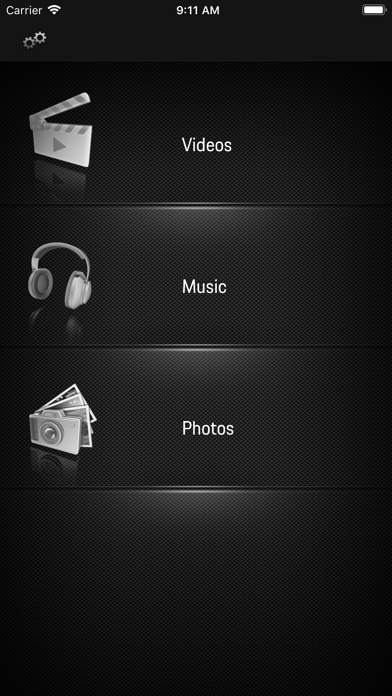
Use the RSE remote app to connect your smartphone to Porsche Rear Seat Entertainment VI and view photos, watch films and listen to music with ease. You can even use the app to send content from a smartphone or call up saved content on Porsche Rear Seat Entertainment VI.

Requirements for use of the RSE remote app
(two Porsche Rear Seat Entertainment VI)

1. The smartphone loaded with the RSE remote app and at least one Porsche Rear Seat Entertainment VI must be connected to the same Wi-Fi network.

2. The smartphone or at least one Porsche Rear Seat Entertainment VI must contain content such as photos, films or music.

3. The Porsche Rear Seat Entertainment VI must be in listen mode.
 
Functions of the RSE remote app

Streaming function:
Stream content stored on a smartphone (photos, videos or music) on one or two Porsche Rear Seat Entertainment VI. The content is sent to Porsche Rear Seat Entertainment VI via DLNA streaming.

Remote function:
View content stored on Porsche Rear Seat Entertainment VI (photos, films or music) on a smartphone.

The process is identical for these two functions:

1. Check and ensure that the requirements specified above are met.

2. Select the content type (photos, films or music).

3. Select the source (smartphone, other smartphones with the Porsche RSE remote app or Porsche Rear Seat Entertainment VI).

4. Select a file.

5. Press the "Throw to RSE" symbol.

6. Select the "Target" device (Porsche Rear Seat Entertainment VI).

7. Press "Start throwing".

Note:
Please be aware that it may not be possible to send some content (e.g. films) due to copyright law and DRM (digital rights management).
En voir plus...

  • Screenshot #1 pour RSE Remote
  • Screenshot #2 pour RSE Remote
  • Screenshot #3 pour RSE Remote

D'autres applications du développeur

Porsche Track Precision
/ iOS Universel
ROADS by Porsche Trip Planner
/ iPhone
Porsche Smartwatch
Porsche Smartwatch
/ iOS Universel

Note

(0 note)

Détails sur l'application

Version
1.0
Taille
33.7 Mo
Version minimum d'iOS
10.0
Dernière mise à jour
12/12/2018
Publié par
Porsche Cars North America, Inc.

Newsletter App Store

Recevez chaque jour les meilleures promos

Actualité Apple

Image Apple retire une fausse application de crypto qui a arnaqué 9,5 millions de dollars
Apple retire une fausse application de crypto qui a arnaqué 9,5 millions de dollars
Image iPhone : le marché mondial du mobile replonge au premier trimestre, mais Apple résiste mieux que ses rivaux
iPhone : le marché mondial du mobile replonge au premier trimestre, mais Apple résiste mieux que ses rivaux
Image L’application Google Gemini est maintenant disponible sur Mac
L’application Google Gemini est maintenant disponible sur Mac
Image App Store : Apple retire l’app Freecash qui collectait les données d’utilisateurs
App Store : Apple retire l’app Freecash qui collectait les données d’utilisateurs
Partenaires : Actualité iPhone - Culture Geek
©2009-2026 i2CMedia | A propos |