SVPlayer - watch in 60+ fps
iOS Universel / Divertissement
SVP (aka SmoothVideo Project) converts any video to 60 fps (and even higher) and does it in real time. From the extensive community feedback, we learned that anyone who has watched at least three movies at high frame rates would never ever want to watch anything in the outdated 24 fps standard ;)
In-App subscriptions: Frame Rate Conversion (aka FRC aka HFR aka MEMC) is a PAID option after short trial period.
ALL OTHER FEATURES ARE FREE (yes, including MKV files playback).
Uses SmoothVideo Project (SVP) real-time motion interpolation (MEMC) engine, including:
* Target frame rate selection (48 fps, 60 fps, 120(*) fps, x2, x3 rate...)
* Flexible configuration
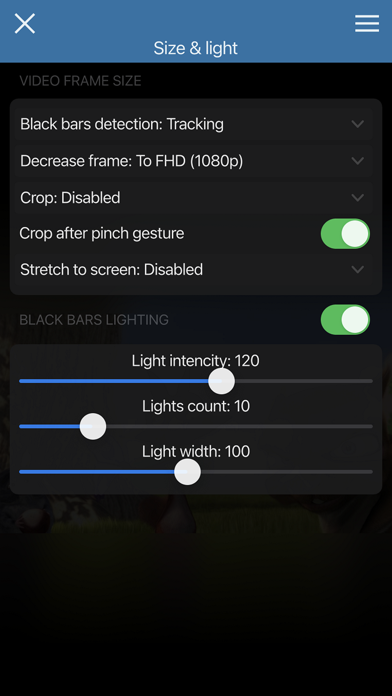
* Black bars detection and lighting
plus
* Can do high quality frame rate conversion (for example, using RIFE neural network) via a desktop PC/Mac running SVP 4 application.
* Built-in file browser supporting streaming from WebDAV, FTP, SMB, DLNA, Emby Server and Plex Server.
Please note that the SVP engine requires a recent and powerful CPU. At least Apple A13 performance level is highly recommended for 1080p playback with frame rate conversion enabled. SVPlayer WILL drain the battery like top games do and it MAY NOT WORK at all on old/slow devices. Please don't write bad reviews just because your device can't handle it.
Based on mpv video player which supports:
* All video and audio formats out there;
* Hardware video decoding;
* Network stream playback;
* High quality scaling and rendering;
* AFR (adaptive frame rate)
* HDR tone mapping;
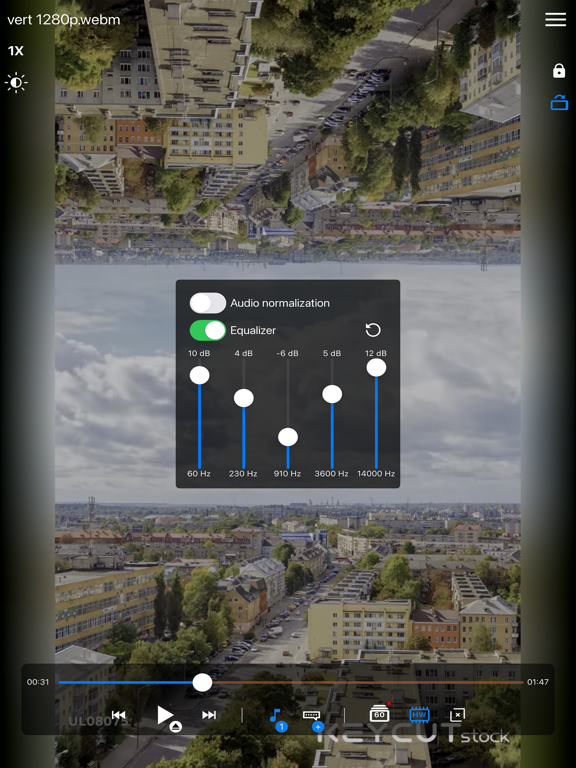
* Audio normalization and equalization;
* Direct mpv.conf access;
* and much more...
See more info and desktop applications on our website!
(*) 120 fps support depends on hardware and iOS version.
EULA: https://www.apple.com/legal/internet-services/itunes/dev/stdeula/
Quoi de neuf dans la dernière version ?
= fixed loading indicator may not hide in some cases
= fixed regression in 1.7.0: crash when opening from external app
= iPad: fixed playback on an external monitor
= mpv 0.41
= optimized video cache size