Starting Hand Dashboard
iOS Universel / Divertissement
Level up your Texas Hold’em pre-flop decisions with Starting Hand Dashboard.
Whether you play cash games, tournaments, or both, Starting Hand Dashboard helps you understand the strength of any two hole cards before the flop. In Texas Hold’em there are 169 unique starting-hand combinations—and learning how they perform across positions and table conditions is one of the fastest ways to improve your fundamentals.
In seconds you can:
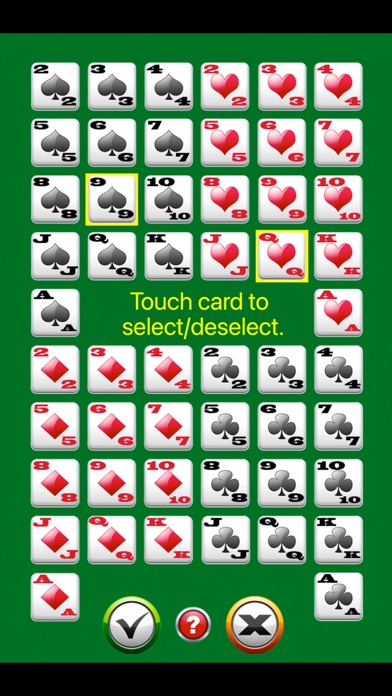
• Select your hole cards
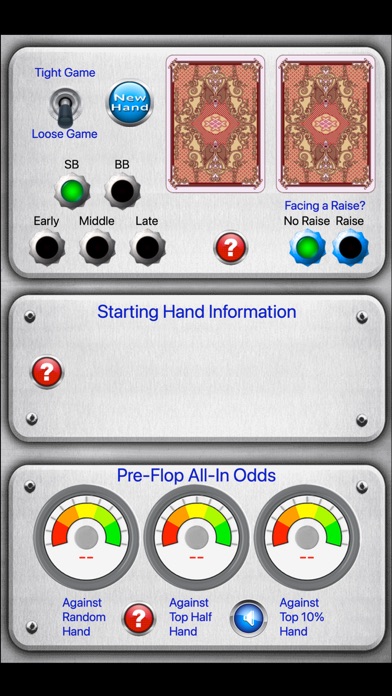
• Choose your table style (tight or loose)
• Set your position (SB, BB, Early, Middle, Late)
• Indicate whether you’re facing a raise or reraise
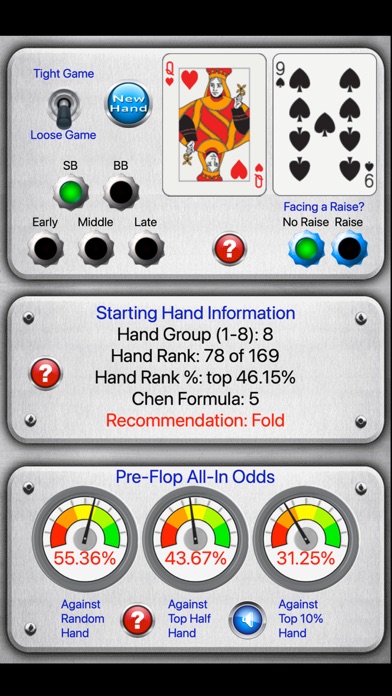
…and instantly see the hand’s classification, rating, and a recommended pre-flop action.
WHY YOU’LL LIKE IT
• Fast, at-a-glance analysis during live play
• Great for study sessions: drill hands, compare rankings, and build intuition
• Clear decision support that adapts to position and action
• Helpful for both tournament and cash-game situations where position and pre-flop action matter most
KEY FEATURES
• Table Style Toggle
Switch between tight games (about 3–5 players to the flop) and loose games (about 6–8 players to the flop).
• Quick Hand Picker
Start a new hand and choose your two cards with minimal taps.
• Position Support
SB, BB, Early, Middle, Late.
• Facing Action
Select whether you’re facing no raise, a raise, or a reraise.
STARTING HAND INSIGHTS
• Sklansky hand group classification
See the classic starting-hand grouping popularized by David Sklansky and others.
• Full 169-hand ranking
View where your exact combo sits from best to worst.
• Ranking percentile
Understand how rare/strong your hand is relative to all starting hands.
• Chen Formula power rating
A well-known approach for estimating pre-flop hand strength.
• Recommended pre-flop action
Guidance based on your hand, position, table style, and whether you’re facing a raise.
PRE-FLOP ALL‑IN ODDS (EQUITY)
Get quick pre-flop odds of winning all-in:
• Versus a random hand
• Versus a top 50% range
• Versus a top 10% range
MADE FOR CASH GAMES AND TOURNAMENTS
Cash games and tournaments can play very differently, but strong pre-flop fundamentals carry over to both formats. Use the dashboard to:
• Build a consistent baseline for which hands to play from each position
• Learn how raising pressure changes what’s playable
• Reduce guesswork in common pre-flop spots
• Review hands after a session to spot leaks and improve over time
TWO WAYS TO USE IT
• In-game companion: Quickly sanity-check marginal spots and stay consistent with your pre-flop strategy.
• Training mode: Practice by entering hands you commonly struggle with and learn how strength changes by position and action.
HOW TO USE
1) Tap New Hand and select your two hole cards.
2) Choose your position (SB/BB/Early/Middle/Late).
3) Set the table style to tight or loose.
4) Select whether you are facing a raise or reraise.
5) Review the hand group, rank, Chen rating, recommendation, and pre-flop all‑in odds.
NOTES
• Odds and recommendations are intended as a practical guideline and learning aid.
• Poker involves variance and changing table dynamics—no tool can guarantee results.
• Use alongside your own judgment, stack sizes, opponent tendencies, and tournament/cash game context.
Starting Hand Dashboard is designed to help you make more confident pre-flop decisions and strengthen your Texas Hold’em fundamentals.
Quoi de neuf dans la dernière version ?
Maintenance update for compatibility with the latest iOS versions.
General stability improvements and minor bug fixes.