trakt.TV Time To Watch
iOS Universel / Divertissement
Trakt is a community of TV and movie lovers. It's free to join!
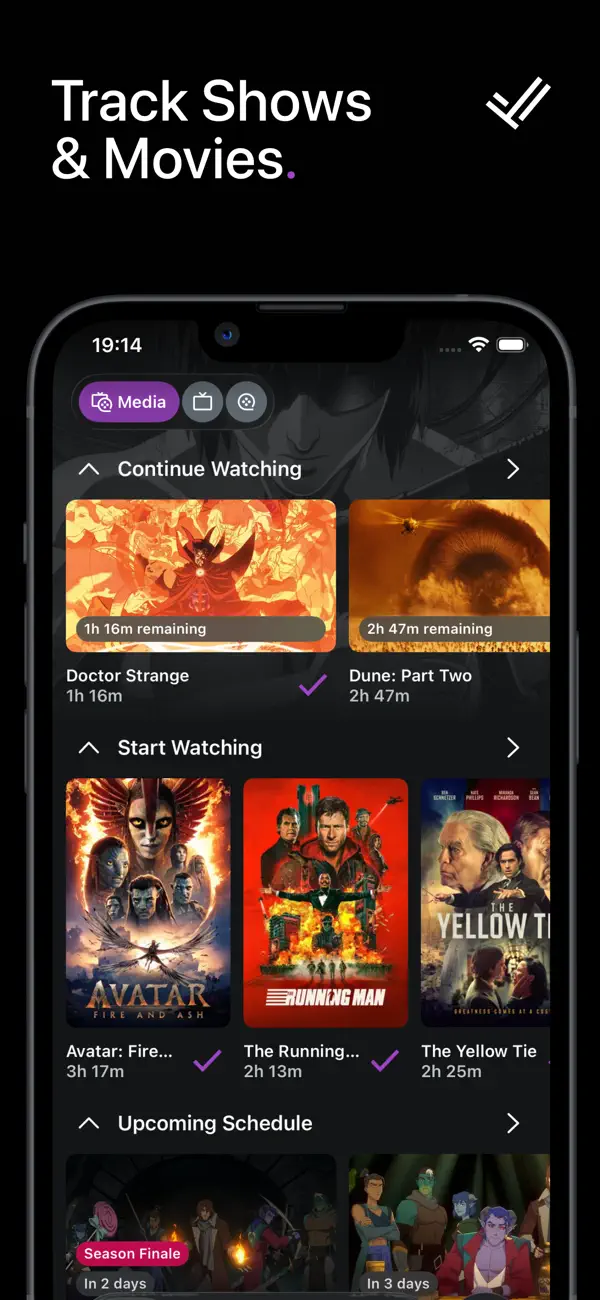
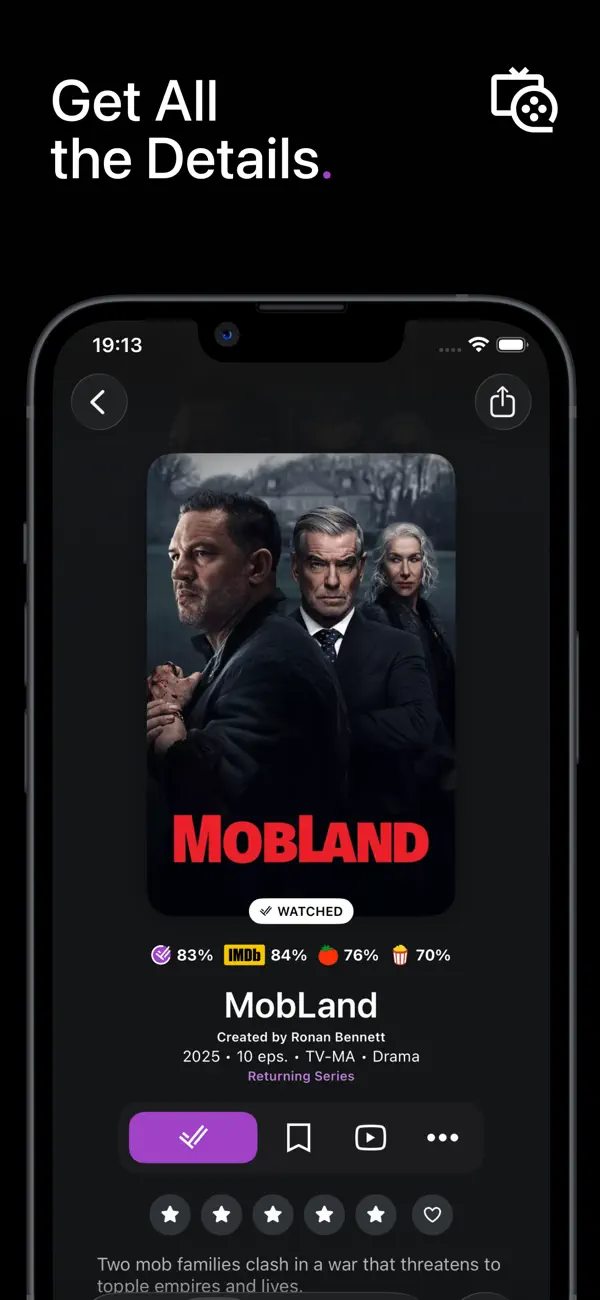
TRACK shows and movies you watch.
DISCOVER what's hot and where to stream it.
SHARE comments, recommendations, and ratings.
TRACK
- Check in to shows and movies you're watching.
- We index over 1 million shows and movies.
- Mark episodes and movies you've previously watched.
- Detailed history of everything you've watched.
- Import metadata from IMDb, Plex, Letterboxd, TV Time.
DISCOVER
- See what's trending in real time.
- Browse anticipated shows and movies.
- See what's popular in the community.
- Smart filters to find exactly what you're looking for.
FIND WHERE TO STREAM
- We partner with JustWatch to provide direct streaming links.
- Hundreds of streaming services are indexed worldwide.
- Select your favorite services and bump those to the top.
LISTS
- Watchlist to track what you want to watch.
- Personal lists to organize things however you want.
- Find and follow lists from the community.
SOCIAL
- See what your friends have been recently watching.
- Comment and rate what you've watched.
- Follow other members with similar interests.
- Recommend your favorites to others.
- Get personalized show and movie recommendations.
BUT ALSO
- Quickly see what you should watch next thanks to Up Next.
- Get a glance at what's coming in your own Calendar.
- Search for shows, movies, people, and lists.
- Personalized stats about your watching habits.
- Get a notification when new episode air.
TRAKT VIP
Unlock some awesome VIP features!
+ Your Month in Review featuring your most detailed stats yet.
+ The Year in Review for each year you've watched something.
+ All Time Stats to summarize your entire watching career.
+ Unlimited personal lists and items on those lists.
+ Improved rewatching.
+ More advanced filtering.
+ A nice VIP badge on your Trakt profile.
+ Your VIP status applies to all official Trakt apps and the Trakt website.
====
Trakt is hand crafted around the world.
We don’t sell your data and respect your privacy.
====
Web: https://trakt.tv
Help: https://forums.trakt.tv
Privacy Policy: https://trakt.tv/privacy
Terms of Service: https://trakt.tv/terms
Quoi de neuf dans la dernière version ?
Updates
- Added full right-to-left (RTL) language support (e.g., Arabic, Persian), featuring properly mirrored layouts, icons, and text across the app.
- Added Info and Reviews tabs to the season sheet, featuring season overviews, cast & crew, and season-scoped comments.
- Reduced memory usage for images throughout the app.
Bug Fixes
- Fixed a critical session issue where the app could become stuck showing scattered errors if your account session expired. You will now be smoothly returned to the login screen so you can sign back in without reinstalling the app.
- Fixed translation issues, including incorrect capitalization in Settings and showing the wrong regional variants (e.g., Brazilian Portuguese content for users set to Portugal).
- Fixed an issue where a person's page wouldn't display credits if they only had "Self" appearances.