• KultureGeek
  • Comparateur de prix
       
iPhoneAddict
 iAddictv5Notre Application iPhone/iPad
  • Accueil Apps
  • Actualité Apple
  • Keynote Apple
  • Firmwares & iTunes
  • Contactez-nous
Accueil » Liste des Apps » Apps iPhone » Divertissement » Ezy Video to photo and frames
1.10 iOS €Gratuit CODES ORBIT PRIVATE LIMITED 4 2 Below is the final corrected Ezy Capture app description, with ALL AI analysis removed and positioned purely as a video-to-photo + thumbnail + GIF app. This version is safe, clear, and aligned with Ezy Capture’s scope. Forgot to take pictures at...
Ezy Video to photo and frames

Ezy Video to photo and frames

iPhone / Divertissement

Gratuit
Obtenir sur l'App Store

Below is the final corrected Ezy Capture app description, with ALL AI analysis removed and positioned purely as a video-to-photo + thumbnail + GIF app.
This version is safe, clear, and aligned with Ezy Capture’s scope.

Forgot to take pictures at an event but have a video from that day? Don’t worry—Ezy Capture has you covered.

Ezy Capture lets you convert videos into high-quality images while preserving the original resolution and clarity. Easily extract the moments you need without replaying videos again and again.

With a friendly and easy-to-use interface, Ezy Capture helps you save perfectly sized images directly to your gallery. The app is free to use, with optional in-app tools available for advanced features.

How does it work?

At special moments like weddings, birthdays, trips, or family events, it’s hard to capture perfect photos while enjoying the moment. If you have a video, Ezy Capture takes care of the rest. Just record your video and extract the frames you want with ease.

New Features

Best Frame & Thumbnail Selection
Ezy Capture helps you quickly identify strong and visually clear frames from your videos. This makes it easier to select better images for thumbnails, previews, and sharing on social media.

Ezy Capture works on four major principles

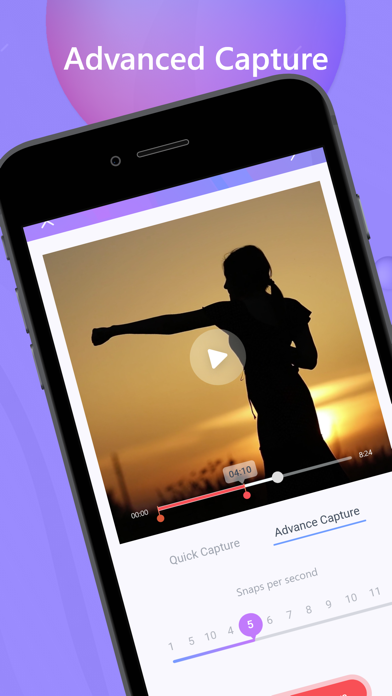
Quick Capture
Play the video and manually capture the exact frame you want with a single tap.

Time Capture
Automatically capture frames at fixed intervals (for example, every 5 or 10 seconds). Ideal for extracting multiple images from long videos.

Easy Mode & Advanced Mode
Easy Mode extracts frames automatically, while Advanced Mode gives you full manual control over frame selection.

Move to Gallery
Save any captured image directly to your phone gallery for instant access.

Original Quality Frame Extraction

Video compression has been removed to preserve quality. All frames are now extracted directly from the original video using its native resolution and quality, ensuring sharper and clearer images without loss of detail.

Key Features

• User-friendly interface
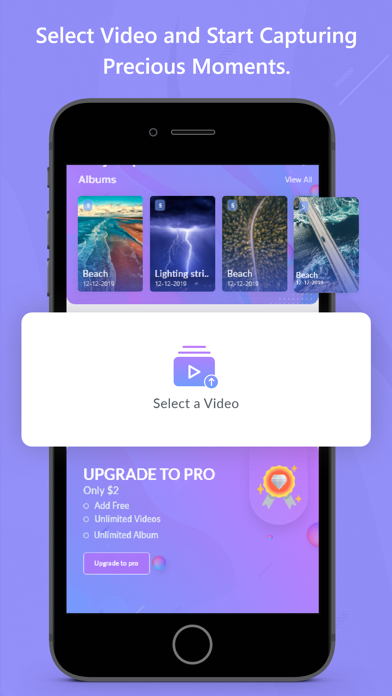
• Capture images from camera videos or downloaded videos
• Best frame selection for thumbnails and previews
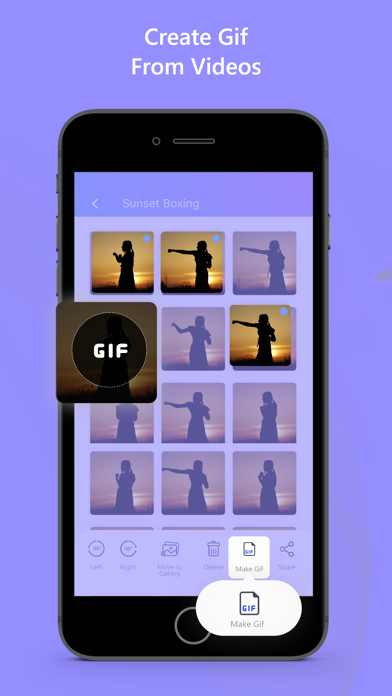
• Convert videos to GIFs
• GIF maker, GIF creator, and GIF extractor
• Gallery view to select, keep, or delete images
• Image editing (crop, rotate)
• Bulk edit and delete images
• Easy sharing on social media
• Folder organization for better photo management
• Dark Mode support

What’s New

• Original quality frame extraction (no video compression)
• Improved frame selection experience
• Faster and more reliable multi-frame capture
• Improved GIF creation and quality
• Performance and stability improvements

Ezy Capture helps you turn videos into high-quality photos, thumbnails, and GIFs—quickly, simply, and without compromising quality.

En voir plus...

Quoi de neuf dans la dernière version ?

We’ve upgraded Ezy Capture with smarter AI and better quality extraction to help you get the best images from your videos with less effort.

AI Frame Scoring
Ezy Capture now uses AI to analyze extracted frames and score them based on clarity, sharpness, and visual quality. The highest-scoring frames are highlighted so you can quickly select the best shots without manually reviewing every frame.

Best Frame Selection
Let AI pick the most useful and visually strong frames from your video. Ideal for thumbnails, previews, and sharing on social media.

Original Quality Frame Extraction
Video compression has been removed. All frames are now extracted directly from the original video using its native resolution and quality, resulting in sharper and more detailed images.

Improved Multi-Frame Capture
Time Capture mode has been optimized for more reliable and accurate frame extraction at fixed intervals, even for longer videos.

Enhanced GIF Creation
Create smoother, higher-quality GIFs from your videos using the improved GIF maker and extractor.

Performance & Stability Improvements
Faster processing, smoother experience, and better handling of large video files.

UI & Usability Enhancements
Refined interface for easier navigation, faster frame selection, and a cleaner overall experience.

Ezy Capture continues to evolve into a smarter video-to-photo tool—helping you save time while extracting better images from your videos.

  • Screenshot #1 pour Ezy Video to photo and frames
  • Screenshot #2 pour Ezy Video to photo and frames
  • Screenshot #3 pour Ezy Video to photo and frames

Note

(2 notes)

Détails sur l'application

Version
1.10
Taille
276 Mo
Version minimum d'iOS
16.0
Dernière mise à jour
05/01/2026
Publié par
CODES ORBIT PRIVATE LIMITED

Newsletter App Store

Recevez chaque jour les meilleures promos

Actualité Apple

Image iOS 26.3 (b) : Apple propose une autre mise à jour de sécurité en arrière-plan
iOS 26.3 (b) : Apple propose une autre mise à jour de sécurité en arrière-plan
Image Apple gagne en appel face à AliveCor concernant l’Apple Watch et les brevets
Apple gagne en appel face à AliveCor concernant l’Apple Watch et les brevets
Image iOS 26 est boudé par les utilisateurs d’iPhone : iOS 18 reste loin devant
iOS 26 est boudé par les utilisateurs d’iPhone : iOS 18 reste loin devant
Image John Ternus prochain CEO d’Apple ? Les spéculations s’intensifient de nouveau
John Ternus prochain CEO d’Apple ? Les spéculations s’intensifient de nouveau
Partenaires : Actualité iPhone - Culture Geek
©2009-2026 i2CMedia | A propos |