Cam Scanner ‧
iPhone / Economie et entreprise
Cam Scanner - Quick Scanner
Camera Scanner - Rapid Scanner
About this app
Camera Scanner -
Rapid Scanner is a document scanner app that you can use it to scan documents, photos, id cards, receipts, bills, business cards, whiteboards and other papers also make pdf of scanned documents.
You can print scan using cloud print and even email as JPEG files or Multi page PDF which makes it best scanner app for the daily business needs.
Main features :-
Camera Scanner :- Use your Camera as scanner for scanning of anything, anywhere.
Scan documents :- It is the best document scanner app that can be used to scan documents which can be any type from receipts to bills and even multi page document.
Multi page PDF :- Users can simple long TAP on an item at home page to enable selection mode to create multi page pdf.
Filters :- In-built filters to enhance the quality after scan as per need. You can use mode which are Enhance, Color, Color+, B/W, B/W+, Smooth, Sharpen and Gray to clear scan.
Search :- Quick search by name of scan.
Share :- Select multiple and share using Email, Dropbox, Google Drive, OneDrive, Evernote etc.
Export to PDF :- This feature is free yes! its free. You can export scanned documents to unlimited pdf files for free.
Organizer :- In-built organizer to view scanned docs.
Highlighted features :-
- optimized for fast scanning.
- easy to share, delete, rename scan.
- sort by name and date (asc/desc).
- make pdf of scanned docs.
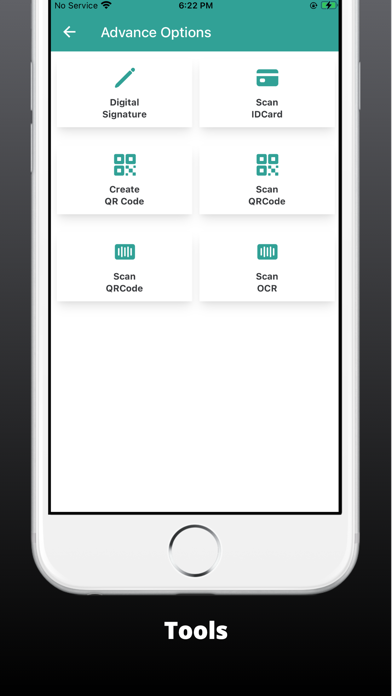
- bar code reader with no limits.
- A4, Letter, Legal paper size options.
- no watermark in pro.
- auto detect borders.
- clear scan results.
- qr code reader optimized.
- printing using cloud Print.
- filters like color, gray mode, black and white.
- scan with cam and print documents with ease.
- Pdf scanner for free.
How to scan :-
1. Choose Camera as scanner or Pick from gallery.
2. Crop using 8 points multi selection tool.
3. Enhance the image by applying filters.
4. Export to PDF if required.
Give Camera Scanner a try it will be your favorite app.
Note :- We are open to suggestions , users can give appropriate feedback to make it more better.
Quoi de neuf dans la dernière version ?
* Improve Performance