Costlocker
iOS Universel / Economie et entreprise
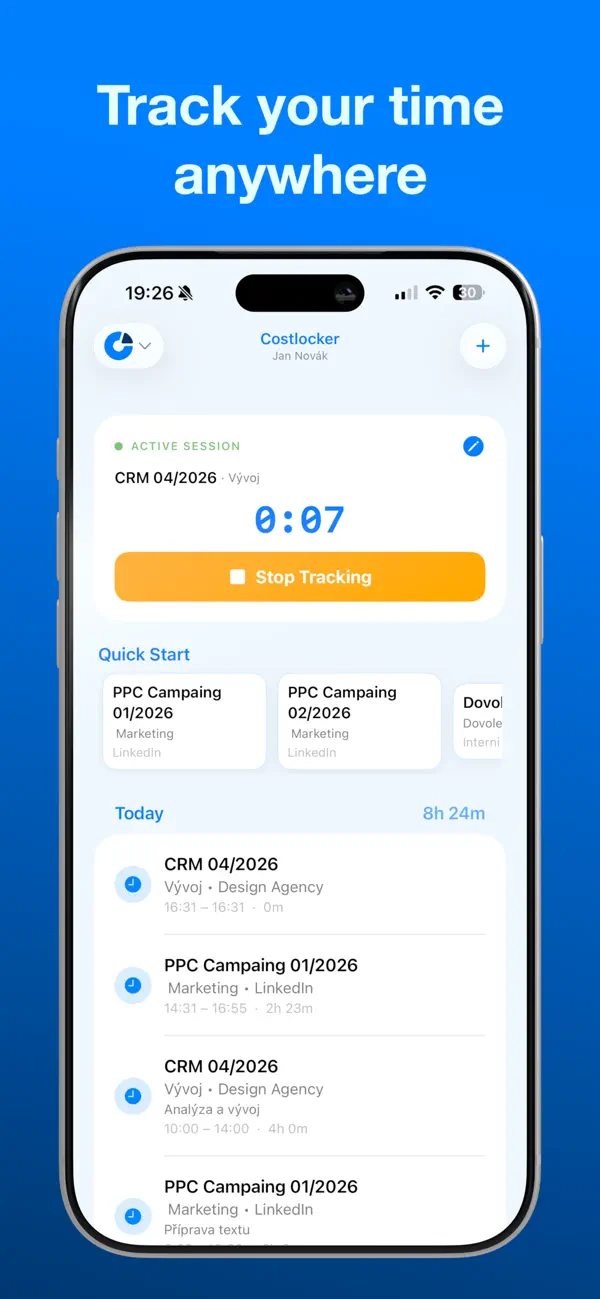
Track your time on the go with Costlocker — the simple way to log hours for your projects and clients, right from your iPhone and Apple Watch.
Costlocker keeps your tracked time in sync across your devices, so you can start a timer on your watch, check it on your phone, and pick up where you left off. To turn your tracked time into project costs and profitability, you need a free or paid Costlocker account — the full evaluation lives in the Costlocker web app.
In the app you can:
• Track time for projects and clients — start and stop in one tap
• Add, edit, and delete time entries manually
• See today's entries with daily totals
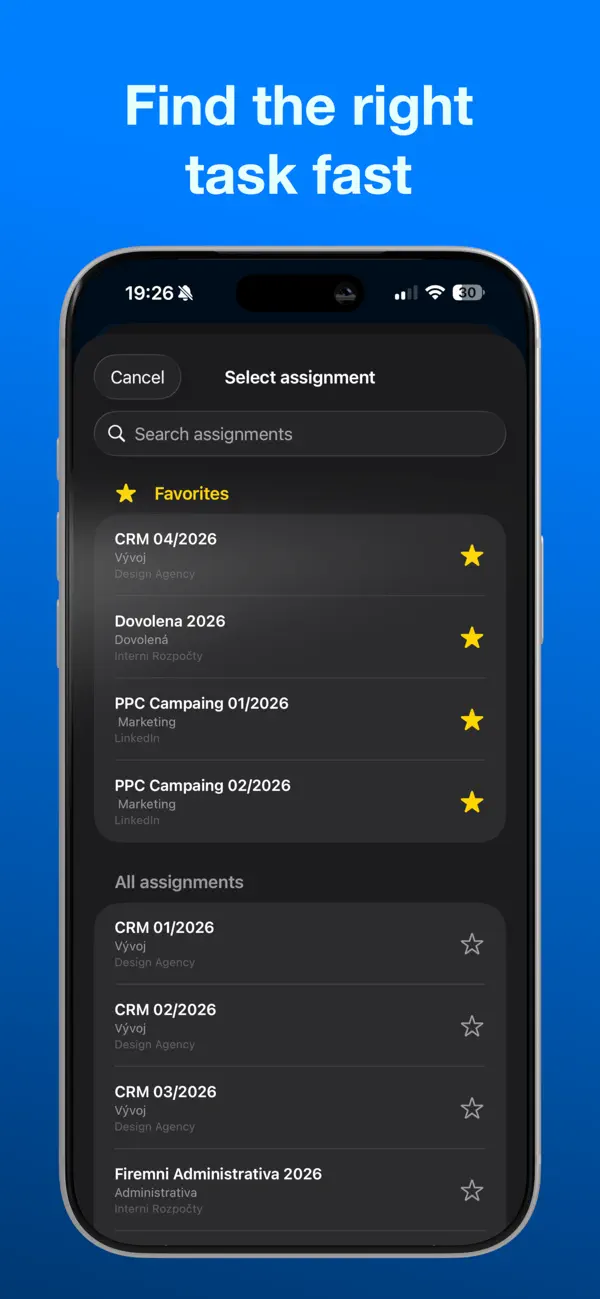
• Quick-start your favorite assignments
• Follow your running timer with Live Activity and home screen widgets
• Track right from your wrist with the Apple Watch app
• Switch between multiple companies in seconds
Time tracking is the first step. To see the costs and profits generated from your tracked time, open Costlocker in your web browser: create project budgets, track expenses, and monitor the profitability of your projects, clients, and employees.
Quoi de neuf dans la dernière version ?
• Apple Watch works on its own — start and stop tracking directly from your wrist, even when your iPhone is off or out of reach. Favorites and today's total load straight from the server and survive restarts.
• Stop from the Lock Screen — the stop button in the Live Activity and Dynamic Island now stops tracking instantly, without opening the app.
• Budget progress — budgets with an estimate show a ring of tracked vs. estimated hours in the assignment picker and next to Continue (tap it for exact numbers), plus a progress strip on your Favorites cards. Toggle it in Settings.
• Time zone hint — working from a different time zone than your company? A small badge tells you, including the hour difference.
• Watch complication is far more reliable — correct daily total (no more double counting or zeros mid-session), survives killing the iPhone app, and handles midnight correctly.
• Quick-start tiles are now clearly labeled "Favorites".
• Daily and monthly totals now always match the web — entries tracked late in the evening no longer slipped into the next day.
• Stopping via the Shortcuts app now also ends the Live Activity and updates your watch right away.