CrossTec Remote Control
iOS Universel / Economie et entreprise
The CrossTec Remote Control for iOS provides mobile remote control for existing CrossTec Remote Control users remotely from any iPad, iPhone or iPod.
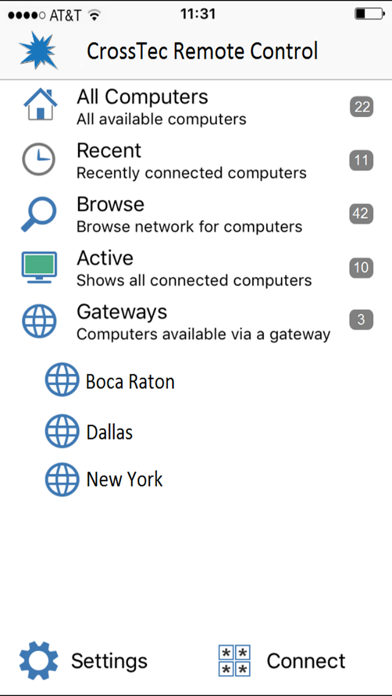
The mobile Control allows a user to quickly search and connect to both local computers by either IP address or PC name, or to browse, connect and view remote computers utilizing the free CrossTec Remote Control Internet Gateway component.
The CrossTec Remote Control provides full remote control, chat and message capabilities of any remote PC running an existing CrossTec Client (version 11.04 or later).
KEY FEATURES:
Browse your local network or an established CrossTec Internet Gateway to find remote CrossTec Clients.
PIN Connect feature allows a technician to instantly locate a user anywhere across the enterprise simply by both parties entering a unique PIN code.
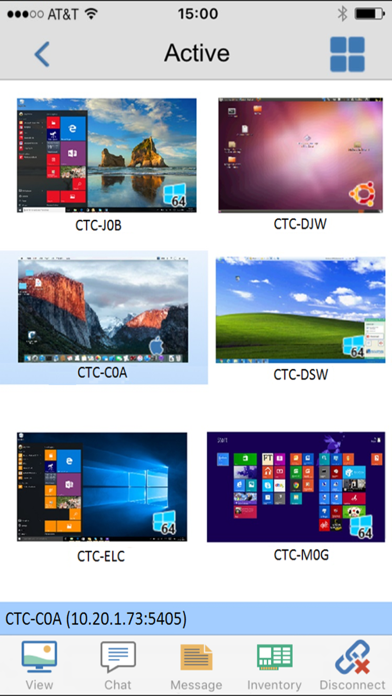
Thumbnail view of each connected Client device.
See a list of previously connected Clients for instant ongoing connectivity.
‘Recently Connected’ list provides quick access to the most recently viewed Clients.
Remote Control – Watch (view only), Share (both parties can view and interact) or Control (remote screen and keyboard are locked) any CrossTec Remote-enabled remote PC.
View the remote PC using pinch, pan and zoom to highlight key screen information.
Adjust color depth during remote control sessions from full color, to 256, 16 or just 2 colors when reading remote documents.
Conduct a text chat session with the remote user.
Send a message to the remote user with an optional time-out facility. Ideal for alerting your users of impending server or email maintenance.
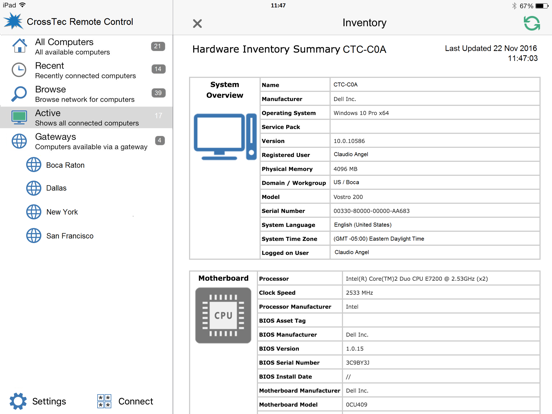
Generate a full hardware inventory report for a remote device on demand.
Includes powerful compression to minimize data usage.
Use 64, 128 or 256-bit encryption for each session.
Multi-monitor support.
Utilize unique security keys to ensure your copy of CrossTec Remote Control is only accessible to your users.
One-click send Ctrl+Alt+Delete for remote login or PC management.
GETTING STARTED
1) Install this free CrossTec Remote Control app on your Apple iOS device.
2) If you are new to CrossTec Remote Control, you will need to download and install the CrossTec Client software on each of the computers that you want to remote control. Visit the CrossTec website for download instructions.
3) Wirelessly connect your iPad to the same network as the client computers (or for anywhere access, install the free CrossTec Gateway, designed to support this scenario. Refer to the CrossTec website for help configuring the Gateway).
4) From the CrossTec Remote Control browse and find your Clients.
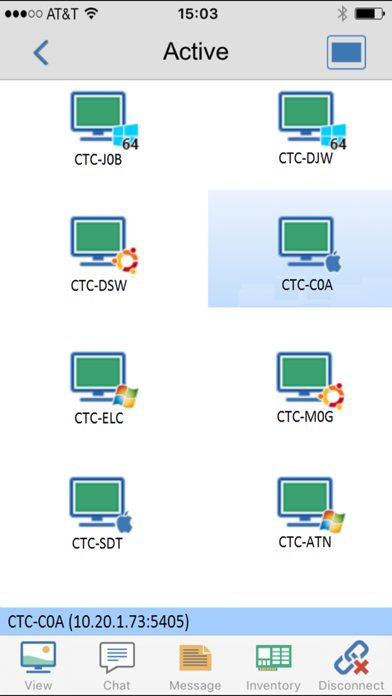
5) Select a Client and choose to View, Chat or send a Message.
Quoi de neuf dans la dernière version ?
Newly refreshed user interface.
Enhanced security including support for 2-factor authentication.
Improved support for HTTPS/TLS communication across a CrossTec Gateway.
Improved utilisation of the latest iPhone/iPad screens.