DropCard - show your personas
iPhone / Economie et entreprise
About DropCard:
Dropcard is an iPhone app.
Wirelessly send your name, email, and phone number to someone else.
When you run out of business cards, use DropCard to give out a digital version.
• Only sender needs app - no "chicken-and-egg download" problems.
• No permissions needed - we don't ask for permission because we don't use your iPhone Contacts.
• No uploading data - everything is stored locally in your existing apps (Messages, Mail).
How to use DropCard
Install
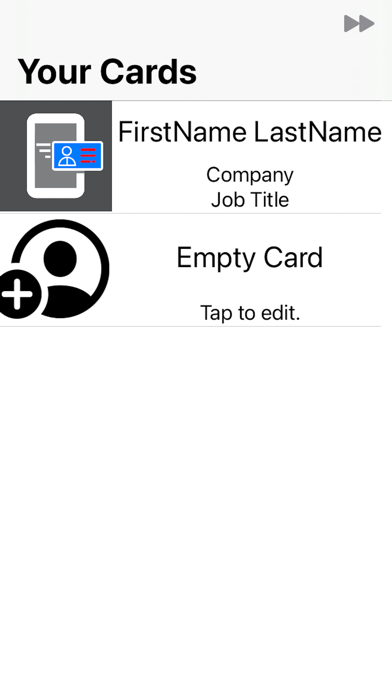
After installing create cards or import your contacts.
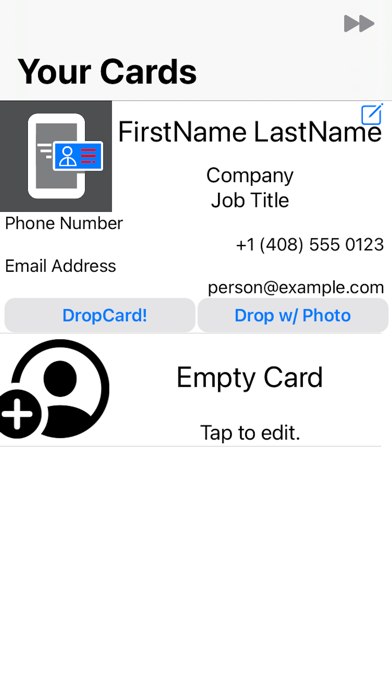
Tap on a slot, DropCard will show you "Your Card" a contact editor.
Your contact can contain
•First Name
•Middle Name
•Last Name
•Company
•Job Title
•Phone Number
•Email Address
•Web Address (URL)
•Mail (postal) address
Give your information to someone else
•Tap the green "DropCard'" tab at the bottom
Send your card to a phone by typing "just the digits",
and add their name to contacts at the same time.
You can use AirDrop, Messages or Mail. (If you have installed other apps that support "vCard", they will show up as well.)
Send cards from Messages (as an "IM app").
Quoi de neuf dans la dernière version ?
NEW: Create as many cards as you like.
NEW: Import a contact - no more unnecessary typing
NEW: Import mailing addresses - no more unnecessary typing
NEW: Share your card directly to a phone number (without typing on the top row of the keyboard!)
NEW: edit URLs
NEW: add a profile photo
NEW: Labels! Have more than one phone number, or email, or URL
NEW: Custom labels: no longer limited to Apple's defaults
NEW: Fast Forward lets you select the thumbnail or full image from the contact.
NEW: Share card and Fast Forward from Messages (Apple's IM)