• KultureGeek
  • Comparateur de prix
       
iPhoneAddict
 iAddictv5Notre Application iPhone/iPad
  • Accueil Apps
  • Actualité Apple
  • Keynote Apple
  • Firmwares & iTunes
  • Contactez-nous
Accueil » Liste des Apps » Apps Universelles » Economie et entreprise » EasyScanner - Document Scanner
2.0 iOS €Gratuit IGEARS TECHNOLOGY LTD 0 0 EasyScanner is a private document scanner for iPhone and iPad. Capture multi-page documents, recognize text offline, search everything you scan, and export searchable PDFs—without sending your document content to our servers. SCAN FAST •...
EasyScanner - Document Scanner

EasyScanner - Document Scanner

iOS Universel / Economie et entreprise

Gratuit
Obtenir sur l'App Store

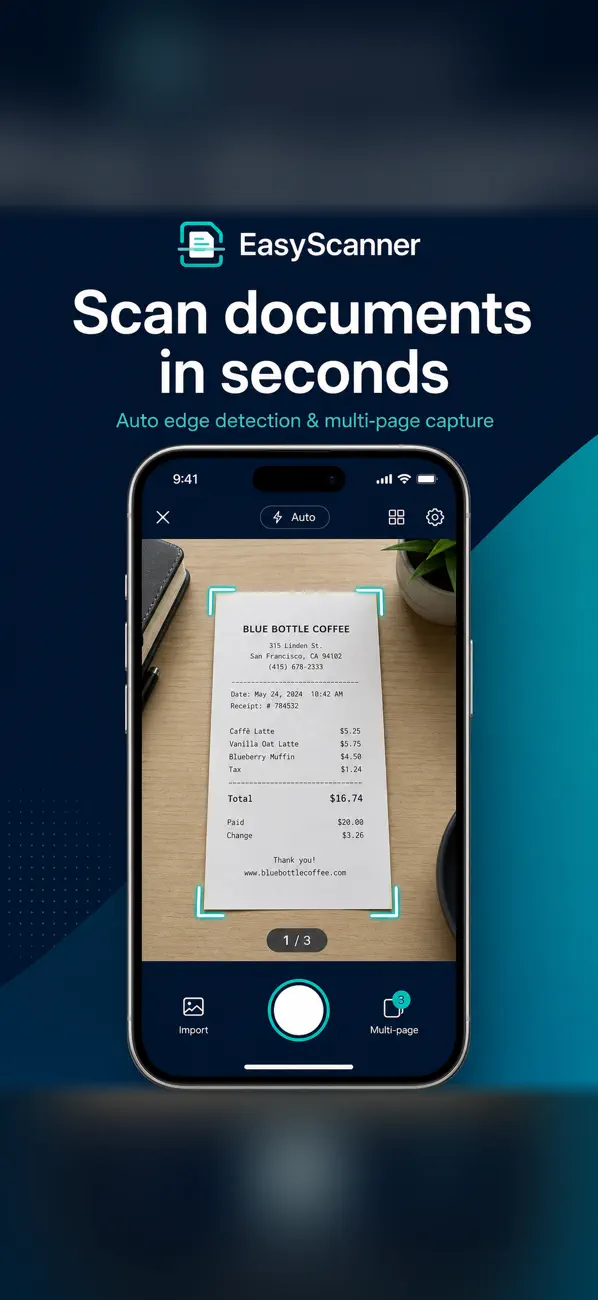
EasyScanner is a private document scanner for iPhone and iPad. Capture multi-page documents, recognize text offline, search everything you scan, and export searchable PDFs—without sending your document content to our servers.

SCAN FAST
• Automatic edge detection and perspective correction with VisionKit
• Multi-page capture with crop review and retake
• Import up to 30 photos at once from your library

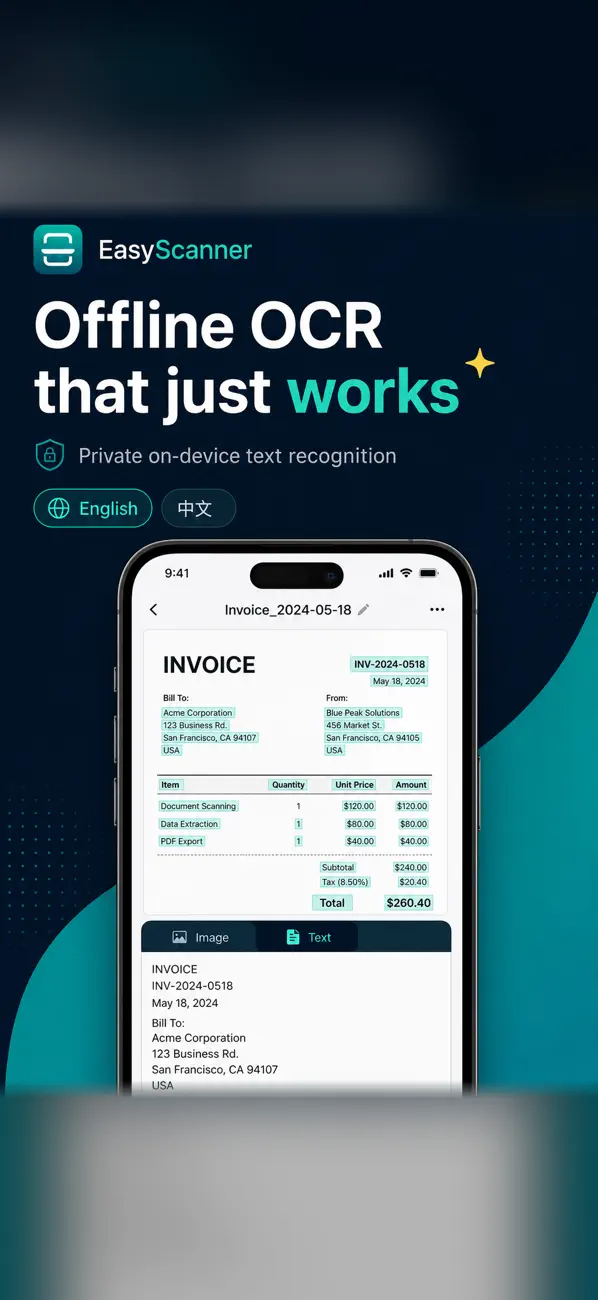
OCR THAT WORKS OFFLINE
• On-device text recognition with automatic language detection
• Strong support for English, Traditional Chinese, and Simplified Chinese
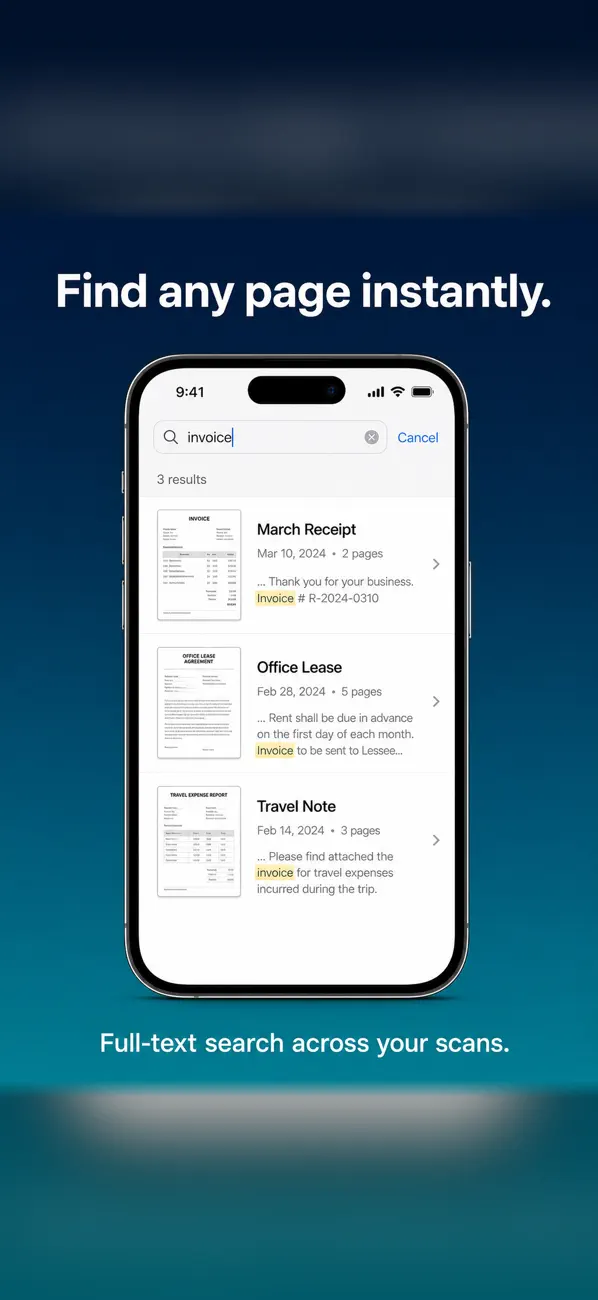
• Full-text search across titles, tags, and recognized text

EXPORT & SHARE
• Export searchable PDFs with an invisible OCR text layer
• Share plain text or page images when you need them
• Documents stay in local app storage until you choose to share

SMART ORGANIZATION (ON DEVICE)
• Suggested titles, categories, keywords, and language detection
• Sensitive-data warnings for items like ID or payment card numbers found in a scan
• On supported Apple Intelligence devices: private on-device summaries and document Q&A (other features work without it)

BUILT FOR EVERYDAY USE
• Dark Mode, Dynamic Type, and VoiceOver support
• Optimized layouts for iPhone and iPad
• Automatic import of your existing EasyScanner scans (local and legacy iCloud)

Privacy note: EasyScanner processes scans and OCR on your device. Document images and recognized text are not uploaded by EasyScanner. Advertising (when shown) is provided by Google AdMob and follows your consent choices. See the Privacy Policy for details.

En voir plus...

Quoi de neuf dans la dernière version ?

EasyScanner has been completely rebuilt for modern iPhone and iPad.

• Multi-page automatic scanning with crop review
• Fully offline OCR and full-text search
• Searchable PDF, text, and image export
• Smart on-device organization and insights
• Private on-device AI features on supported devices
• Dark Mode and improved accessibility
• Existing local and iCloud scans import automatically

Thank you for scanning with EasyScanner.

D'autres applications du développeur

靈修金句 Bible Verses
靈修金句 Bible Verses
/ iOS Universel
香港凶宅資料庫
香港凶宅資料庫
/ iOS Universel
Baby Letter Cards
Baby Letter Cards
/ iOS Universel
Buy Diamond - Diamond Price Calculator 鑽石價格計算機
/ iOS Universel
QR Code Scanner Tool
/ iOS Universel
My Password Locker Free
/ iPhone
Voir toutes les apps

Note

(0 note)

Détails sur l'application

Version
2.0
Taille
5 Mo
Version minimum d'iOS
17.0
Dernière mise à jour
23/07/2026
Publié par
IGEARS TECHNOLOGY LTD

Newsletter App Store

Recevez chaque jour les meilleures promos

Actualité Apple

Image ChatGPT rétablit son intégration avec Apple Santé, mais se limite à un pays
ChatGPT rétablit son intégration avec Apple Santé, mais se limite à un pays
Image Sur iPhone, le SOS d’urgence par satellite s’étend un peu plus en Europe
Sur iPhone, le SOS d’urgence par satellite s’étend un peu plus en Europe
Image The Morning Show (Apple TV) : la saison 5 arrive en 2027 et sera la dernière
The Morning Show (Apple TV) : la saison 5 arrive en 2027 et sera la dernière
Image macOS 27 prépare une nouvelle interface pour choisir la voix de Siri
macOS 27 prépare une nouvelle interface pour choisir la voix de Siri
Partenaires : Actualité iPhone - Culture Geek
©2009-2026 i2CMedia | A propos |