
EZMaxPlanner
iOS Universel / Economie et entreprise
EZMaxPlanner takes planning, scheduling and assigning work to the next level. With the ability to see workforce availability in real-time; assign work by owner, lead, or supervisor; plan work events; view assignments months (or years) in advance; batch schedule across thousands of assets; balance workloads; and drag & drop work orders, planning and scheduling has never been easier, more flexible or more efficient.
Need to manage schedules in the field? With the EZMaxPlanner mobile app your field supervisors can manage their team’s assignments and workloads from anywhere – even where they don’t have data connectivity. Offline changes automatically sync with Maximo once connectivity is restored.
Key Features
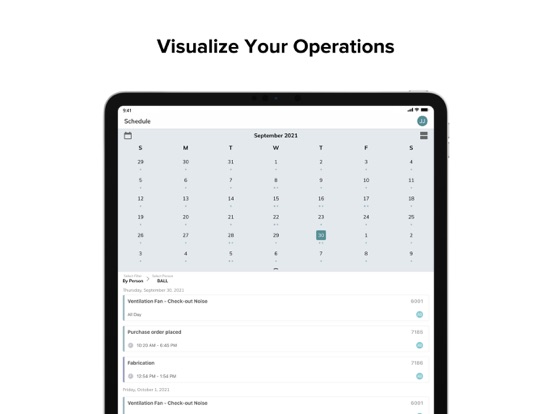
•Visualize Your Operations: EZMaxPlanner allows for real-time visibility across employee availability and qualifications, asset location, and task duration, allowing you to optimize work assignment decisions, streamline operations, maximize available wrench time, and minimize downtime.
•Balance Workloads: Visualization of look-ahead work calendars allow schedulers and field supervisors to work and plan more efficiently. Easily identify overlapping work or blocks of time without an assignment to balance workloads and minimize downtime. Built-in schedule checks flag technician overbooking and duplicate time-off requests.
•Drag and Drop Assignments: Drag and drop work orders to schedule the start/finish of work, assign and reassign responsibility, rebalance workloads and extend task duration.
•Match Assignment and Skills: Job assignments can be color-coded to reflect technician’s trade, qualifications, or credentials, assuring that the appropriate resource is assigned to each task.
•Integrate with EZMaxMobile: EZMaxPlanner is fully integrated with EZMaxMobile, InterPro's award winning mobile execution app, allowing technicians to receive and respond to assignments in real-time, and planners to quickly adjust when tasks and repairs extend beyond expected durations.
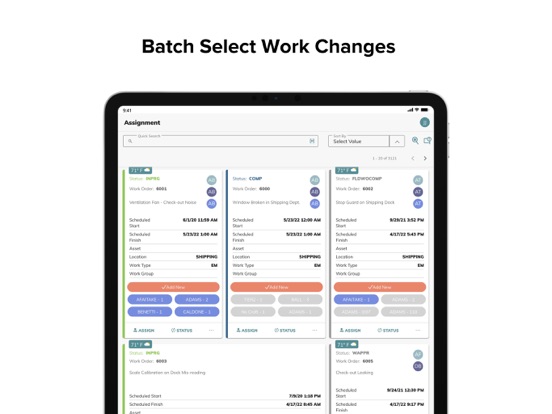
•Batch Select Work Changes: Batch select work for re-assignment or update. If you need to adjust day, time, duration or assigned staff for a group of work orders, you can update them all in a single click.
•Manage Availability: Manage time-off requests (vacation, training, etc.), assign overtime when work exceeds available hours, or schedule jobs across multiple days to avoid overtime expenses.
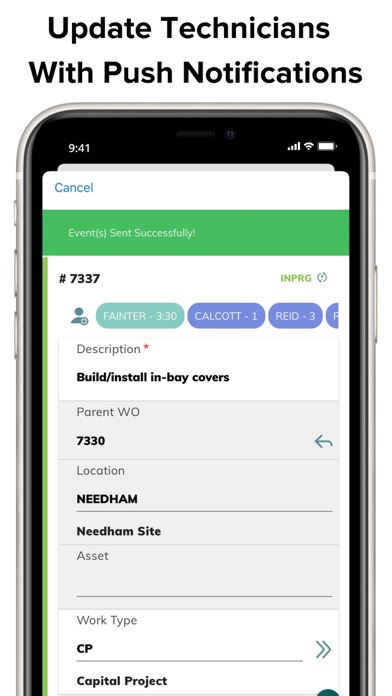
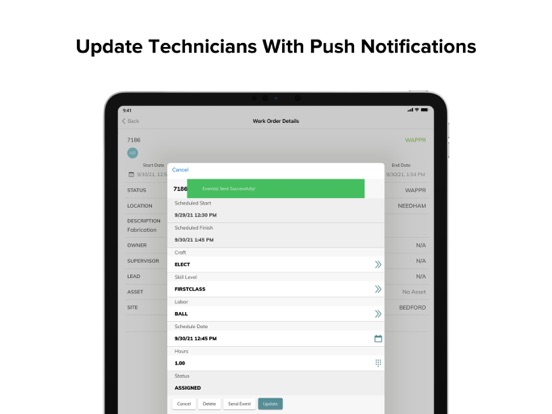
•Update Technicians with Push Notifications: Use mobile push notifications to add work orders directly to technicians’ calendars and to notify team members of new assignments, specific activities and status changes.
•Embed Weather Feeds: Make sure your team is always prepared by incorporating location-specific, day-of-job weather information into work order assignments.
•Re-assign/Re-schedule From Any View: Work assignments are subject to constant change, so EZMaxPlanner lets you re-assign re-schedule from any view. No need to back out of what you’re doing or navigate to a different module.
•Build Event Plans: Create and organize work orders, to-do lists, critical inspection and confirmation checklists; define critical dependencies, set milestones, and contingencies; view maps, drawings, or other documents.
•Link Tasks to Milestones: Easily associate tasks and assignments with project milestones, move tasks between milestones, and re-sequence milestones as the situation demands.
•Monitor Your Operations: Use EZMaxPlanner’s out-of-the-box configurable dashboards to monitor assignment backlogs and work assignments for the week, assess project progress, vacations and non-working hours. View events, assignments and activities at a glance. Stay on top of your most critical projects.
•Enable Conversations: Enable conversations between your schedulers and technicians directly in EZMaxPlanner. The entire conversation history stays with the Maximo work order record history.
Contact us at sales@interprosoft.com to schedule a demo.
Quoi de neuf dans la dernière version ?
• Introduced mapping functionality
• Enhanced compatibility for EZMaxPlanner server engine
• Revamped conversations functionality
• Improved general UI
• Fixed minor bugs