Faxeau: Send Fax from Phone
iOS Universel / Economie et entreprise
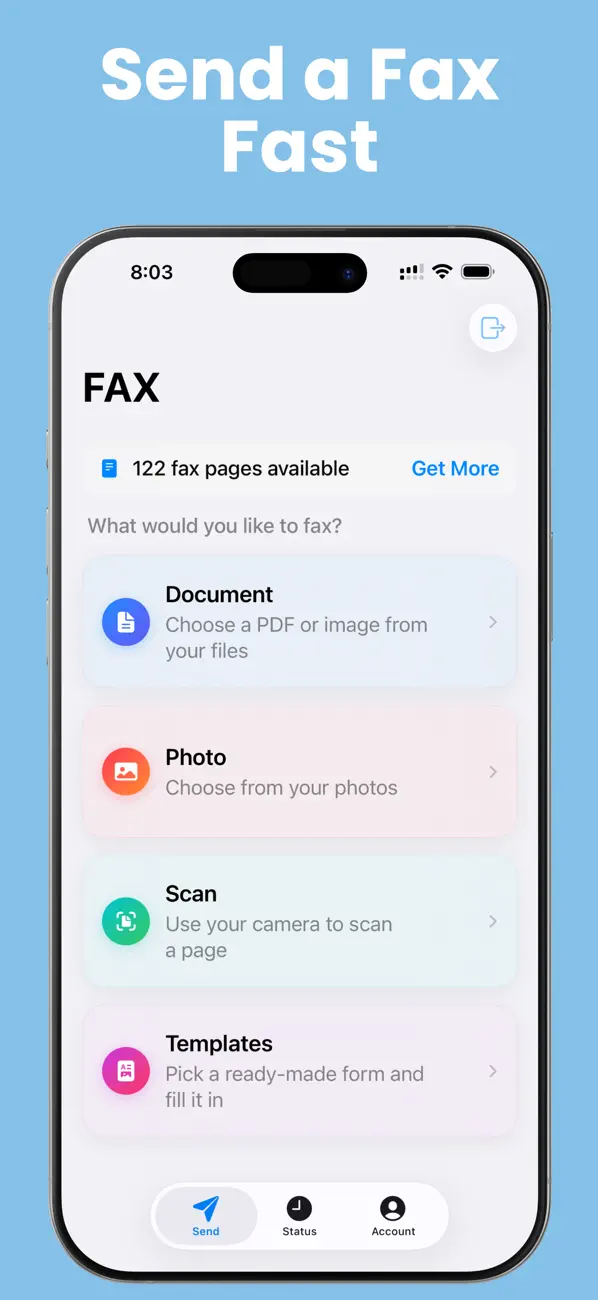
A doctor's office, an insurance company, or a government agency just asked you to fax something — and you don't have a fax machine. Faxeau turns your iPhone or iPad into one. Scan it, sign it, send it, and watch it arrive. Done in about a minute.
No subscription. No monthly fees. You buy fax pages, they never expire, and you always see exactly how many pages a fax will use before you send it.
GET YOUR DOCUMENT IN — FROM ANYWHERE
• Scan paper with your camera — crisp, straight pages every time.
• Send PDFs, Word files (.docx and .doc), and photos from the Files app, your photo library, or any cloud app on your phone.
• On iPad, drag a file straight in from Files, Safari, or Mail.
• Combine scans, photos, and files into one fax, and reorder pages however you like.
MAKE IT LOOK PROFESSIONAL
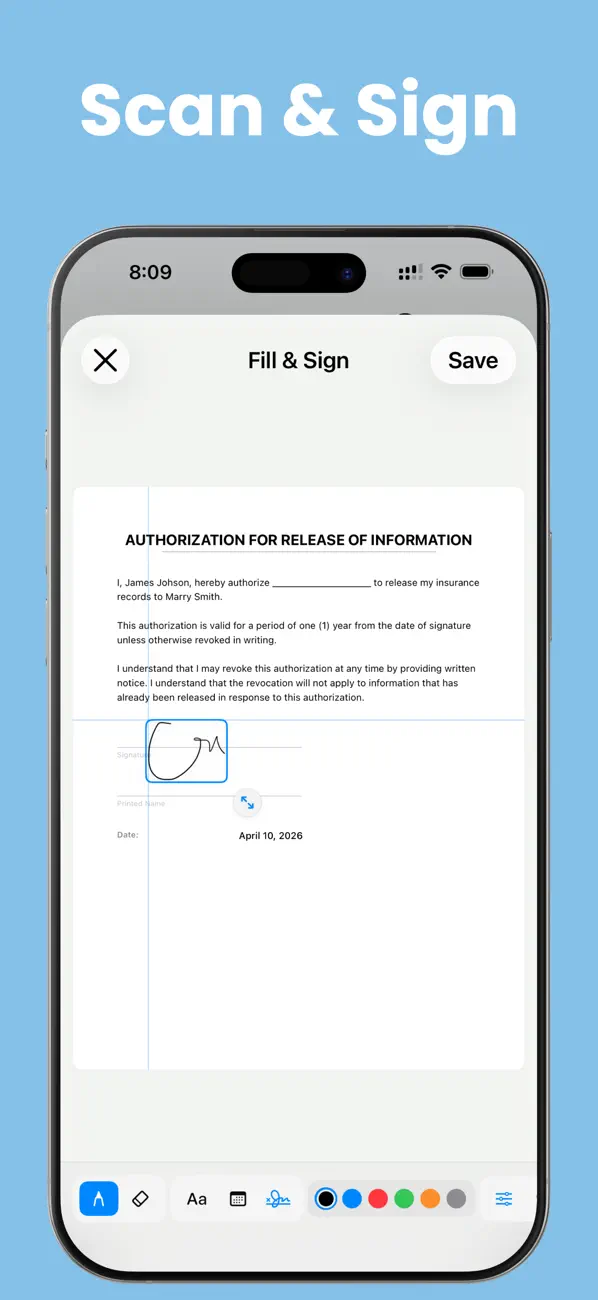
• Fill out forms right on your phone: if a PDF has fillable fields, just tap and type.
• No fillable fields? Write or type anywhere on the page, just like a pen on paper.
• Sign with your finger and save your signature to reuse anytime.
• Add a professional cover page in seconds — on iOS 26 with Apple Intelligence, it can even draft the cover note for you.
• Ready-made templates for the faxes people actually send: medical records requests, authorization forms, and letters.
• Scans, photos, and Word files come out on clean, standard letter-size paper.
KNOW IT ARRIVED
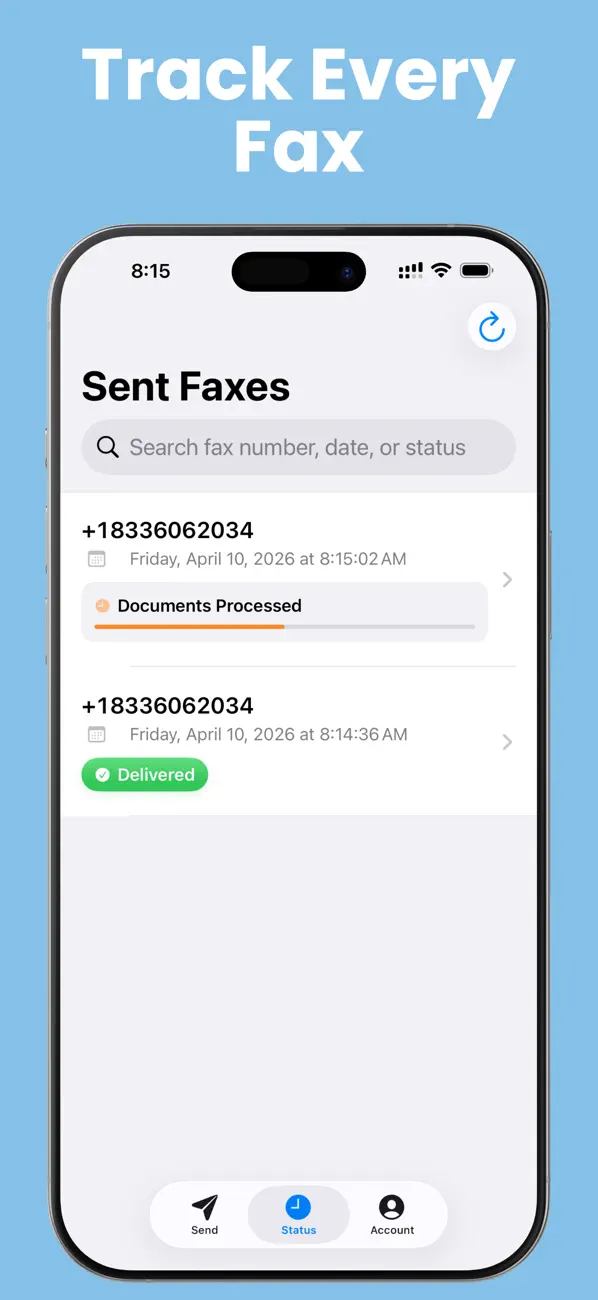
• Watch your fax go from Sending to Delivered — the status updates by itself.
• Follow the progress right on your Lock Screen and Dynamic Island.
• Get a notification the moment it's delivered.
• Download a confirmation receipt for your records.
• If a fax fails, a Try Sending Again button is right there.
PAY ONLY FOR WHAT YOU SEND
• Buy pages once — they never expire.
• See the exact page count before every send. No surprises.
• Sending to several numbers at once? You'll see the full cost up front.
FAX THE SAME THING AGAIN IN SECONDS
• Send Again: open any past fax and resend it — everything is filled in for you.
• Your saved numbers show by name, like "Dr. Miller's Office."
• Favorites, recent numbers, signatures, and your sender info sync across your devices with iCloud.
Faxeau is built for sending faxes — simple, fast, and reliable. Look around the app freely; you only sign in when you're ready to send, with one tap using Sign in with Apple — no forms, no passwords.
Privacy Policy & Terms: https://fierce-inlet-63133.herokuapp.com/fax-privacy-and-term
Quoi de neuf dans la dernière version ?
NEW
• Fax Word documents — .docx and .doc files are turned into clean fax pages automatically.
• Type into PDF forms — if your document has fillable fields, just tap and type. No more handwriting.
• Send Again — open any past fax and resend it to the same number. Everything is filled in for you — just confirm.
• Tap Send and switch apps — your fax keeps going in the background.
• No more sign-in wall — look around the app first. You're only asked to sign in when you send.
CLEARER
• The Status screen now updates by itself — watch "Sending" turn into "Delivered" without refreshing.
• Tap the sending progress on your Lock Screen or Dynamic Island to jump straight to that fax.
• Fax numbers are easier to read everywhere: +1 833-606-2034 instead of +18336062034.
• Big "Next" buttons guide you through every step.
• If a fax fails, a "Try Sending Again" button appears right where you need it.
FIXED & IMPROVED
• Photos and scans now fit neatly on standard letter-size pages.
• Cover pages and receipts always come out crisp and readable — in light or dark mode.
• Picking a contact now lets you choose their fax number, not just their first phone number.
• The app asks before closing a fax you're still working on, so scans are never lost by accident.
• Contact Support, Privacy Policy, and Terms are now easy to find in the Account tab.
• A fresh look with our new brand color, plus many small fixes on iPhone and iPad.