Mazda Smart Cards
iOS Universel / Economie et entreprise
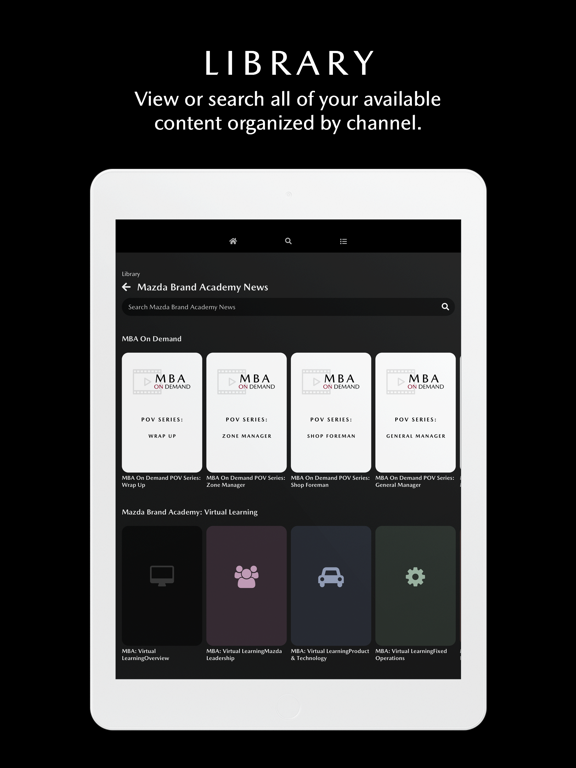
Mazda Smart Cards is a user-friendly mobile resource for today’s Mazda enthusiasts, delivering the latest trending information straight from the source. Mazda Smart Cards are inspired by traditional paper flashcards, with information grouped by topic into “decks” of cards.
Explore and discover:
* New Mazda product information
* Photos and videos
* Links to Mazda resources
Use Mazda Smart Cards to discover or brush up on Mazda information — anytime, anywhere.
Quoi de neuf dans la dernière version ?
Design Overhaul
The app has received a modern visual overhaul to standardize areas of action better, improve hierarchy, and allow quicker, more accessible, and consistent navigation. Highlights include:
- A new color system that improves white labeling.
- A standard back button at each level of content.
- Improved accessibility features.
Notification Feed
See when you have unread notifications and access past messages you have received. Tap or click a notification to mark it as read, and it will sync across all your devices.
On the Homepage
New to the homepage is an area focused on the user and their content and achievements. This top area is divided into four sections:
My Favorites
Quickly view cards and decks you have saved as favorites, plus access and manage your custom tucked decks. Favorited cards now remember the deck they are in, and you can jump to that card immediately. Use the page-specific search to find what you need even faster. With favorites and custom decks, you can make FLIP your go-to app for information anytime, anywhere.
What's New
View the decks that have recently been assigned, keeping you updated on all your organization's recent activity.
Certifications
View all the certifications you have earned in FLIP sorted by the year that you earned them.
Competitions
See your active competitions and where you have placed in the past.
Promo Banner Updates
Promos had their size increased to accommodate for a more robust experience (1040 x 416) and GIF support has been added. The banners now scale to size based on your screen size as well.
Recommendations Improvement
Homepage recommendations now consider several factors, including popularity amongst your peers, similar content you have spent time viewing, and courses you have completed to surface content you may be interested in but have yet to see.
Search Overhaul
Search now highlights the word or phrase you have searched so that you can easily find the deck or card that best fits your need. Search speeds have been increased by 20-30%
Deck View Updates
Left, Right, and FLIP Buttons allow for quick navigation via the bottom of the screen and more accessible keyboard-only navigation through decks.
The Close Button is now in the bottom right corner for easier reach access on mobile.
The Tuck Card circle button has been updated to a Plus Circle to visualize its function better.
Deck names and buttons will change color based on the background to ensure legibility.