Mobi POS - Point of Sale
iOS Universel / Economie et entreprise
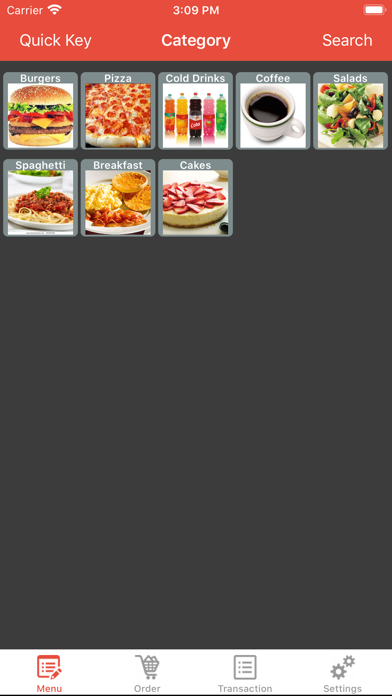
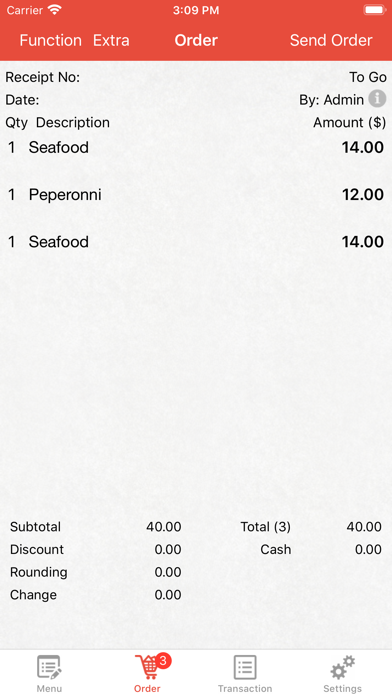
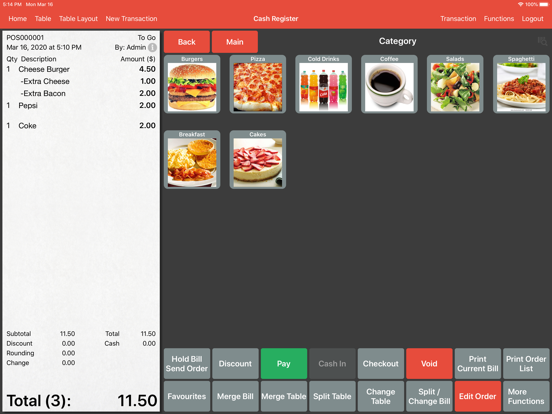
MobiPOS - Built specifically for food & service industry.
Suitable for Restaurant, Cafe and Food Truck.
App runs totally offline and no internet connection is required.
Key Features:
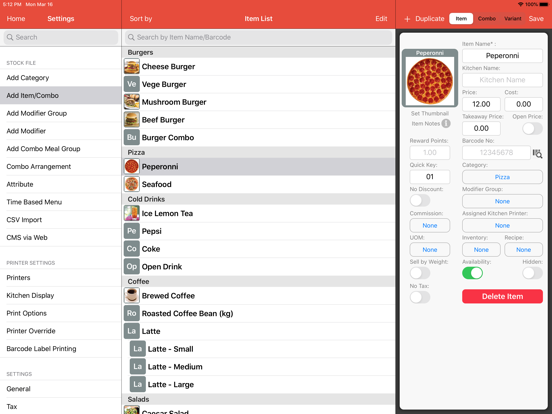
- Quick Key Ordering
- Edit your product using your PC/Mac
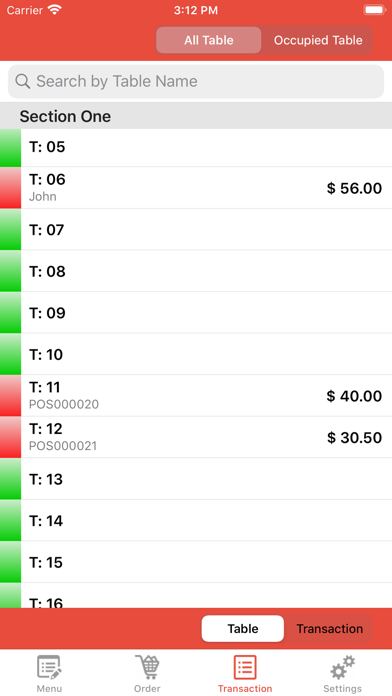
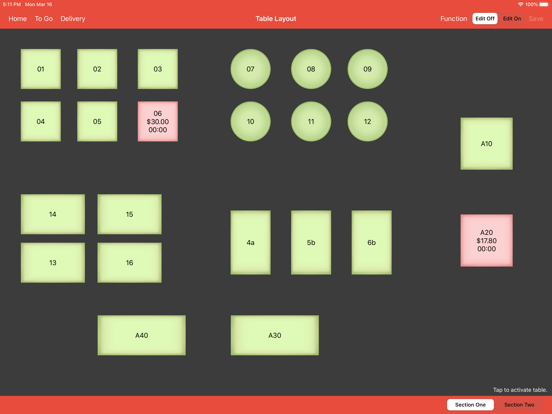
- Table Layout Management
- Split Checks (Percentage, Pax or Item)
- Assign Seat, Manage Course
- Composite Inventory, Stock In/Out, Stock Take, Recipe
- Barcode Product Scanning
- Pay In/Pay Out
- Clock In/Clock Out
- Gift Card
- Tiered account
- Multiple Currency
- Customer Display
- Kitchen Display System
- Multiple Ordering Terminal (iPad or iPod)
Advance Features:
- Time Based Menu
- Time Based Pricing Level
- Printer Override
- Delay Printing
- Reporting Category
- Automated Combo Forming
- Multiple Tills
Payment Gateway:
- Zettle (UK & Europe)
- SumUp (UK & Europe)
- Tyro Payments (Australia)
- Simple Payments Integration (Australia)
- SmartPay (New Zealand)
- Zapper (Europe)
- Dejavoo (US)
- Square (US, UK, Australia)
- Clover (Canada)
TPS, CT Payments , Vantiv, Mercury Payments, TSYS, FD Omaha, FD Nashville, Global Payments, Chase Paymentech, EVO SNAP
CRM:
- Multiple Customer Address
- Member Automated Discount
- Customer Group
- Repeat Customer's Order
- Customer Spending
- Multiple Outlets Rewards/Loyalty
Printers:
- Ethernet based Epson Printer. (Or any printer that support ESC/POS)
- Star TSP-100, Star TSP-100 USB, TSP-650
- Star TSP-100 IIIBI, Star TSP-650i, Star SM-S220i, Star SM-L200, Epson M30 (Bluetooth)
- Star mPOP (Bluetooth)
- Bixolon SPP-R300 (Bluetooth)
- Honeywell PC42, Zebra ZD410, Rongta RP410, Epson TM-L90 Label Printer
- iSAPPOS
- PTP-II/PTP-III
Reports:
- X Reading
- Category/Item Sales
- Top Selling
- Hourly Sales
- Table Sales
- Discount
- Void
- Clock In/Out
- Commission/Employee Performance/Employee Item Sales
- Payment, Transaction & Transaction Order Report
- Hourly
- Inventory, Stock Movement, Bill of Material Report
- Custody
- Cloud Report (Optional)
Instructions:
To setup, you need an iPad, cash drawer (optional), LAN thermal printer, router and you are good to go.
For first time user, enter your own email address for forget password feature or skip it to start using.
iPhone/iPod version will automatically run MobiPOS as a terminal. Running on iPad, you could choose to run as a terminal or main POS.
Default Login:
Account: admin
Password: 1234
For more info:
Email: support@mobi-pos.com
Facebook: https://www.facebook.com/mobipos
Quoi de neuf dans la dernière version ?
Added support for sub accounts to manage device cloud and licenses.
Fix online orders incorrectly printing unpaid orders as Paid.
Fix an issue where PMAdvisors unable to send new transaction request after receiving an error.
Fix upcoming booking buttons not showing correctly in table layout.
Fix an issue where long date text was truncated when printing.
Fix X Reading report not showing the net sales breakdown by sales type.
Fix non-X Reading reports unable to switch on consolidated report button when X Reading report has multiple sales type selected.
Fix when in quick serve mode, X Reading report not showing eat in sales under the correct sales type.