iPhoneAddict Apps
  • Actualités
  • Accueil Apps
  • iPhone
  • iPad
  • Universelles
  • Mac
  • Apple TV
KG KultureGeek
App
iPhone / iPad Télécharger iAddict v5 Mac Télécharger iAddict Mac
  • Actualités
  • Accueil Apps
  • iPhone
  • iPad
  • Universelles
  • Mac
  • Apple TV
  • Archives keynotes
  • Firmwares & iTunes
  • Contactez-nous
  • Comparateur de prix
  • KultureGeek
Accueil » Liste des Apps » Apps Universelles » Economie et entreprise » PDF Document Scanner Editor
3.0 iOS €Gratuit Bhavik Savaliya 0 0 PDF Document Scanner app that scans everything. Scan documents, photos, receipts, or just about anything. Scan any type of document and it's generate PDF.also add and remove page in PDF. Features :- -> Scan in color, gray scale, or black & white....
PDF Document Scanner Editor

PDF Document Scanner Editor

iOS Universel / Economie et entreprise

Gratuit
Obtenir sur l'App Store
Facebook X E-mail

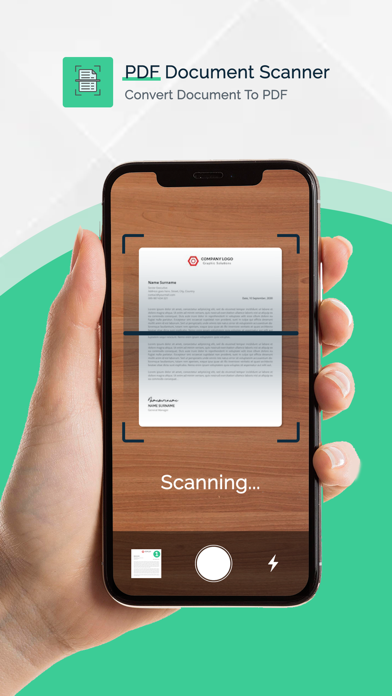
PDF Document Scanner app that scans everything. Scan documents, photos, receipts, or just about anything.

Scan any type of document and it's generate PDF.also add and remove page in PDF.

Features :-

-> Scan in color, gray scale, or black & white.
-> insert and Delete Page in PDF.
-> Best Crop For Batter Scanner Result.
-> totally Free apps.
-> You can generate any No. of PDF.

PRO FEATURES:


• Free unlimited signature generation.
• All Premium features


Choose from different subscription options. Our standard subscription options are:

PDF Scann One Week - 5.99 USD
PDF Scann One Year - 29.99 USD

Subscribe to have unlimited access to premium version of the app.

• Ads starting from the beginning of your subscription.
• Your payment will be charged to your iTunes Account as soon as you confirm your purchase.

For more information :

Privacy Policy : https://sites.google.com/escrowinfotech.com/musicbassbooster/home
Terms of Use : https://sites.google.com/escrowinfotech.com/termsofuse/home

En voir plus...

Quoi de neuf dans la dernière version ?

We’ve enhanced the UI/UX for a smoother experience and added powerful new PDF tools:

Edit PDF – Modify your PDFs.
Sign PDF – Easily add your signature.
Compress PDF – Reduce file size without losing quality.
Lock/Unlock PDF – Secure or remove security from your documents.
Merge PDFs – Combine multiple files into one.
Convert PDF to Images – Export each page as an individual image.
  • Screenshot #1 pour PDF Document Scanner Editor
  • Screenshot #2 pour PDF Document Scanner Editor
  • Screenshot #3 pour PDF Document Scanner Editor

D'autres applications du développeur

Tattoo On Body - Tattoo BoothTattoo On Body - Tattoo BoothiOS UniverselPhoto Video MakerPhoto Video MakeriPhonePhoto BackGround ChangerPhoto BackGround ChangeriOS UniverselMilitary AI Portrait GeneratorMilitary AI Portrait GeneratoriOS UniverselWoman Saree Photo Montage - Photo EditorWoman Saree Photo Montage - Photo EditoriOS UniverselAI Police Suit Photo MontageAI Police Suit Photo MontageiOS UniverselVoir toutes les apps

Note

(0 note)

Détails sur l'application

Version
3.0
Taille
73.2 Mo
Version minimum d'iOS
15.0
Dernière mise à jour
08/10/2025
Publié par
Bhavik Savaliya

Newsletter App Store

Recevez chaque jour les meilleures promos

Actualité Apple

Image Apple retire une application qui dénude, mise en avant dans des pubs de Meta
Apple retire une application qui dénude, mise en avant dans des pubs de Meta
Image Siri AI pourrait arriver sur Apple TV avec tvOS 27
Siri AI pourrait arriver sur Apple TV avec tvOS 27
Image Les futurs iPad pourraient avoir le bouton de commande de l’appareil photo
Les futurs iPad pourraient avoir le bouton de commande de l’appareil photo
Image App Store en Europe : Apple change les commissions, le paiement alternatif et plus
App Store en Europe : Apple change les commissions, le paiement alternatif et plus
iPhoneAddict Apps

Le catalogue iPhoneAddict pour suivre les nouveautés, mises à jour et baisses de prix de l’App Store.

Apps

Toutes les apps iOS iPhone iPad Universelles Mac Apple TV

iPhoneAddict

Actualité Apple Archives keynotes Contact À propos KultureGeek

Suivez-nous

©2009-2026 i2CMedia. Tous droits réservés.