PreDrive
iOS Universel / Economie et entreprise
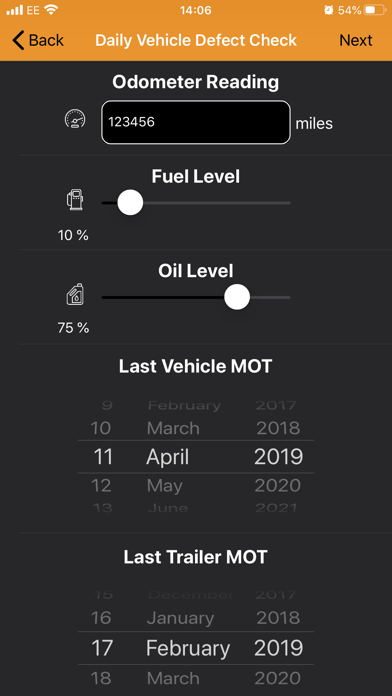
PreDrive is a daily driver defect and damage reporting package.
PreDrive provides a powerful system that helps track, report and analyse any defects by vehicle and driver in real-time.
PreDrive is a DVSA compliant vehicle checking system and will improve your fleet productivity, safety and efficiency.
From your phone you can quickly and easily perform your daily routine vehicle checks. With the powerful web interface, your office users can track, report and analyse the results.
- Inspections checklists
- Customisable checklists
- Photograph records
- Highlight your damage images
- Create your own damage types
- Driver declarations
- Road Tech Single login
Quoi de neuf dans la dernière version ?
1.7.8
- Improved validation feedback on the Inspection screen: when a required field is not completed and the driver taps Next, the screen now scrolls to the missing field and highlights it with a pulsing red glow, making it immediately clear what needs to be filled in.
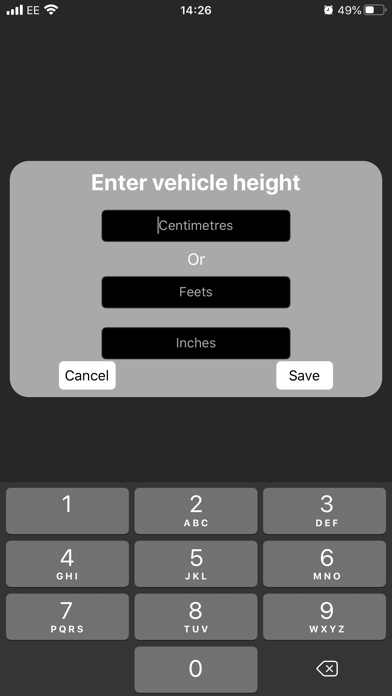
- Implemented configurable Vehicle Height input on the Inspection screen: managers can now choose between a slider or an inline dialog (centimetres, feet, and inches text fields) via the website. The selected mode is applied automatically when the driver opens the Inspection screen.
- Fixed a bug where the EV Battery and Electric Range popups were briefly appearing at the top of the screen before moving to the centre position when opened.
- Fixed a bug causing the App Store rating prompt to stop appearing for drivers who had already been shown it three times in a previous year.
- General code improvements and optimizations.