Rx4Route App
iOS Universel / Economie et entreprise
Rx4Route Driver: the app for drivers.
This app will helps you earn smarter with real-time information.
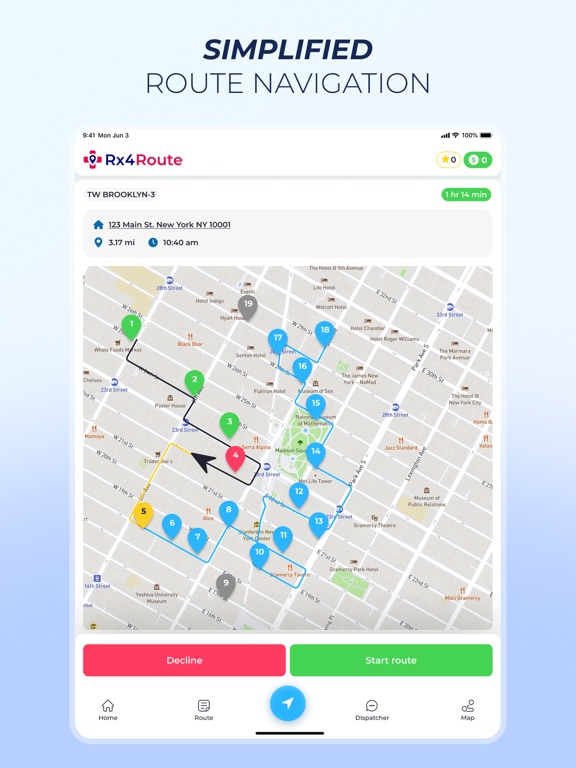
Simplified Route Navigation:
Optimize your driving routes and reach patients quickly, saving time and fuel.
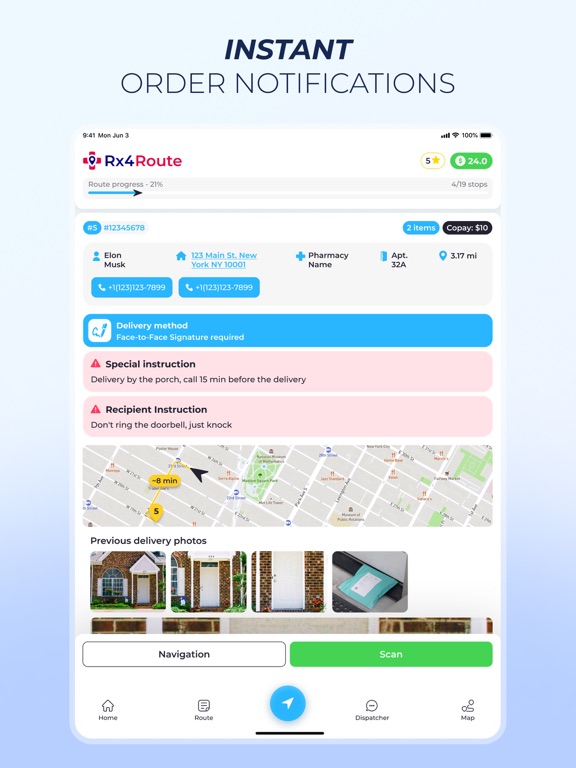
Instant Order Notifications:
Drivers receive instant notifications on their app whenever a new delivery order is assigned to them.
Real-time Navigation:
Drivers can rely on turn-by-turn directions and real-time traffic updates to navigate the best route and avoid potential delays.
Intuitive Mobile App:
Simple interface that allows drivers to access all essential information, including delivery details, customer addresses, and real-time updates, right at their fingertips.
Efficient Route Planning:
This software automatically generates optimized delivery routes, ensuring drivers take the most efficient path to complete their deliveries promptly.
Quoi de neuf dans la dernière version ?
This update introduces new functionality to enhance operational efficiency, security, and user experience for drivers.
New Features & Improvements
- [Order Types] The "Patient Name" field is now mandatory for completing a stop for all delivery types. For "No-contact" deliveries, the system will automatically populate this field with the default patient name, simplifying the completion process.
- [Driver Transfers] Improved functionality for driver-to-driver transfers. The app now correctly recognizes and displays "Free Stops" received from the backend, providing clearer visibility during transfer operations.
- [Quality Control] Updated the photo sequence for refrigerated package inspections. The app will now guide you through the two required quality checks with a revised and more intuitive photo capture flow.
- [Application Security] Implemented enhanced security controls. The functionality for taking screenshots (SCREENSHOT) and screen recordings (SCREENCAST) is now restricted within the application. If you require the ability to record your screen for support purposes, please contact the Support Service to request temporary access.