Secure Speak – Record Inbound & Outbound Calls
iPhone / Economie et entreprise
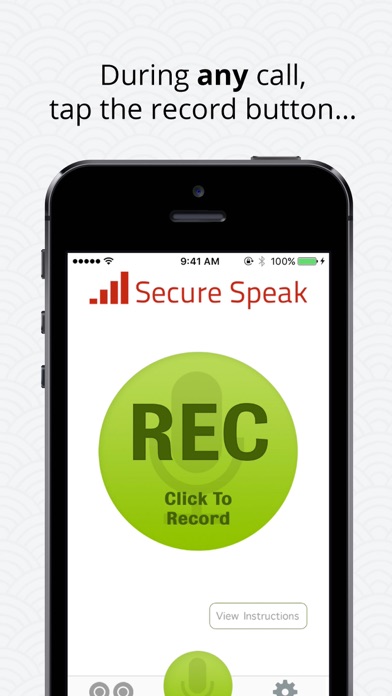
Record inbound and outbound calls with Secure Speak’s phone call recorder. Tap the ‘Record’ button during any call to begin recording the conversation.
The free app allows for unlimited recordings and limits playback to the first 60 seconds. Upgrade to download the full length call.
√ Record inbound calls
√ Record outbound calls
√ No limit on how long you can record a call
√ No limit on # of calls
√ Email recordings as attachment mp3s
√ Download link for saving to a computer
√ Annotate, transcribe, and comment on important parts of calls
√ Silently records – announce that you’re recording how you like
√ List of US state recording laws
√ New features added regularly
√ Live human support
Frequently Asked Questions
How does this app record calls?
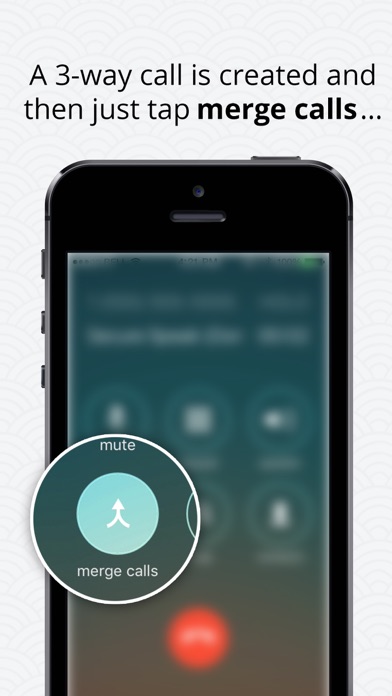
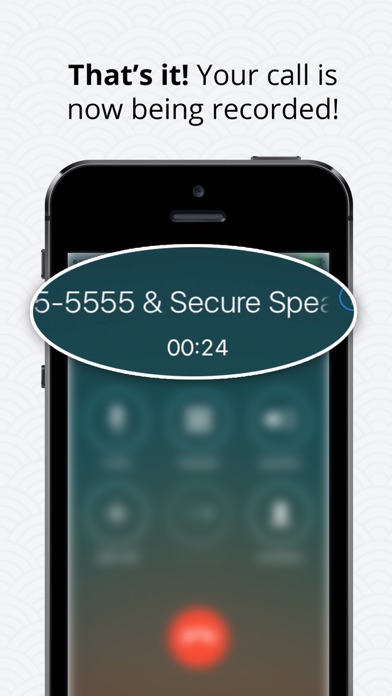
When you want to record a call, open the app and press the ‘Record’ button. We will put your current call on hold and dial our recording line. As soon as our line answers, press the ‘Merge Calls’ button to create a 3-way call. Whatever our recording line hears gets recorded. When you’re finished, hangup and your call will be processed and ready for listening within 3 minutes.
If you want to record an outbound call, press the ‘Record’ button first. This will call our recording line. Once our line answers, press the ‘Add Call’ button and dial the person you want to record. After they answer, press the ‘Merge Calls’ button.
Will the other party know I’m recording them?
No, not unless you tell them. We don’t make any announcements or play ongoing beeps in the call. The other party will only see your phone number when you call them, and they won’t know that you’re on a 3-way call with our recording line. It is your responsibility to follow all state and local recording laws, and we’ve included a list of the 12 states that require you to inform all parties that you’re recording.
Can I download and email the recording?
Yes. Inside the app click on the ‘Recordings’ button in the bottom left. Tap a recording, and then press the share icon. You can then email the recording as an attachment, or copy a link to a webpage where you can stream or download the recording to your computer.
Are there any recording limits?
Call can be a maximum of 4 hours long. If you need more time (wow), just make a second call. In the free version, playback is limited to the first 60 seconds. Upgrade to hear the full recording.
Privacy is very important to us and we will NEVER listen to your calls. Calls are processed automatically by our system and no human will ever hear your recordings.
If you choose to upgrade to Secure Speak’s Pro subscription with unlimited extended duration recording, you will be charged 8.99 USD every month until cancelation. The price will be shown in the app before you complete the payment. Your Secure Speak unlimited recording subscription automatically renews every month and your iTunes account will automatically be charged within 24 hours prior to the end of the current period. You can turn off auto-renew at any time from your iTunes Account Settings.
Privacy Policy: https://www.securespeak.com/privacy-policy
Terms of Service: https://www.securespeak.com/terms-of-service
Quoi de neuf dans la dernière version ?
This app has been updated by Apple to display the Apple Watch app icon.