Sign2Phone
iPhone / Economie et entreprise
Sign2Phone - GENUINE ELECTRONIC SIGNATURES FOR MOBILE DEVICES
Bring Your Own Device - Business App for securely signing PDF documents
DESIGNED FOR BUSINESS-WORKFLOWS
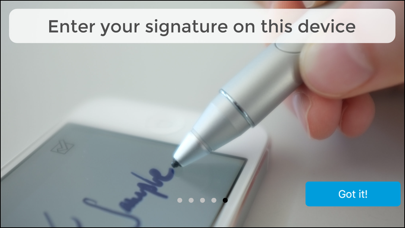
Sign2Phone converts your mobile device into a simple handwritten signature capture device.
It is meant to be used exclusively in conjunction with SOFTPRO's secure signing products such as SignDoc Desktop.
The app enables you to:
- Use your mobile device to sign documents(pdf, tiff) with your handwritten signature.
- Capture signatures in a manner such that their integrity, and the integrity of signed documents can easily be verified by independent third parties (e.g. using the Adobe Reader)
- Sign documents using signatures that capture biometric characteristics uniquely identifying the signer.
- Bring your mobile device and use industry standard signing technologies.
USAGE / BASIC OPERATION
Sign2Phone is „paired“ with the desktop application via the local network.
You can download SignDoc Desktop at http://sp-l.de/cizy
Once you have installed SignDoc Desktop on your PC
- Download the App and open it.
Make sure that your mobile device and the PC running the SignDoc Desktop are on the same network.
- Prepare a document within SignDoc Desktop for signing.
- While the app is open, clicking on a signature field within the application will initiate a signature capture dialog in the app.
- The signature is captured and transmitted securely in real-time to the desktop application which places it in the document being signed.
SECURITY AND INTEGRITY
Documents signed using SignDoc Desktop do not just place an image of your signature in a document. Documents are signed adherent to the ISO/IEC 32000 digital signature standard. Documents signed in this manner can be easily verified for tampering using standard software such as the Adobe Reader®. The biometric data captured within a signature is adherent to the ISO/IEC 19794-7 standard.
Also, we have placed great importance on the visual quality of the signatures created by our app in order to make the electronic signing experience as close to signing on paper as possible. Try it and convince yourself of its signature quality
ENTERPRISE CAPABILITY
The SOFTPRO suite of software is designed such that it can be easily integrated in an enterprise document workflow. Please contact us at info@softpro.de if you are interested in using this product to streamline your business applications.
PRODUCT INFORMATION / SUPPORT / NEWS
http://www.softpro.de/en
info@softpro.de
http://facebook.com/softpro.de
Quoi de neuf dans la dernière version ?
This app has been updated by Apple to display the Apple Watch app icon.
latest Wacom pens support via Bluetooth
bugfixes