Smart OCR - Scan, list and send products on Amazon store
iPhone / Economie et entreprise
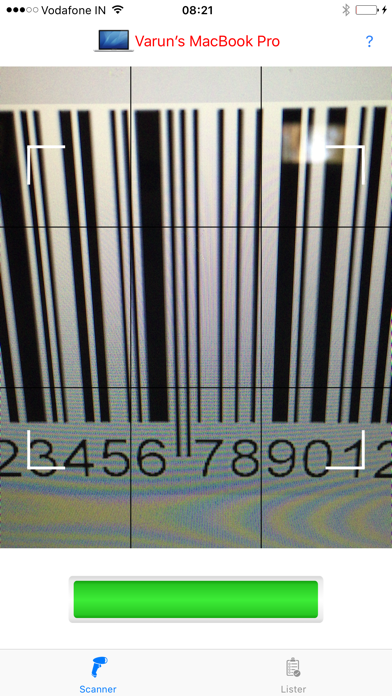
Smart OCR is an helper app for Smart Lister app to scan and list items swiftly into Amazon store. It addresses all of your need to list items automatically, you just need to connect your Mac machine and iPhone, for connection just on wifi on both devices and use Smart OCR to scan the barcode and it’s all done. Things would get reflected automatically on your Mac machine. This app could be handy and save your hours and money by automating things otherwise user has to use bar code reader for the same.
PRE REQUIREMENTS :
User must have Smart Lister version 2.0 (https://itunes.apple.com/us/app/smart-lister-scan-list-send/id1063191587?mt=12) installed and running on his/her Mac machine.
USAGE :
Connect your iPhone and Mac, for connection just on wifi on both devices.
Launch Smart Lister on your Mac machine.
Launch Smart OCR on your iPhone.
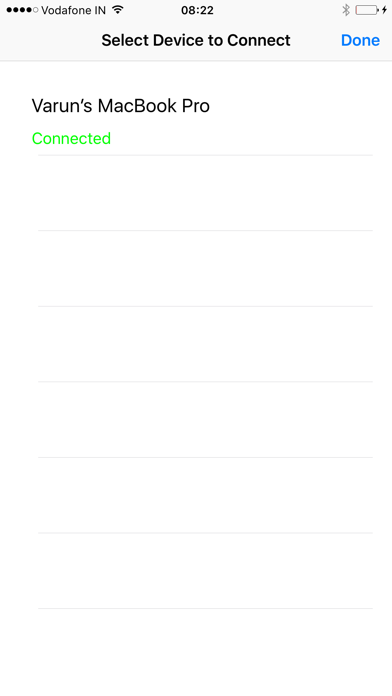
Connect available devices from your Smart OCR app.
Once it gets connected user can scan barcodes and information would get reflected on Smart lister app.
It is HIGHLY recommended to keep your first Smart Lister shipment small (under 25 books). When using any software for the first time, there can be unexpected setbacks
Now on Smart Lister main application page we have following things to fill :
Default Price, Quantity, and Cost Per Unit
Default Price - It is recommended to keep the default price to $25 or lower. Amazon will sometimes disable listings if the price is too high.
Quantity - If you have more than one copy of a title, you can change the quantity.
Cost Per Unit - Enter the cost per unit.
Condition and Condition Note : Here you have the option of selecting the condition and condition note. For condition, select good, very good, like new, acceptable, etc. For condition note, you can save any phrases through Settings->Conditions Note that you would like to use later.”
LIST on Amazon
When you are finished listing your items, click the "List on Amazon" button. This will upload the items into your Amazon seller account. You will also see the option of "Fulfilled by Amazon" or "Fulfilled by Merchant"
Fulfilled by Merchant - If you select this option, your items will be uploaded in your account as live merchant fulfilled items. You can then proceed to convert those to FBA and create a shipment.
Fulfilled by Amazon - If you select this option, your items will be uploaded in your account as FBA items. They will be inactive until they arrive at Amazon's warehouse. You will still need to select these items and create an FBA shipment
Setting Minimum and Maximum Price
Setting a minimum and maximum price will prevent Amazon from deactivating listings due to pricing errors. You can set a min and max price by selecting to the "options" button on the bottom of Smart Lister.
Preview Product Information
Smart Lister automatically shows product information after every scan. This includes title, author, binding, publisher, picture, and rank. If you prefer not to see this information, you can deselect this on the “Preview Product Information” checkbox. The scanning will be slightly faster if this unchecked since the application needs not connect to Amazon after every scan.
Import and Export
User can export all the listed items as TSV file and can edit it using any other data apps like excel, numbers etc, that can be used on any other machines for import purpose. Smart Lister also gives way to import any TSV file to add items in main list of the application.
ADVANTAGES
User don’t need any bar code reader hardware to use Smart Lister.
Smart Lister is a big time saver for people who want to sell anything on Amazon.
User can make a bulk book listing in few minutes.
User can import some external item list into main item list or vice a versa.
User can search items on Amazon server through bar code, product ID, product name.
User can configure default preferences.
User can edit any profiled information that comes from Amazon server.
Quoi de neuf dans la dernière version ?
This app has been updated by Apple to display the Apple Watch app icon.