Voice-activated Recorder
iPhone / Economie et entreprise
This is a recorder for long-time recording usage, only record stronger sound so that you can save power, storage and playback time, especially good for sleeping status recording, such as snoring, cough at night etc. , also you can get to know the specific time and period when snoring at night, know your sleeping quality, whether or not you have apnea issue etc.
More Features:
* For long recording,greatly extend the effective length of recording time,saving power and storage space.
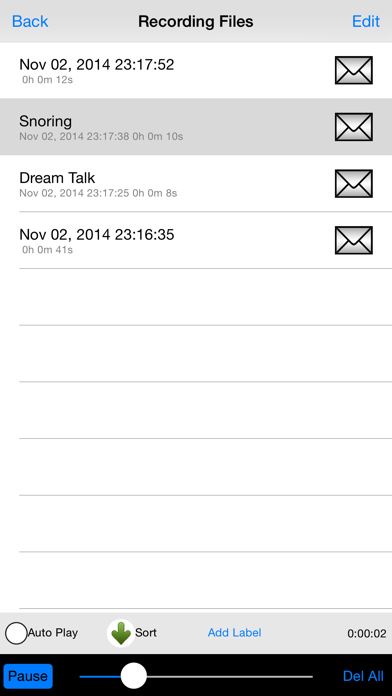
* All files are named by the date and time stamp automatically,and can be sorted by date.
* Users can add a label to any file manually.
* Mute time length can be set by users from 5s to 30s.
* All of files can be played continuously by one click after checking the auto play option.
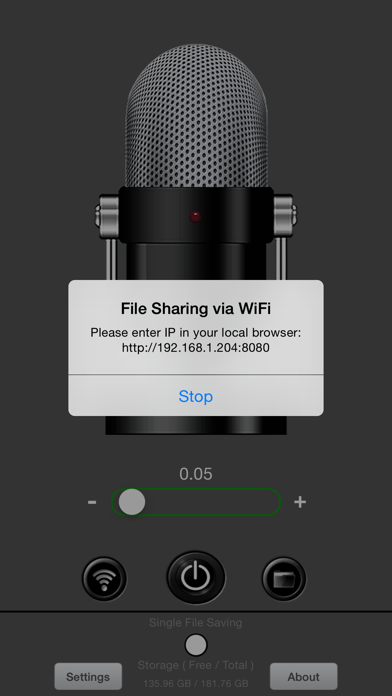
* Multiple sharing features: File sharing of iTunes, WiFi download in a browser, Email.
* For continuous recording, set the threshold value to zero.
* Storage space reminder feature when the storage space less than 200MB.
******Tips for using*******
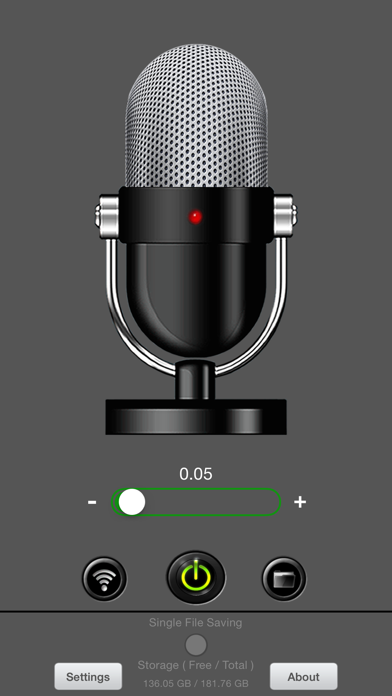
1. Press power button, you can see signal strength bar moving, then slide the thumb to set the threshold (0.00~1.00), the value will be saved for next time use.
2.If the indicator start flashing, that means a real recording start. check the recorded files,some test files can be found there .
3.In each scenario, the threshold value could be different, set it according to the situation. For example,for snoring and dream talk recording at night, set the value to 0.05, but at daytime, you probably have to set it at 0.10.
4. Attention for naming a label: all files can be saved to your computer. Label,as a part of a file name, has to follow some rules for different computer OS.For this app, make it simple as follows,the name length is better to be limited to within 125 characters,as for the kind of characters, for Windows,you can't use ?\|/ etc. in your label, otherwise iTunes will report a error such as no files found, just rename it as windows' requirement to fix it.
**About Volume**
Speaker mode or earphone mode, the speaker hardware is shared by all apps in your device, please check both modes and adjust the volume if you can't hear anything.
**How to download recording files**
For file downloading, iTunes File sharing Feature is recommended. The basic steps : connect to iTunes->click "iPhone" ->click "App"->scroll down to find "File sharing"->click this app's icon -> select recording fils on the right box ->click " Save". You can also find more details in the help section of iTunes.
Quoi de neuf dans la dernière version ?
Fixed microphone permission issue on the latest iOS12.1