WinPulse – Windows Admin
iOS Universel / Economie et entreprise
## WinPulse — Windows Server management from your iPhone ##
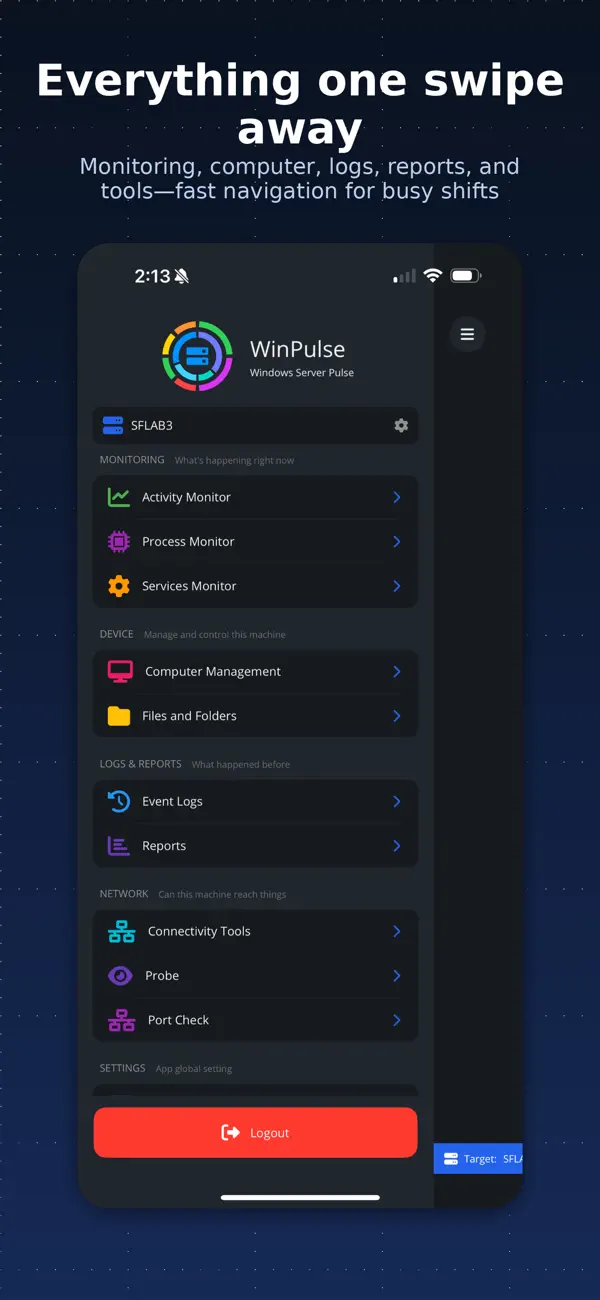
Monitor, troubleshoot, and control Windows servers from anywhere — no RDP, no agents, no exposed ports. WinPulse brings processes, services, event logs, diagnostics, and reporting to your iPhone or iPad so you can triage, investigate, and act in seconds.
## How it works ##
WinPulse connects to your Windows Gateway server over SSH (port 22). The Gateway communicates with all your target servers using WinRM, WMI, and CIM — native Windows protocols that are already in your environment. No separate agent product. No new attack surface.
WinPulse connects your phone to a Windows Gateway over SSH. The Gateway communicates with all target servers using native Windows protocols — no agents required.
## Gateway setup ##
Connect your Gateway server in minutes. Full setup documentation at signifium.com/winpulse.
On Windows Server 2025, enabling SSH is as simple as ticking a checkbox in Server Manager — just like enabling RDP. No PowerShell required.
For Windows Server 2022, 2019, 2016, and 2012 R2, a one-step PowerShell command handles the install. Step-by-step instructions at signifium.com/winpulse.
Supported: Windows Server 2025, 2022, 2019, 2016, 2012 R2, and Server Core.
## Built for the moments between full sessions ##
Full-screen RDP from a phone is clunky for quick checks. WinPulse surfaces the information you need in seconds — whether you are troubleshooting an outage, reviewing logs before a meeting, or responding to an alert at 2am.
## Complete server management ##
Real-time monitoring
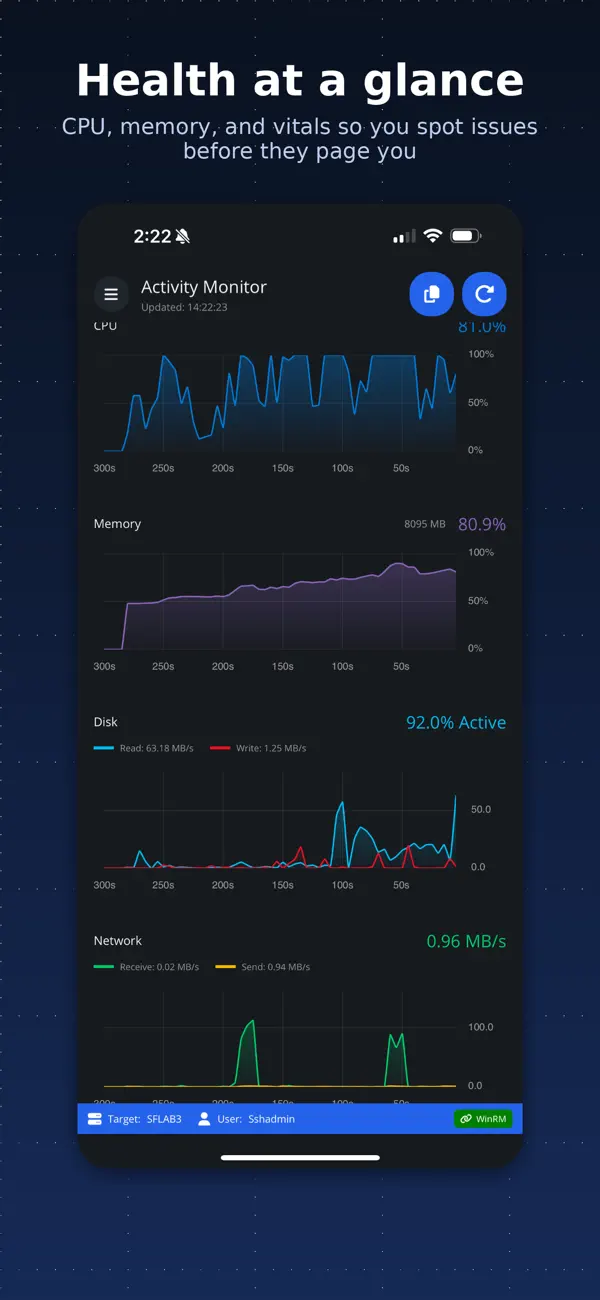
• Activity dashboard with CPU, memory, and system vitals
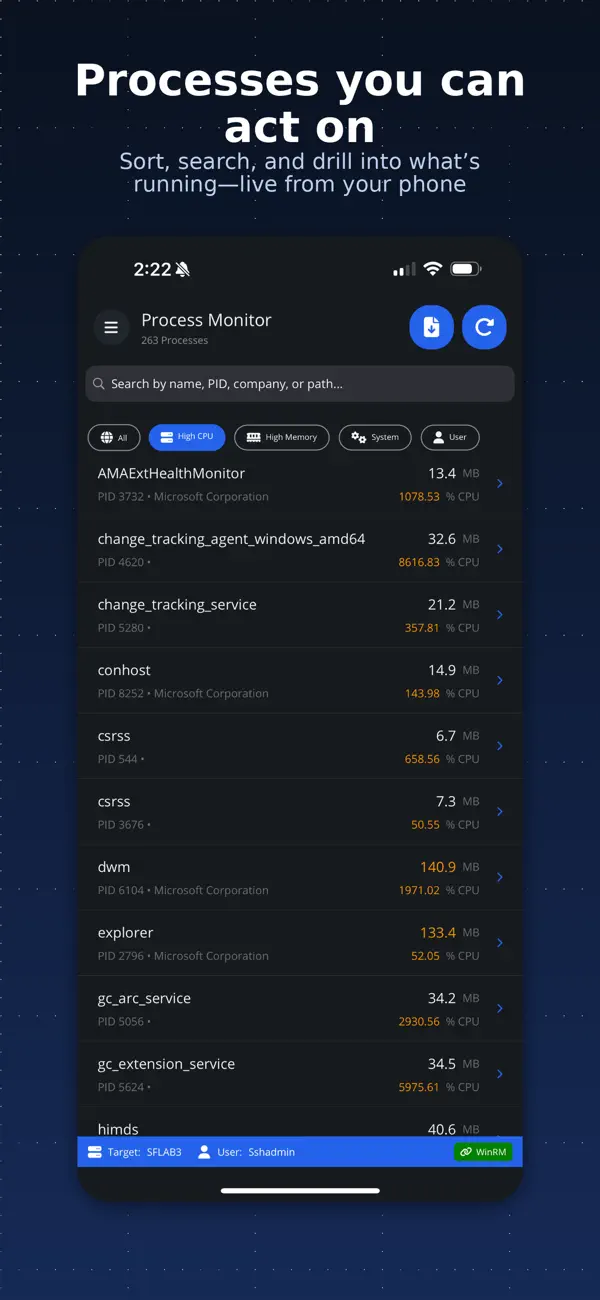
• Process monitor with resource usage, module details, and process control
• Service status with start/stop/restart controls
• Event log browser with advanced filtering (ID, level, timeframe, message search)
System administration
• System information, BIOS details, installed roles, and OS configuration
• Network interfaces with IP configuration and adapter management
• Disk management with capacity, health, and usage metrics
• Local users and groups with membership details
• Installed applications and Windows Updates (view and install)
• Active RDP sessions and connection monitoring
Operations & control
• Power management (restart, shutdown, with optional delay)
• Windows Update deployment and scheduling
• Group Policy refresh and verification
• Time synchronisation diagnostics and repair
• Remote Desktop enable/disable
• User session management and logoff
• Recycle bin management
Network diagnostics
Run connectivity tests from your target servers:
• Ping and traceroute
• DNS resolution and lookup
• Port connectivity checks
• HTTP/HTTPS endpoint testing
• Active Directory and Kerberos authentication verification
File management & reporting
• Browse, search, and manage remote files and folders
• Security reports: RDP access history, privilege escalation tracking, account lockouts and password changes, failed login analysis
• System health reports: uptime, performance baseline, scheduled tasks, Windows Updates
• Backup status monitoring with VSS and restore points
• Export reports to text/CSV for compliance and analysis
## Multi-target management ##
Switch between servers quickly. Save connection profiles for one-tap access across environments — production, staging, DR. One Gateway login, many targets.
## Pricing ##
Try free for up to 14 days with full access. After that, manage up to 3 servers forever at no charge. Subscribe when you need more than three targets. All features included — no tiered feature gates. Cancel anytime in your Apple account settings.
## Support ##
Documentation: signifium.com/winpulse
Direct support: support@signifium.com
Privacy Policy: signifium.com/privacy
Terms of Service: signifium.com/termsofuse
Quoi de neuf dans la dernière version ?
Bug fixes