Arranging Coins and Bills USD
iOS Universel / Education
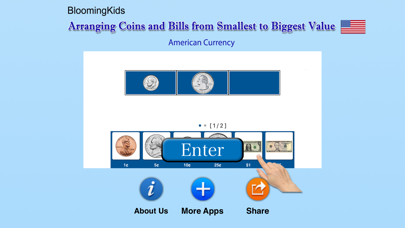
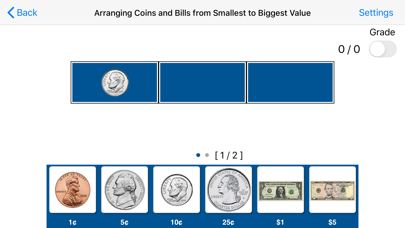
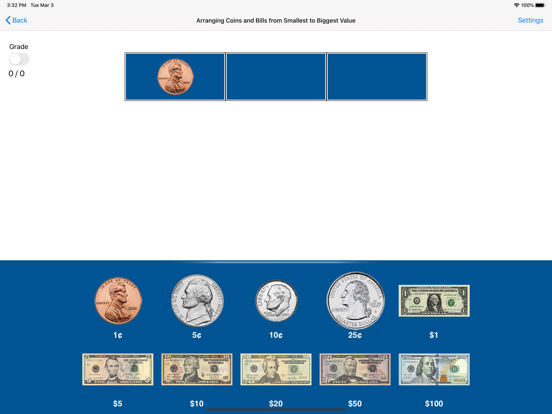
This app helps the student to identify coins and bills and understand the value of each coin or bill. A coin or bill appears in the first box, and the student is asked to click on the next two coins or bills that follow in ascending order. This program can be used by kindergarten children or learning-disabled (autistic or with other disabilities) children of various ages.
Settings for Arranging Coins and Bills from Smallest to Biggest Value (American currency):
“Settings" is located at the bottom left corner of the screen. If the therapist/parent needs to adjust the settings, click the “Settings" to make the settings box disappear or reappear.
Mode
Test
Select this option to measure the student’s progress. The “Report” button under “Test” mode is enabled.
Report
This displays results of the “Test”. The report Holds Only 20 Records.
Grade On/Off: If it is on, app will monitor correct and wrong responses by the student
Correct Answer: When a student response to a question with correct answer
Wrong Answer: When a student response to a question with wrong answer
Number of Total Attempt: Number of times a student tried to answer questions in the app.
Bar Chart: Represents the student's performance graphically.
View Records: If there are old test results, they will be shown on this screen. The current test result is always on top.
Print: This will print the grade or data on the screen.
Clear Data: This button erase all the data that was stored and free up the memory that data was occupying.
Coins and Bills
This option is selected by default. When this box is checked, both coins and bills will be used to practice placing coins and bills in ascending order.
Coins
If the “Coins" box is checked only coins will appear on the screen.
Bills
If the “Bills" box is checked only bills will appear on the screen.
Prompt(Blink)
If the student fails to click the correct coins or bills within ten seconds, the program guides him/her to the correct coin or bill by making the coin or bill blink.
Numerical Label under Coin or Bill
When this is checked a numerical label appears under each coin or bill.
No Label under Coin or Bill
When this is checked no label appears under the coins or bills.
Display Coins and Bills in Ascending Order or Random Order
The coins and bills at the bottom of the screen appear in ascending order of value or in random order. This is a toggle switch if the bills and coins are listed in random order, clicking this button will change the display to ascending order, and vice-versa.
Congratulatory Animation
This box is checked by default. When this is checked, clicking the correct value invites a congratulatory animation. This animation runs for ten seconds. Click anywhere on the screen or press space bar to stop the congratulatory animation.
Uncheck the box if the student doesn't need congratulatory animation.
Back
Click on the “Back" button to close “Arranging Coins and Bills from Smallest to Biggest Value" and return to the main screen.
Quoi de neuf dans la dernière version ?
- Updated to iOS 11.
- Minor bug Fixes.