BookSweep - Reading Tracker
iOS Universel / Education
Read every book on your syllabus. Without the panic week before finals.
You stare at the syllabus on Sunday night. Six books. Three classes. Eleven weeks left. The math doesn't work, so you skim, you skip, and you hit finals carrying a backlog you can't catch up on.
BookSweep does the math for you, every day.
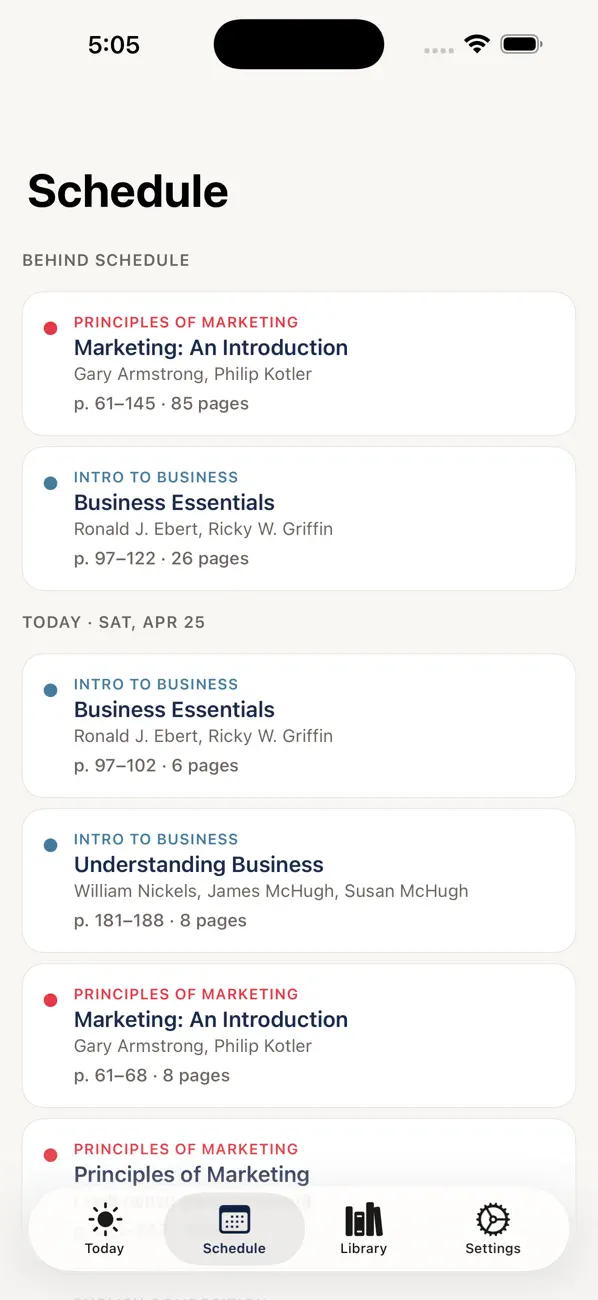
Add your books, set your semester dates, pick the days you actually read, and BookSweep gives you one calm reading list every morning — by book, by page range, color-coded by class. Knock it out and move on. Skip a day, and BookSweep reflows the missed pages across your remaining reading days automatically.
— HOW IT WORKS —
1. Define your semester. Start date, end date, and which days of the week you read. Saturdays off? Done.
2. Add your books. Scan the ISBN on the back of the book and the title, author, and page count fill in automatically. Or type them yourself in about ten seconds.
3. Open Today. Each morning, a calm list of exactly what to read. Tap a session to mark it complete or save partial progress.
— DESIGNED TO DISAPPEAR —
No streaks. No badges. No leaderboards. No notifications nagging you about your reading "habit." BookSweep is built like a checklist, not a game. The only number on the home screen is the page range you're reading today.
— WHAT'S INSIDE —
• Auto-reflow scheduler that redistributes missed pages across remaining reading days
• ISBN barcode scanner powered by Apple's Vision framework
• Per-course color coding so you can see at a glance which class is next
• Catch-Up mode: one tap turns "I'm 80 pages behind" into a finish-on-time plan
• Custom per-book due dates for midterms and stage deadlines
• Optional daily page cap so you can't over-schedule yourself
• Universal: one purchase covers iPhone and iPad
• Works completely offline after a book is added
— PRIVACY —
BookSweep stores everything on your device. There is no account, no sign-up, no analytics, no tracking, no advertising. The only network requests BookSweep ever makes are to look up the title and page count of an ISBN you scan. Delete the app and your reading data is gone, because no copy exists anywhere else.
— PRICING —
$1.99, one time. No subscription. No upsells. Buy it once, keep it forever.
— REQUIREMENTS —
• iPhone or iPad running iOS 17 or later
• Camera (optional, only used for ISBN scanning)
Built for students with too many books on the syllabus. If that's you, welcome.