• KultureGeek
  • Comparateur de prix
       
iPhoneAddict
 iAddictv5Notre Application iPhone/iPad
  • Accueil Apps
  • Actualité Apple
  • Keynote Apple
  • Firmwares & iTunes
  • Contactez-nous
Accueil » Liste des Apps » Apps Universelles » Education » Electrical Layout Capture Assistant
L'application n'est plus disponible sur l'App Store français
5.2 iOS €5,99€ Yuhsiu Lai 1 3 This tool will assist you in creating your own electrical plans. This app is most useful for capturing existing or new electrical layouts of residential and commercial dwellings. You can now capture electrical plans in seconds and share them...
Electrical Layout Capture Assistant

Electrical Layout Capture Assistant

iOS Universel / Education

5,99€
Acheter sur l'App Store

This tool will assist you in creating your own electrical plans.

This app is most useful for capturing existing or new electrical layouts of residential and commercial dwellings.

You can now capture electrical plans in seconds and share them online instantly.

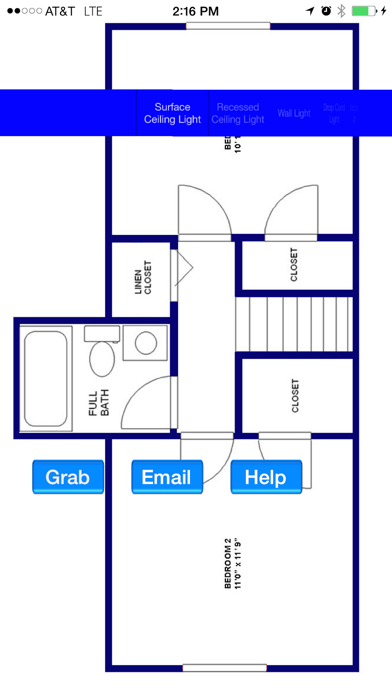
Simply single-tap with two fingers to bring up the symbol picker and grab any electrical symbol (lighting switch, receptacle, etc.)

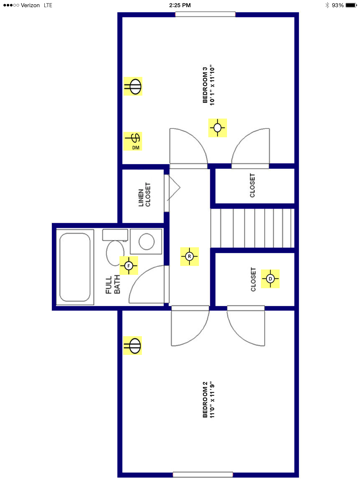
Place symbols anywhere on the floor plans.

Single-tap with three fingers to capture the layout you created and save for future use.

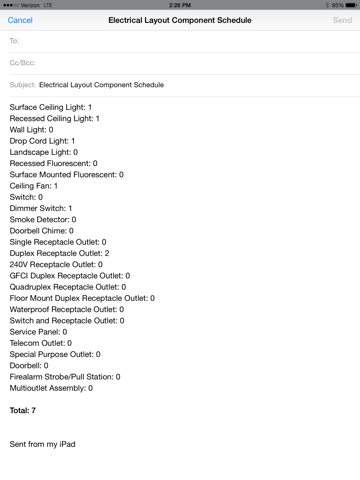
Email the layout you created and the components schedule in pdf format instantly.

How to use:

In order to utilize this app, you need to have the floor plan in pdf format. The floor plan can be loaded to this app from the Email app.

- Use Email app to open pdf-formatted floor plan (click on the attachment within email and choose this app to open)
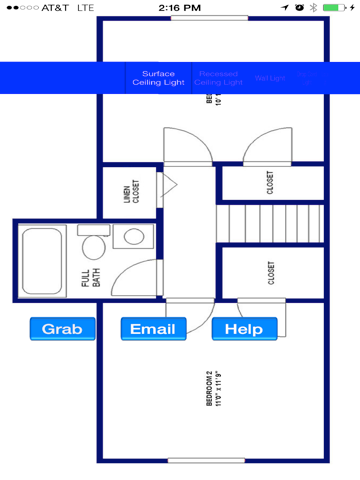
- Single-tap with two fingers: Bring up symbol picker and action buttons
- Single-tap with three fingers: Save screenshot of the layout in Photos library
- Grab button will add the symbol selected in pickerview to the layout.
- Double-tap with single finger on a symbol: Remove the symbol
- Singe-tap with one finger will remove symbol picker and action buttons
- Email button will generate a schedule (list) of components (symbols) used in an email

This app is developed and tested for all sizes and releases of iPhone and iPad.

En voir plus...

Quoi de neuf dans la dernière version ?

This app has been updated by Apple to display the Apple Watch app icon.

Added a note for clarifying the usage of this app.
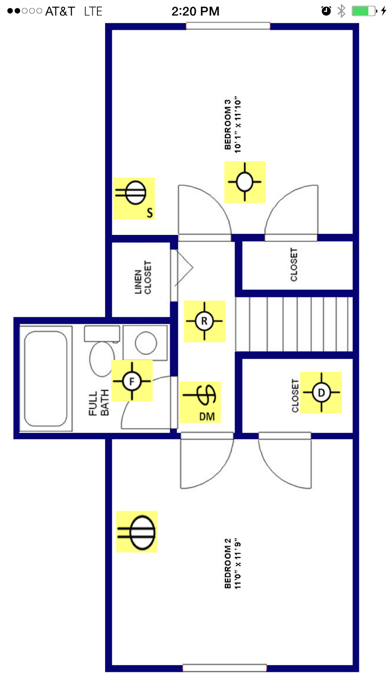
  • Screenshot #1 pour Electrical Layout Capture Assistant
  • Screenshot #2 pour Electrical Layout Capture Assistant
  • Screenshot #3 pour Electrical Layout Capture Assistant
  • Screenshot #4 pour Electrical Layout Capture Assistant
  • Screenshot #5 pour Electrical Layout Capture Assistant
  • Screenshot #6 pour Electrical Layout Capture Assistant

D'autres applications du développeur

Electrical Load Calc
/ iPhone
Electrical Layout Sample Drawings
/ iOS Universel
Fire Alarm Systems Backup Power Calculations Guide
/ iOS Universel
Electrical Load Calculator & Electrical Plan Example
/ iOS Universel
Electrical Load Case Studies
/ iOS Universel
Electrical Wiring Diagrams
/ iOS Universel
Voir toutes les apps

Note

(3 notes)

Détails sur l'application

Version
5.2
Taille
1.1 Mo
Version minimum d'iOS
6.0
Dernière mise à jour
10/03/2015
Publié par
Yuhsiu Lai

Newsletter App Store

Recevez chaque jour les meilleures promos

Actualité Apple

Image RCS : iOS 26.5 active le chiffrement de bout en bout entre iPhone et Android
RCS : iOS 26.5 active le chiffrement de bout en bout entre iPhone et Android
Image iOS 27 permettra de créer vos propres pass dans l’application Cartes
iOS 27 permettra de créer vos propres pass dans l’application Cartes
Image Release candidate pour iOS 26.5, macOS 26.5, watchOS 26.5, tvOS 26.5 et visionOS 26.5
Release candidate pour iOS 26.5, macOS 26.5, watchOS 26.5, tvOS 26.5 et visionOS 26.5
Image Apple Music célèbre le Star Wars Day avec une playlist dédiée
Apple Music célèbre le Star Wars Day avec une playlist dédiée
Partenaires : Actualité iPhone - Culture Geek
©2009-2026 i2CMedia | A propos |