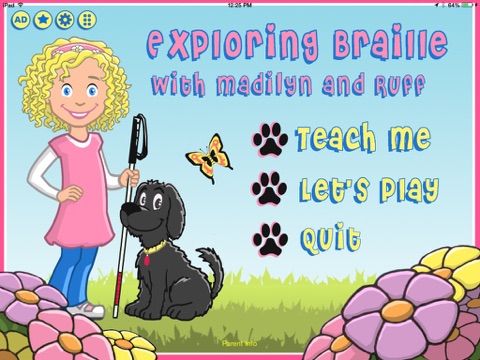
Exploring Braille with Madilyn and Ruff
iPad / Education
The Exploring Braille App was created to introduce young children with visual impairments to the Braille alphabet through a fun interactive, multi-sensory approach. The multi-sensory Braille/Print approach also allows users of all sight levels to learn together, providing opportunities for socialization through learning.
Using sound and touch, children will love following along with Madilyn, an enthusiastic little girl who is blind, and her sidekick Ruff, a fun-loving pup, as they learn the alphabet together. Sighted users (including parents and teachers) can follow along on screen with high-quality graphics and visual representations of the Braille and print alphabet.
Give your child the opportunity to succeed early in life! Early exposure to Braille is key to higher achievements in education while building self-esteem and independence through literacy. Don’t wait to introduce the Braille alphabet to your child or student with visual impairments! Designed by the parent and teacher of a blind child, the Exploring Braille App presents the alphabet in a simple and engaging manner to keep everyone interested and learning!
This app presents two instructional methods for teaching all 26 letters and two quiz modes for assessing the child’s reading and writing skills. Kids will love the consistency in repetition, sound effects, and characters as they become engaged in learning and play.
Children will learn:
-Letter Names
-Braille Dot Configurations
-to Read the Braille letter (external Refreshable Braille Device needed)
-to Write the Braille letter (external Refreshable Braille Device needed)
Note: Users with low/all vision may also learn the print alphabet by sight.
By presenting children with the alphabet through sound, touch, and sight (for those with low vision/sighted), they will have the opportunity to connect and learn through true comprehension by developing and using memorization, fine motor/tactual, and listening skills.
Sighted parents and teachers can instruct and follow along without having any prior knowledge of Braille! Encourage your children and students to learn while not being overwhelmed or intimidated by Braille. Now with the Exploring Braille App, blind children as well as anyone can effectively learn the alphabet, providing a jumpstart into learning and literacy!
Features:
-AlphaGuide presents the entire alphabet through a multi-sensory instructional video
-Flashcards allow users to browse through the alphabet at their own pace
-Reading Quiz Game has the user choose the correct letter from multiple choices
-Writing Game encourages the user to write the correct letter while earning dog bones for Ruff!
-Scores at the end of each game show which letters your child answered correctly and incorrectly
-Develops foundational reading and Braille skills
-Early introduction to audio description with page descriptions
-Use at Home and School
Safe: No in-app purchases
Safe: No ads
Safe: No social media
Ages 4-10 years, or anyone learning Braille!
To get the most of out this app, an external refreshable Braille Displays must be synced with the iPad and VoiceOver turned ON to make it 100% fully accessible for blind users. For more information on VoiceOver and compatible Braille Displays, please refer to these online resources: http://www.apple.com/accessibility/ios/voiceover/ and https://www.apple.com/accessibility/ios/braille-display.html.
Reviews from parents and teachers:
“This is a fabulous and well thought out app to teach braille instruction to a variety of audiences. The design and graphics are simple making it each for all to use as well as to be introduced to using a refreshable braille display. The score tracking makes it easy for skill documentation and reteach opportunities. I look forward to seeing future iOS products from this developer.” - Parent & Teacher of the Visually Impaired
“A great app that with a clear vision for all types of tactile learners.” - Julie from Adapted Innovation Blog
Quoi de neuf dans la dernière version ?
This app has been updated by Apple to display the Apple Watch app icon.
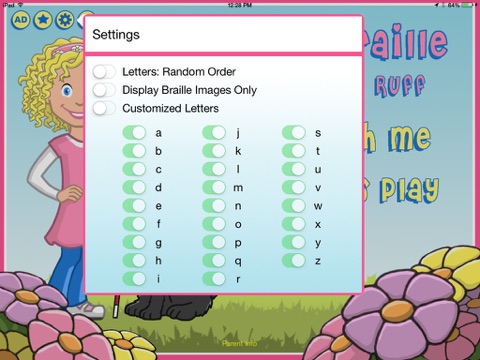
-Settings options allow for increased customization including random order questions, braille only images, and customized letter questions
-New Braille Cell Tutorial gives users a brief introduction to the braille cell and 6 dot keyboard -- great for low vision and sighted users!!
-Repeat Button has been added to Activity pages for enhanced audio
-Onscreen 6 dot keyboard has replaced the QWERTY keyboard in the Writing Activity for true brailler input