Flight Risk Assessment Tool
iOS Universel / Education
The Flight Risk Assessment Tool or “FRAT” is an iPhone and iPad application with a companion Apple Watch application. The watch application provides current METAR reports right from your Apple Watch. The FRAT was designed to aid pilots in identifying safety hazards and the risk level of each identified hazard during preflight planning. It is primarily targeted for general aviation pilots, but can be used by any pilot to aid in Risk Management.
Every pilot, from an excited student pilot taking his/her first flight to an old crusty well-traveled airline pilot, uses Risk Management whether they know it or not. A pilot evaluates his/her physical condition, weather, the airplane, fuel availability, time constraints (get-home-itis), and many other potential hazards. The pilot then determines the likelihood of an identified hazard causing a problem during the flight (risk level). Unfortunately, this step may not be given the importance it deserves or evaluated realistically.
Occasional flyers may approach Risk Management somewhat informally and use minimal resources to gather information (possible hazards) about their flight. Airline pilots, on the other hand, have the advantage of a Risk Management system staffed by professionals already in place that evaluate the risks and mitigation strategies for the intended flight.
The FRAT provides the General Aviation (GA) pilot a systematic checklist of questions to aid in evaluating the risks inherent during a flight. The FRAT is not meant to make a "Go-No Go" decision for the pilot-in-command. The pilot should use the FRAT during preflight planning to identify the hazards and potential risk level that he or she may encounter during the intended flight. Identifying hazards and the resulting risk level will enable the pilot to develop a more effective mitigation strategy. A mitigation strategy is used to eliminate or reduce risks to an acceptable level or may lead the pilot to delay or even cancel the flight if the risk factor is too high. The FRAT can be an integral part of a GA pilot’s overall Risk Management system.
There is an endless list of questions that could be posed in a risk assessment tool, but the FRAT is limited to those applicable to most VFR/IFR flights conducted by General Aviation (GA) pilots.
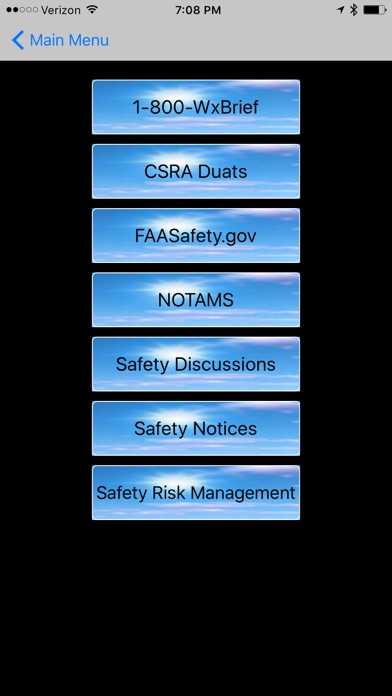
The FRAT also includes in-app use of safety resources such as FAASafety.gov Safety Notices and Safety Discussions as well as information on Risk Management. The FRAT provides easy access to 1-800-WXBrief, Aviation WX, NOTAMS, TFRs and METARs all without leaving the FRAT. The latest update also includes direct access to the FRAT Tutorial via the Information page that is accessed by clicking the information icon located in the upper left hand corner of the main menu.
Quoi de neuf dans la dernière version ?
Updated for new TAF Dashboard.