iPhoneAddict Apps
  • Actualités
  • Accueil Apps
  • iPhone
  • iPad
  • Universelles
  • Mac
  • Apple TV
KG KultureGeek
App
iPhone / iPad Télécharger iAddict v5 Mac Télécharger iAddict Mac
  • Actualités
  • Accueil Apps
  • iPhone
  • iPad
  • Universelles
  • Mac
  • Apple TV
  • Archives keynotes
  • Firmwares & iTunes
  • Contactez-nous
  • Comparateur de prix
  • KultureGeek
Accueil » Liste des Apps » Apps Universelles » Education » Harakat Lens
0.2.0 iOS €4,99€ christian visintin 0 0 Harakat Lens — Instantly read and transliterate Arabic text with built-in OCR. Harakat Lens turns your iPhone into a pocket Arabic reader. Point your camera at any Arabic text — a street sign, a menu, a book, a Quran page — and instantly see...
Harakat Lens

Harakat Lens

iOS Universel / Education

4,99€
Acheter sur l'App Store
Facebook X E-mail

Harakat Lens — Instantly read and transliterate Arabic text with built-in OCR.

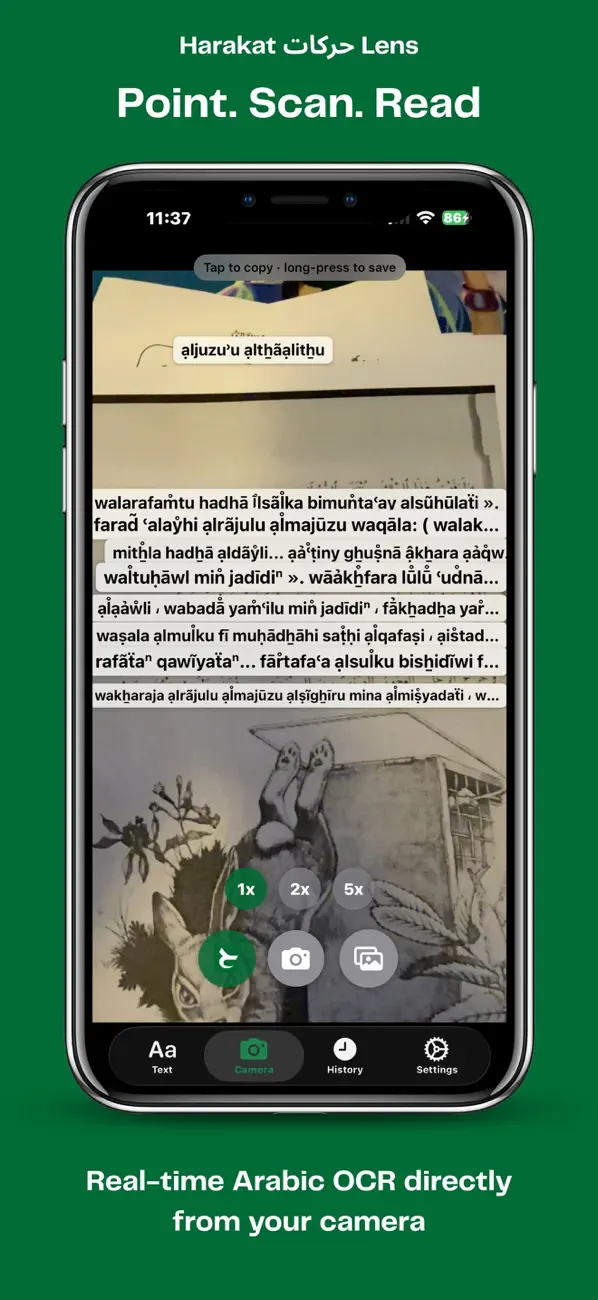
Harakat Lens turns your iPhone into a pocket Arabic reader. Point your camera at any Arabic text — a street sign, a menu, a book, a Quran page — and instantly see accurate Latin
transliteration alongside translation in your language.

Whether you're learning Arabic, traveling through the Arab world, or studying the Quran, Harakat Lens removes the friction between seeing Arabic script and understanding it.

KEY FEATURES

• Live Camera OCR — Scan Arabic text in real time using on-device recognition. Fast, private, accurate.

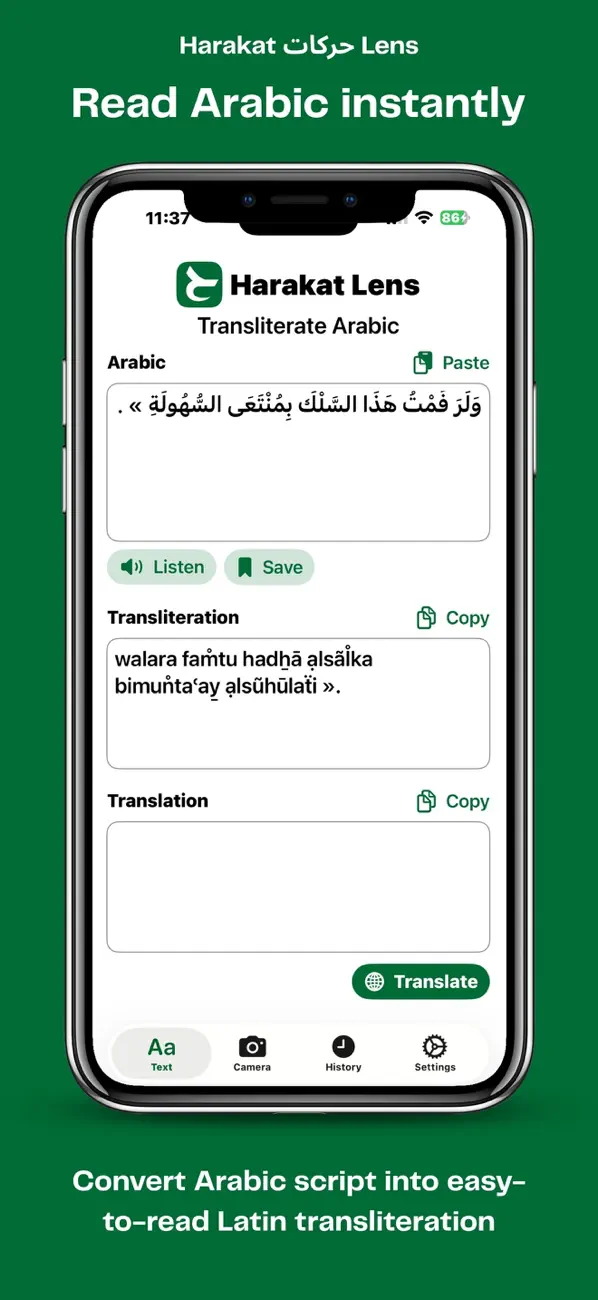
• Smart Transliteration — Convert Arabic script to readable Latin characters using ICU-grade transliteration. Handles harakat (diacritics), alef variants, and ya forms automatically.

• Built-in Translation — Powered by the native iOS Translation API. Translate scanned or typed Arabic into your preferred language.

• Quran Mode — Automatic verse recognition. Scan any ayah and Harakat Lens identifies the surah, verse number, and shows the canonical text.

• Text Input Mode — Paste or type Arabic directly for instant transliteration and translation, no camera needed.

• Audio Playback — Hear correct pronunciation of Arabic input and Quran ayahs.

• Privacy-First — OCR and transliteration run entirely on-device. Your scans never leave your phone.

WHO IT'S FOR

— Arabic language learners building reading fluency
— Travelers navigating Arabic-speaking countries
— Students of the Quran seeking instant verse lookup
— Anyone curious about Arabic script

NO ACCOUNT. NO ADS. NO TRACKING.

Just point, scan, read.

En voir plus...

Quoi de neuf dans la dernière version ?

* You can now save and revisit Arabic scanned entries later
* Added a new History tab for saved entries
* Save results directly from the Text tab
* Long-press OCR results to save them instantly
* Expanded playback controls with per-entry text-to-speech
* Swipe to delete individual entries or clear everything at once
  • Screenshot #1 pour Harakat Lens
  • Screenshot #2 pour Harakat Lens
  • Screenshot #3 pour Harakat Lens

D'autres applications du développeur

BiangBiang KanaBiangBiang KanaiOS UniverselBiangBiang HangulBiangBiang HanguliOS Universel

Note

(0 note)

Détails sur l'application

Version
0.2.0
Taille
7.5 Mo
Version minimum d'iOS
26.0
Dernière mise à jour
20/05/2026
Publié par
christian visintin

Newsletter App Store

Recevez chaque jour les meilleures promos

Actualité Apple

Image La Russie s’attaque à Apple et la pré-installation d’applications
La Russie s’attaque à Apple et la pré-installation d’applications
Image Apple Pay est désormais disponible aux Philippines
Apple Pay est désormais disponible aux Philippines
Image OpenAI tacle Apple pour l’injonction préliminaire et ses erreurs
OpenAI tacle Apple pour l’injonction préliminaire et ses erreurs
Image AppleCare One est maintenant disponible en France
AppleCare One est maintenant disponible en France
iPhoneAddict Apps

Le catalogue iPhoneAddict pour suivre les nouveautés, mises à jour et baisses de prix de l’App Store.

Apps

Toutes les apps iOS iPhone iPad Universelles Mac Apple TV

iPhoneAddict

Actualité Apple Archives keynotes Contact À propos KultureGeek

Suivez-nous

©2009-2026 i2CMedia. Tous droits réservés.