iWordQ Pro CA
iPad / Education
iWordQ Pro CA (Canadian English) is an easy-to-use writing and reading App featuring specialized word prediction for students in senior high school, colleges and universities as well as working professionals.
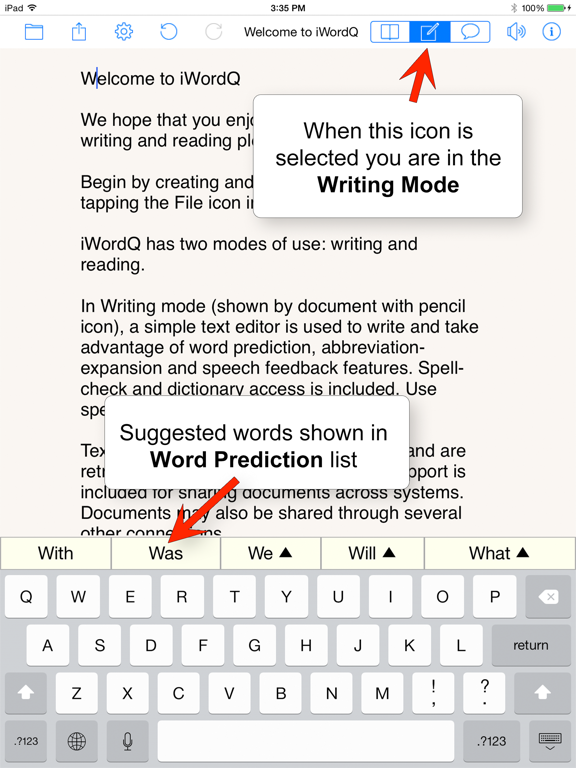
In Writing mode, a simple text editor is used for writing with the support of word prediction, abbreviation-expansion and speech feedback features. Spell-check and dictionary access is included. You can also use speech recognition.
In Reading mode, text is shown in a more visually pleasing manner to improve readability. This is used for proofreading, reading to learn, silent reading, reading aloud, and casual reading/listening. A novel text chunking method can be selected to enhance comprehension and readability of text to allow you to focus on one text chunk at a time.
WRITING MODE
>Word Prediction:
Predicted words are displayed as you type. Tap a predicted word to select it. Usage examples are provided to help distinguish close-sounding words (including homonyms). Even if you are creative in your spelling, iWordQ will still predict. As you move the text cursor, predictions are shown accurately.
>Speech Feedback:
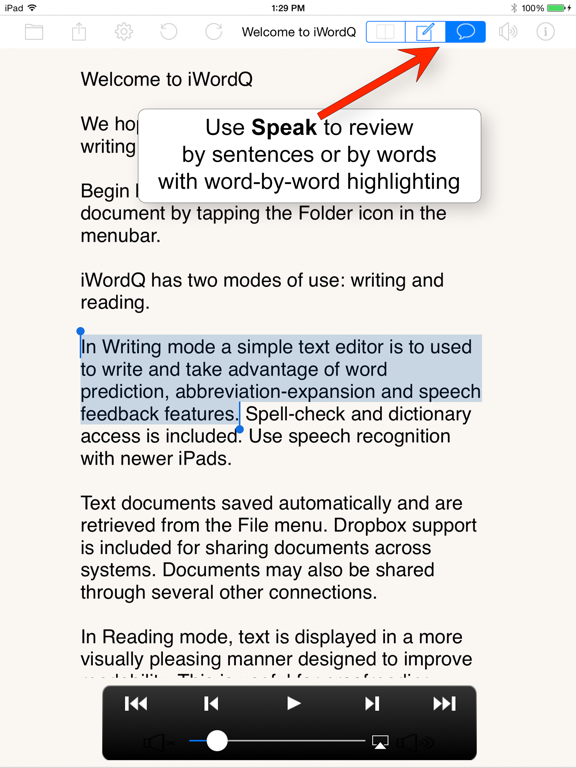
Touch and hold a predicted word to hear it spoken with high-quality text-to-speech. Words typed or selected from the prediction list will be read out loud. As you complete each sentence by adding punctuation it will be read back to you when you tap 'space'. Selected text can also be spoken with word-by-word highlighting. Double-tap a word to select a word; drag to extend selection. Double-tap to select a paragraph. Select Speech button to display a speech review control and advance forward and backward by sentences/words.
>Abbreviation-Expansion:
Use your own customized abbreviation-expansions, also known as text macros, to simplify your writing. Abbreviations are also shown in the prediction list. Expansions can include any character including punctuation and multiple paragraphs.
>Sharing
Text documents are saved automatically and are retrieved from the File menu. Dropbox support is included for sharing documents across systems. Documents may also be shared through several other connections, including e-mail, Facebook, Twitter, Message, the pasteboard, and opening in other Apps.
READING MODE
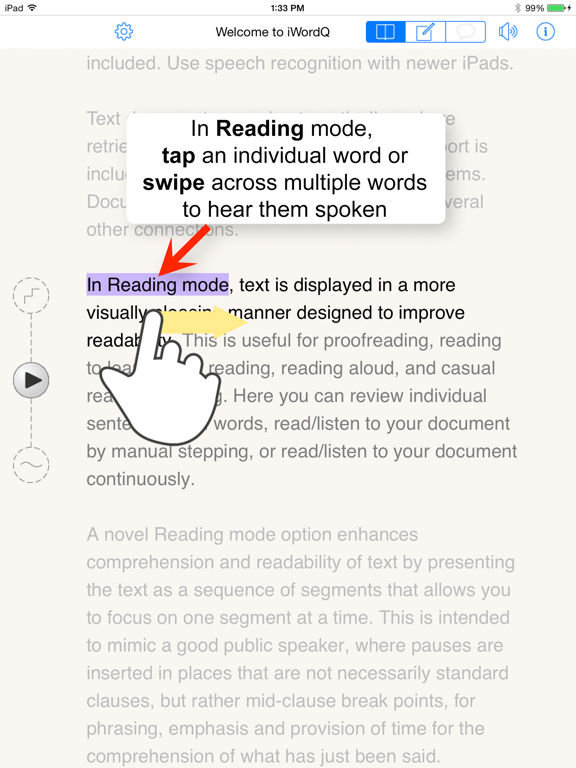
The iPad onscreen keyboard is hidden and your current sentence from the Writing mode is shown in black text with the surrounding text in grey to focus attention on the current sentence. Select any another sentence by tapping it.
>Proofreading:
Listen for mistakes while sentences are spoken. Tap an individual word to highlight it and hear it spoken. This is useful to hear whether a word sounds correct. It may be spelled incorrectly, may be in the wrong form, or it may simply be the wrong word. Touch and swipe across more than one word to highlight a group of words that will be spoken out when you lift your finger. This is useful to hear whether word combinations are correct.
>Reading to learn:
Use the patented Text Chunking to focus on text chunks or segments (rather than individual words) and add breathing space to comprehend your text before moving on. This is intended to mimic a good public speaker. When you tap within a sentence, a segment about that point will be highlighted and spoken. When playing a sentence, a pause is inserted after each text chunk to allow you to catch up before listening to the next one.
>Reading out loud:
Use iWordQ like a teleprompter and read out loud at the same pace as if spoken by iWordQ or read out loud at your own pace. Sentences (and text chunks) will be highlighted as you move through the text.
>Reading silently:
Turn speech feedback off and read out silently at the same pace as if spoken by iWordQ or read silently at your own pace. Sentences (and text chunks) will be highlighted as you move through the text.
>Casual reading:
Tap the first sentence to identify the starting point. Then play the sentences either automatically or manually.
Quoi de neuf dans la dernière version ?
- Dictionary enhancements for improved performance
- Removed ability to save or download documents from Google Drive, OneDrive, and Dropbox
- Internal software updates to better align with desktop versions