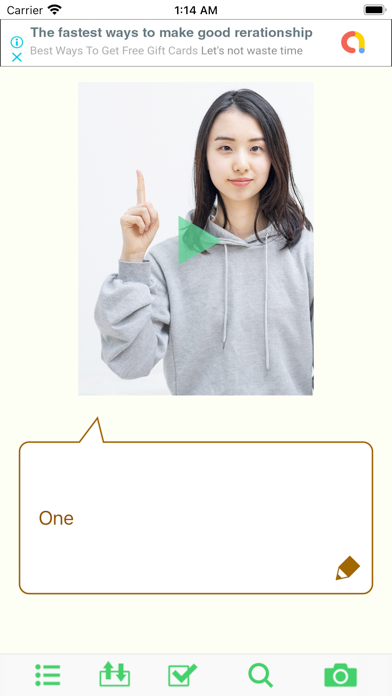
Sign Language Study Cards
iPhone / Education
Register "meaning of sign language", "video", and "keywords that express the characteristics of movement".
Registered sign language can be searched by action keyword and video ID in addition to the same semantic search as a normal dictionary.
● Overview of how to use
1. Create a new card
Display the menu with the button on the left end of the toolbar and select "Create new card".
2. Enter meaning
Use the pencil icon button to display the input view and enter the meaning of sign language.
* Be sure to click the "Done" button after entering. Please note that if you close the view without pressing the "Done" button, the words you type will be deleted without being saved.
3. Select the characteristics of the action
Use the button in the center of the toolbar to set a keyword that represents characteristics of action.
Keywords are selected from hands, hand movements, head, face, chest, belly, arms, etc. to set the body parts and movements to be used.
Features that are not included in the options can be set as free input keywords.
4. Register the video
Use the buttons on the far right of the toolbar to perform various operations related to videos.
Videos can be recorded with this app.
Cut out and register only the necessary part of the recorded video.
Be sure to "save" the recorded video before closing the card.
The video is saved in your iOS library.
You can also load videos recorded by another app saved in your library.
5. Search
You can search for cards by selecting the search method with the second button from the right on the toolbar.
You can search by three methods: "meaning", "features of action", and "video ID".
6. Data export / import
The data on the created card can be exported as text in XML format.
The second button from the left on the toolbar allows you to export to the clipboard or share it as a text file.
The saved file can be converted to card data and imported by selecting this app when opening the file.
Quoi de neuf dans la dernière version ?
We have updated the app for the latest iOS version.