Tradewind Members
iOS Universel / Education
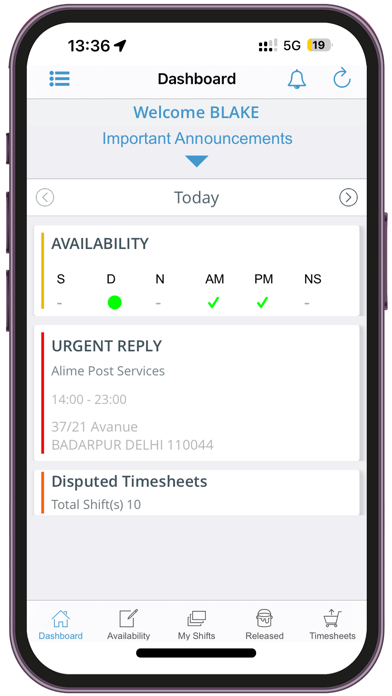
Tradewind Australia provides it’s Staff with a unique Member’s Application that offers you the most convenient way to update your Availability, Accept / Reject Shifts, Enter Travel KMS, View Shift Documents, View Shift Worth, Submit Timesheets, & User friendly Dashboard.
Details of some of the App features are:-
• Push Notifications - Receive immediate details of Available Shifts, Upcoming Shift Alerts, Helpful Shift Notes, & other Communications.
• Availability - View /Enter up to 4Weeks Casual Availability, including flexible options for high priority standby, double shifts, Possibly Available, All day off.
• My Shifts - Accept or Decline Shifts assigned to you instantly within seconds without any phone calls. View your confirmed shifts, add shifts to your Calendar, Receive GPS directions with detailed travel, entry and important facility information.
• Released (shifts) - Accept or Decline Standard shifts that are made available to a large group instantly. Whoever is the quickest to accept the shift wins!
• Timesheets - Quickly Submit your timesheets online, just select your shift, follow prompts and with a quick photo snap you're done in seconds, ready for your next payday.
• Personal & Contact Details - Update your personal work, and emergency contact details at any time directly.
• Preferences - Be your own boss, Submit your preferences for your availability, contact, travelling times and work arrangements, updated straight to the Agency.
Quoi de neuf dans la dernière version ?
SuperReady – This feature supports Payday Super requirements and Australian Taxation Office obligations, enabling members to view, add, and update their TFN declaration and superannuation fund details directly within the app.
Minor bug fixes.