Typography Insight
iOS Universel / Education
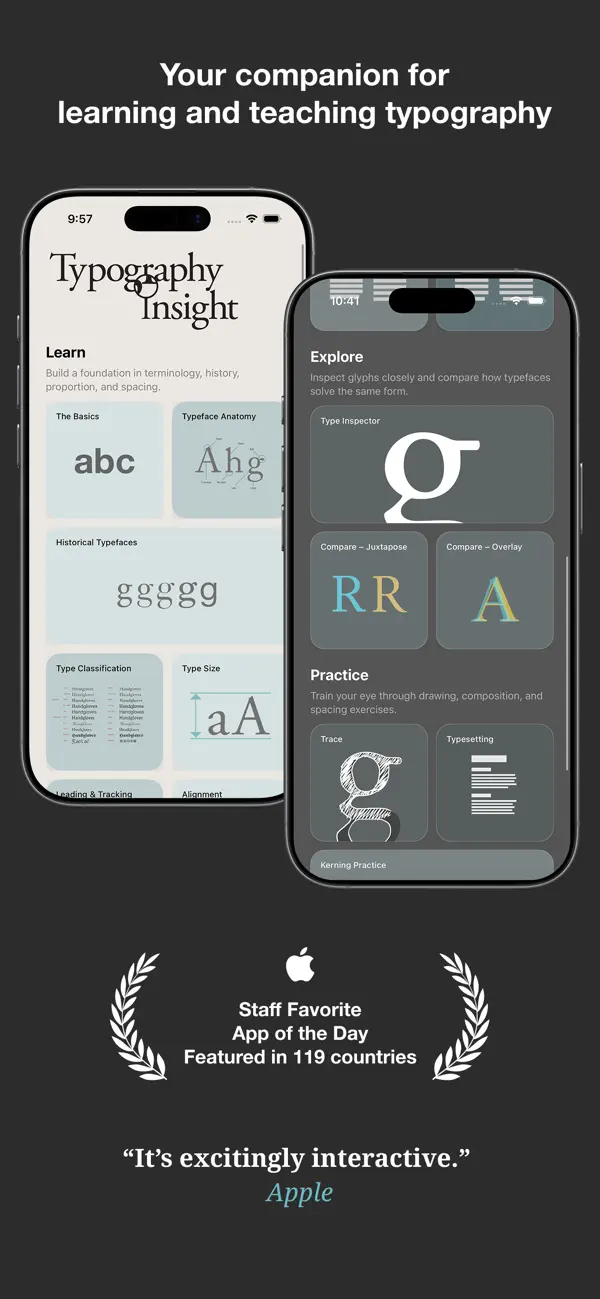
Typography Insight is an interactive textbook and professional toolkit for learning, teaching, and exploring typography.
Study the structure and history of type, inspect real font metrics, compare installed fonts, and develop your eye through hands-on exercises. Designed for students, educators, designers, and everyone who loves type.
Featured as App of the Day in 119 countries.
“Typography Insight will make you think differently about the words you see every day. It’s excitingly interactive.”
— Apple
“It’s more like an exquisite museum exhibit than a musty textbook.”
— Fast Company
“Learning the subtleties of Helvetica and Garamond used to be a pain—but a sleek new app has made the process easier.”
— The Atlantic
“Typography Insight is beautiful and fun.”
— Gizmodo
LEARN THE FOUNDATIONS
• The Basics: Build a strong foundation through 14 visual lessons covering letterforms, spacing, hierarchy, readability, grids, and typesetting.
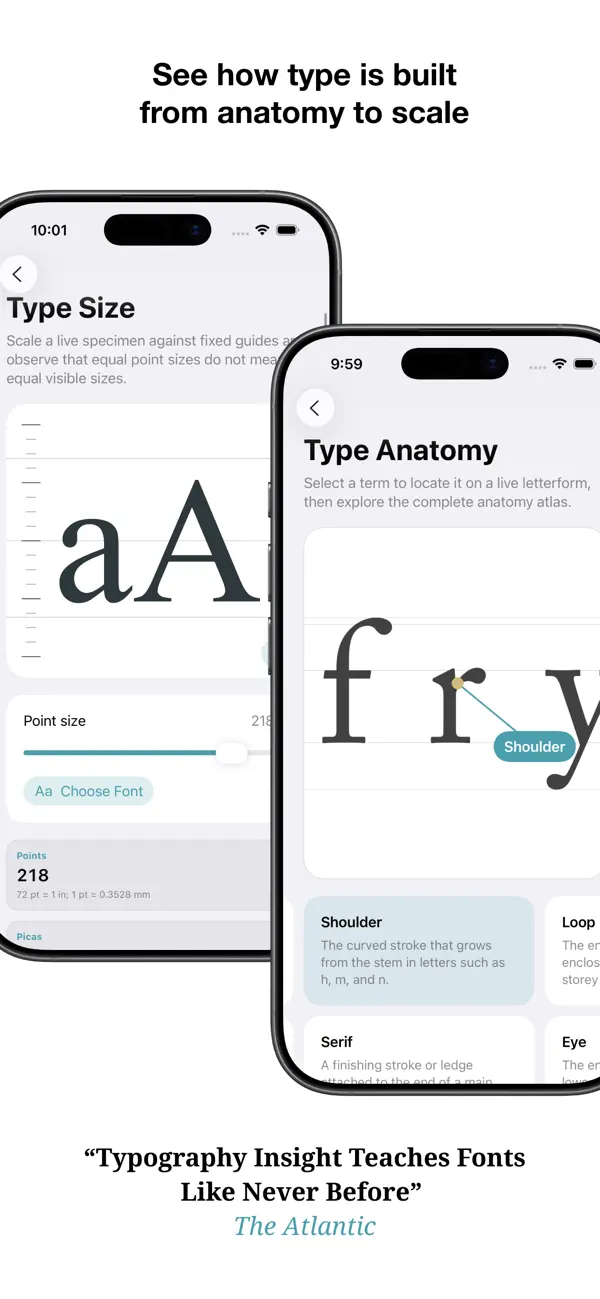
• Type Anatomy: Explore an interactive atlas of typographic terms and locate each feature directly on a letterform.
• Type Classification: Compare major historical categories through their proportions, contrast, stress, terminals, and construction.
• Historical Types: Follow landmark typefaces through an interactive timeline and compare how the lowercase “g” evolved across typographic systems.
• Type Size: Understand points, picas, physical size, CSS reference pixels, PPI, and practical considerations for digital media.
• Leading, Tracking, and Alignment: Manipulate live text and observe how spacing and alignment shape rhythm, texture, and readability.
INSPECT AND COMPARE
• Type Inspector: Enlarge text without limits and study letterforms at an extraordinary scale.
• Glyph Browser: Browse the characters supported by an installed font and inspect real measurements including x-height, cap height, ascender, descender, advance, and glyph width.
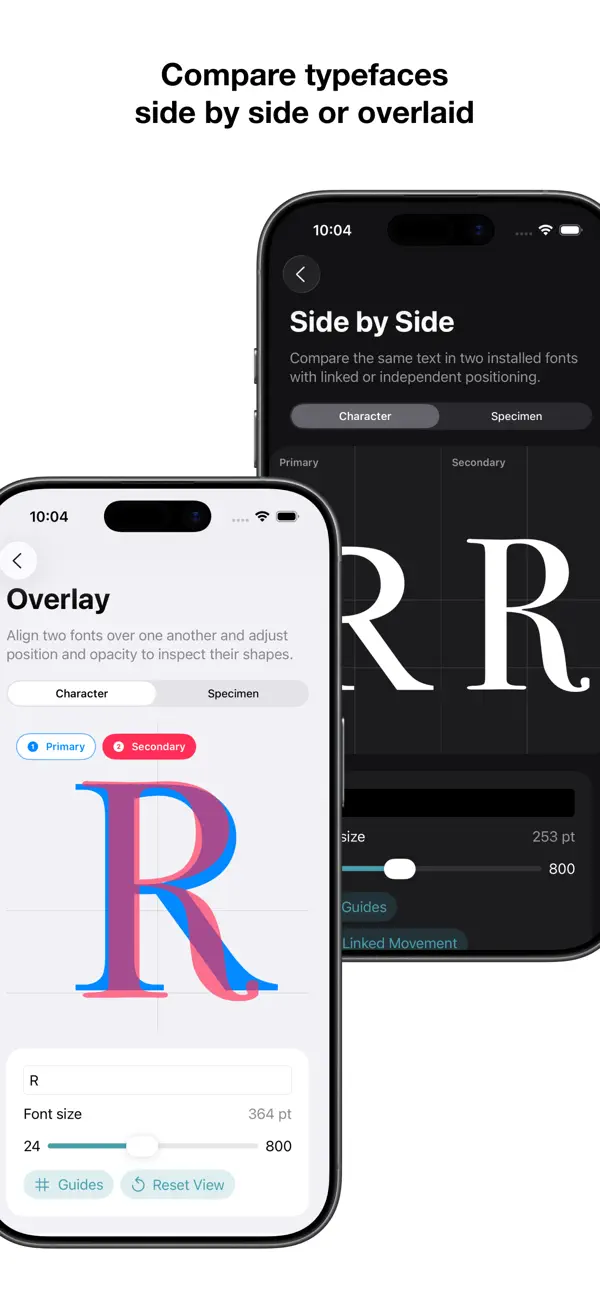
• Side by Side: Compare the same character or specimen in two fonts with direct positioning and optional guides.
• Overlay: Place two typefaces over one another, adjust their position and opacity, and discover subtle structural differences.
PRACTICE BY DOING
• Trace: Trace large letterforms using Apple Pencil or touch. Choose a font, adjust the guide, zoom the canvas, and draw with the PencilKit tool palette.
• Typesetting: Transform raw copy into a readable page step by step—reveal structure, build hierarchy, set the measure, shape paragraphs, and tune the rhythm.
• Kerning Practice: Adjust letter pairs by eye, reveal the reference spacing, and train your sense of balance with guided exercises.
WORK WITH YOUR FONTS
Choose from system fonts and fonts installed on your device using the native iOS font picker. Compare downloaded typefaces from font-management apps, local files, and supported font libraries.
Typography Insight is fully optimized for both iPhone and iPad, with responsive layouts, light and dark appearance support, and no account required.
See type differently.
Quoi de neuf dans la dernière version ?
Typography Insight has been completely rebuilt in Swift for iPhone and iPad, with a modern interface inspired by Apple’s latest Liquid Glass design language.
This major update introduces:
• A completely redesigned, responsive interface
• 14 expanded visual lessons covering typography fundamentals
• Interactive Type Anatomy and Type Classification experiences
• A richer Historical Types timeline and letterform comparison
• A redesigned Type Inspector with Glyph Browser and real font metrics
• Improved Side by Side and Overlay comparison tools
• Apple Pencil and PencilKit tracing with zoomable drawings
• Step-by-step interactive typesetting exercises
• Expanded kerning, spacing, alignment, and type-size tools
• Native access to system and installed fonts
• Refined light and dark appearances throughout the app
Typography Insight is now a deeper interactive textbook and a more powerful professional toolkit—designed to help students, educators, designers, and type lovers see typography in entirely new ways.