iPhoneAddict Apps
  • Actualités
  • Accueil Apps
  • iPhone
  • iPad
  • Universelles
  • Mac
  • Apple TV
KG KultureGeek
App
iPhone / iPad Télécharger iAddict v5 Mac Télécharger iAddict Mac
  • Actualités
  • Accueil Apps
  • iPhone
  • iPad
  • Universelles
  • Mac
  • Apple TV
  • Archives keynotes
  • Firmwares & iTunes
  • Contactez-nous
  • Comparateur de prix
  • KultureGeek
Accueil » Liste des Apps » Apps Universelles » Education » Using I and Me Fun Deck
4.03 iOS €Gratuit Super Duper Publications 5 1 This colorful educational App for the iPhone®, iPad®, and iPod touch® has all 52 illustrated picture flash cards (plus audio of each card’s text) from the Using I and Me Fun Deck® by Super Duper® Publications. Select the cards you want...
Using I and Me Fun Deck

Using I and Me Fun Deck

iOS Universel / Education

Gratuit
Obtenir sur l'App Store
Facebook X E-mail

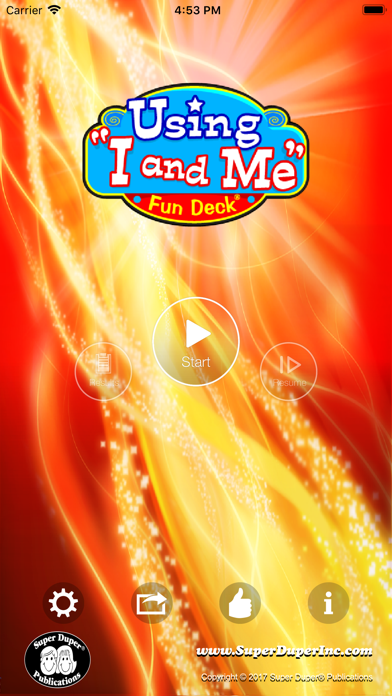
This colorful educational App for the iPhone®, iPad®, and iPod touch® has all 52 illustrated picture flash cards (plus audio of each card’s text) from the Using I and Me Fun Deck® by Super Duper® Publications. Select the cards you want students to see, and have your students fill in the blank to practice the personal pronouns “I” and “me.” The prompts include statements like, “___ wrote a story about lions” and “The story about lions was written by ___.” The Automatic Scoring option allows the students to choose from one of two answers to complete the sentence correctly.

This App is simple to use — each student looks at an illustration and either reads the prompt or touches the screen to listen to the prompt and answer choices. The student then responds by touching his/her answer. Move to the next card by sliding the card currently on the display screen to the side. To move to the next player, tap the bar at the top of the screen and select a name. You can also advance cards and players automatically by selecting the Auto-Advance option in the Settings menu. You can leave a game by selecting End from the menu. To return to the game, select Resume from the main menu. When you finish, view the results in a graph, and print or email your data.

Using I and Me Fun Deck® App lets you:
• Use the app in portrait or landscape orientation.
• Select all 52 cards or just the ones you want students to see.
• Track correct and incorrect responses for an unlimited number of players.
• Advance players and cards manually or automatically.
• Receive feedback for incorrect and/or correct responses
• Discontinue game play and continue at any time.
• View results in a graph and see which questions a player missed during a session.
• Print, E-mail and share your results.

En voir plus...

Quoi de neuf dans la dernière version ?

This update from Apple will improve the functionality of this app. No new features are included.

Improved support for iOS 9, 10, 11 and iPhone X

Enhanced Students
* Add avatars or photos to students

Enhanced Cards
* Customizable layout (image, text, buttons)

Improved Communication
* Contact us directly through the app, no email required
  • Screenshot #1 pour Using I and Me Fun Deck
  • Screenshot #2 pour Using I and Me Fun Deck
  • Screenshot #3 pour Using I and Me Fun Deck
  • Screenshot #4 pour Using I and Me Fun Deck
  • Screenshot #5 pour Using I and Me Fun Deck
  • Screenshot #6 pour Using I and Me Fun Deck

D'autres applications du développeur

Super Duper Age CalculatorSuper Duper Age CalculatoriOS UniverselSD "What Are They Thinking?"SD "What Are They Thinking?"iOS Universel60 Story Starters60 Story StartersiOS UniverselUnderstanding Inferences Fun DeckUnderstanding Inferences Fun DeckiOS UniverselPracticing Pragmatics Fun DeckPracticing Pragmatics Fun DeckiOS UniverselAll About You All About Me Fun DeckAll About You All About Me Fun DeckiOS UniverselVoir toutes les apps

Note

(1 notes)

Détails sur l'application

Version
4.03
Taille
45.6 Mo
Version minimum d'iOS
9.0
Dernière mise à jour
17/11/2017
Publié par
Super Duper Publications

Newsletter App Store

Recevez chaque jour les meilleures promos

Actualité Apple

Image WhatsApp améliore les discussions de groupes : mention @tous, nouveaux sondages et plus
WhatsApp améliore les discussions de groupes : mention @tous, nouveaux sondages et plus
Image iPhone : Apple dépasse pour la première fois les 10 milliards de dollars de ventes annuelles en Inde
iPhone : Apple dépasse pour la première fois les 10 milliards de dollars de ventes annuelles en Inde
Image iPhone « des vingt ans » : Apple testerait des écrans de 6,4 et 7 pouces sans bordures
iPhone « des vingt ans » : Apple testerait des écrans de 6,4 et 7 pouces sans bordures
Image Google Health synchronise maintenant ses données avec Apple Santé
Google Health synchronise maintenant ses données avec Apple Santé
iPhoneAddict Apps

Le catalogue iPhoneAddict pour suivre les nouveautés, mises à jour et baisses de prix de l’App Store.

Apps

Toutes les apps iOS iPhone iPad Universelles Mac Apple TV

iPhoneAddict

Actualité Apple Archives keynotes Contact À propos KultureGeek

Suivez-nous

©2009-2026 i2CMedia. Tous droits réservés.