Writing Toolkit Lite
iOS Universel / Education
Welcome to Writing Toolkit! This application is intended for writers of all genres; fiction, nonfiction, technical and more! This app will help spark your creative fires whether you are an savvy writing veteran or a wet-behind the ears newbie. This app is for you!
Ultimately, this application is about empowering you to be a better writer. The content is designed around that central purpose. To achieve this goal, the content is dependent on you. Writing is challenging, thoughtful and enjoyable work, and this application achieves its goal by providing you with the means to increase your rate of discovery of interesting new ideas and methods for your writing. The writing then, is up to you!
Here is how it works:
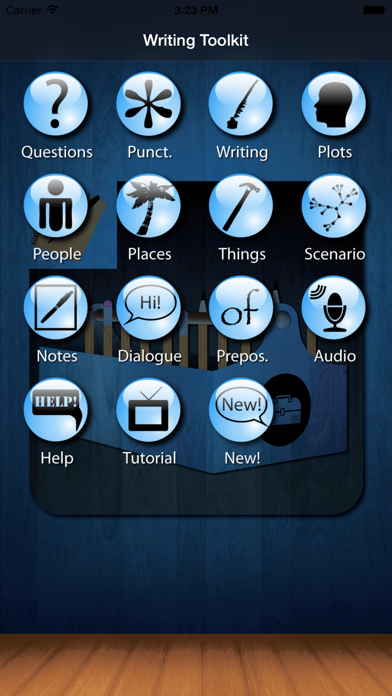
There are fourteen icons on the main page of the springboard. Each icon launches a different section of the application. Here is a brief description of each:
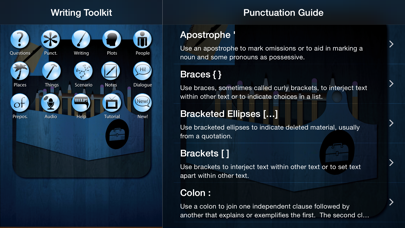
The top row, including Questions, Punctuation, Writing Definitions and Plots, showcase the features of the application which aid you in your writing mechanics and creativity. They present you with thought provoking content, notation and email features. The Questions section is separated into categories and the questions in each are designed to help you break through a writer's block. The Punctuation section offers a guide to punctuation use. The Writing Definitions section provides you with definitions for common writing concepts. The Plots section gives an overview of 25 different plot types with examples of each. These plot types encompass all of the standard storytelling plots.
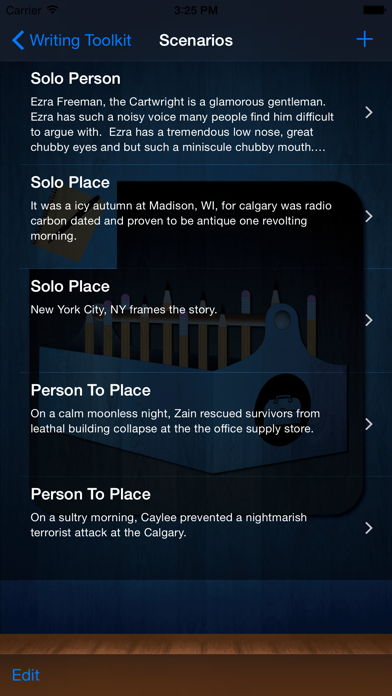
The second row, containing People, Places, Things and Scenarios, constitute the section of the application that helps you create new characters, places, important items and interactions between them. These items are interdependent. Namely, to create a new scenario between people, places or things, you must first create people, places or things. This section is designed to produce endless variations for you to read through and pick the ones you like. Further it can help inspire you to create alternatives to the suggested scenarios, people, places and things. So, if you are looking for a new character, generate one. If you are looking for a new setting, generate one. You get the idea.
The third row has Notes, Dialogue, Prepositions and iPod Control. The Notes section allows you to jot down ideas for your work from anywhere. The Dialogue section provides you with a list of over 100 words that you can use in place of 'said' so your dialogue remains vibrant and fresh for your readers. Additionally, they are tagged for indicating loud, normal, questioning or softly spoken speech. The Prepositions section provides you with a list of 133 prepositions for when you need them. The iPod Control section allows you to listen to your own music or audiobooks without leaving the application.
The fourth row houses Help and Video Tutorial. These sections show you how to operate the application and explain the content and the intended uses of this app. Clearly, this is the Help page, intended to explain the content of the application and how to use it and why we believe it will help you become a better writer. The Video Tutorial section provides you to direct, in-app access to the tutorial video we have created for an easier to view rundown of the application content, use and intentions.
Quoi de neuf dans la dernière version ?
This app has been updated by Apple to display the Apple Watch app icon.
Updated for iOS 11