Xplorer XR
iOS Universel / Education
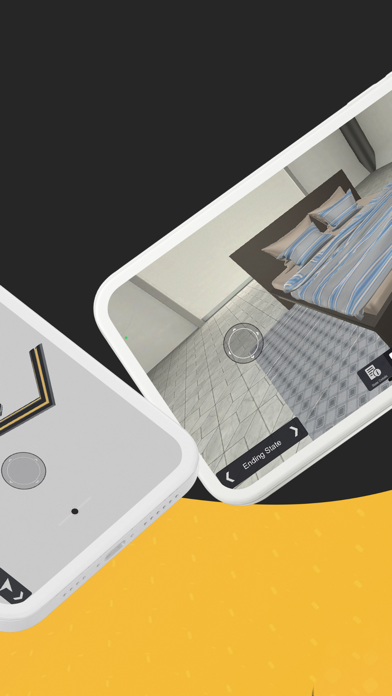
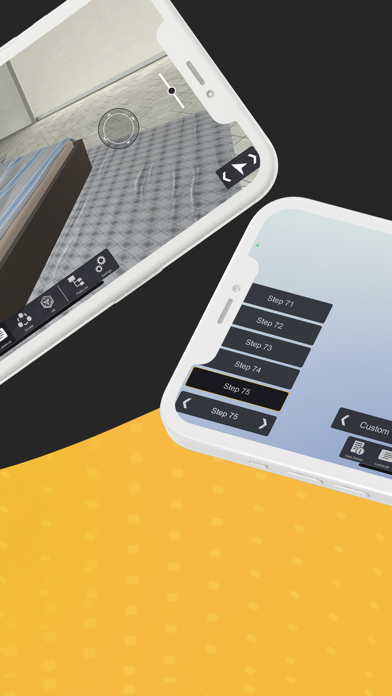
Xplorer is the leading software for easily and rapidly creating XR training content for industrial enterprise applications. Xplorer enables real time access to AR, VR and 3D work instructions and training to upskill, increase performance, safety and operational efficiency. Advanced industrial XR content (training, presentations on assembly/disassembly, visualization of parts) on complex assets is easily and rapidly created through a platform that uses your content at hand and uses a simple workflow for ease of use, with a wealth of built-in functionality.
Simple, drag-and-drop UI features, combined with your own content, enable you to build engaging content, simply, quickly, and cost-effectively.
Xplorer accelerates XR training content development for industrial enterprise customers to address workforce challenges and meet business goals and is the easiest way to create advanced industrial XR content (training, presentations on assembly/disassembly, visualization of parts) on complex assets. Xplorer allows users to collaborate from any device, from anywhere simultaneously interacting in XR (3D/VR/AR). Interact in a multiplayer experience from any location with the option to view in 3D, virtual reality or augmented reality and access on phones, tablets, computers and headsets.
No more spending huge amounts of time developing single-use content. Xplorer's XR content is easy to create, adapt, and share, which means each project can be rapidly scaled, modified, and reused for new lessons. Xplorer XR dramatically reduces cost and time-to-field by enabling real time access to training, and the update of training content with little rework to empower technicians to use readily available information to reduce servicing costs, and provide field support. Technical staff use Xplorer lessons for highly engaging and interactive 3D work instructions, visualization of complex equipment or facilities, and presentations for marketing or sales personnel on large equipment.
Xplorer has content freedom, it leverages your existing content by allowing you to easily import your own digital assets, from CAD data and FBX files to Mp4s, Mp3s, PNGs, PDFs, PowerPoint slides, and more to create your training. Xplorer’s robust and intuitive features don’t require technical expertise or coding, it is a visual creation process similar to creating a powerpoint that is then exported with a click of a button to use in AR, VR or 3D. Think of Xplorer as the PowerPoint for immersive content creation.
Subject matter experts use Xplorer to build visually stunning and highly engaging XR training and presentations on their industrial equipment and processes simply, quickly, and cost-effectively.
Quoi de neuf dans la dernière version ?
- Enhanced Mesh Importer: We’ve expanded our file compatibility. The improved importer now supports a wider range of 3D mesh formats, reducing the need for external pre-processing and allowing for more diverse asset integration.
- Spatial 3D Audio: Elevate realism with distance-based sound. You can now create audio objects that dynamically attenuate (fade) as the user moves away from the source, providing a natural sense of scale and presence.
- Multi-Script State Support: You can now attach and run multiple scripts within a single state. This allows for cleaner organization of complex behaviors and more modular logic design.