CoinKeeper 3 - money manager
iPhone / Finance
CoinKeeper³ is an upgraded version of the legendary app. Recording and tracking your expenses has never been simpler. Start your new financially conscious life with new CoinKeeper.
WONDER HOW TO SAVE MONEY?
The intuitive diagram will show you:
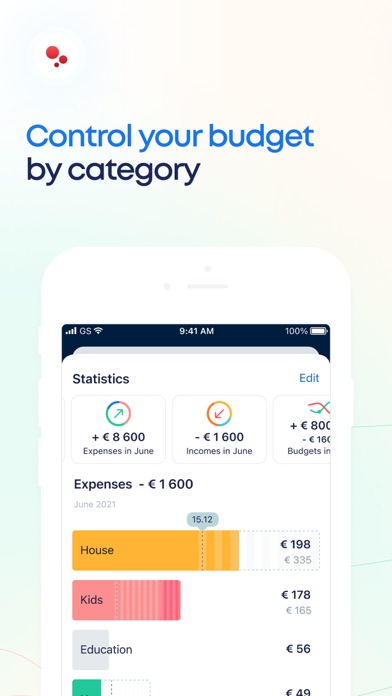
categories you should spend less money on;
categories you spend the most of your money on;
how to make correct decisions based upon specifically your financial situation.
KEEP SPENDING MORE THAN PLANNED?
CoinKeeper shows you when it’s time to stop.
Set the limits on expense categories and once you are over your budget, you’ll see it.
WANT TO SET UP A FAMILY ACCOUNT?
Shared budgeting has never been easier: your family members record expenses in their own devices. Accounts’ balances will be displayed on each device.
LOOKING FOR INDIVIDUAL SOLUTIONS?
CoinKeeper³ is a handy, simple and intuitive app that provides you with:
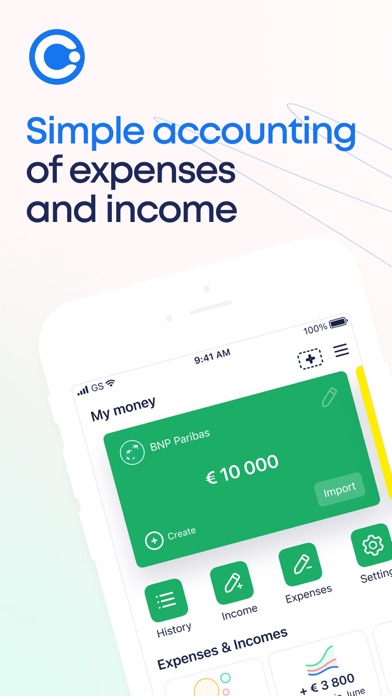
all your accounts, cards and cash is shown on one screen;
fast access to any of your financial information in one easy swipe;
tags and comments, that help you to specificate your expenses;
the unlimited number of expense categories for making your very own budgeting system.
You can buy CoinKeeper Plus or Premium subscription and get every feature. Premium subscription is available on monthly basis for $7.99 or $59.99 per 1 year.
Payment will be charged to iTunes Account at confirmation of purchase. Monthly subscription automatically renews unless auto-renew is turned off at least 24-hours before the end of the current period. The account will be charged for renewal within 24-hours prior to the end of the current period, and identify the cost of the renewal. Subscriptions may be managed by the user and auto-renewal may be turned off by going to the user's Account Settings after purchase. No cancellation of the current subscription is allowed during the active subscription period. Any unused portion of a free trial period, if offered, will be forfeited when the user purchases a subscription to that publication.
CoinKeeper Terms of Service http://coinkeeper.me/terms & Privacy Policy: https://about.coinkeeper.me/privacy_en
Quoi de neuf dans la dernière version ?
Correction de bugs mineurs